



HP
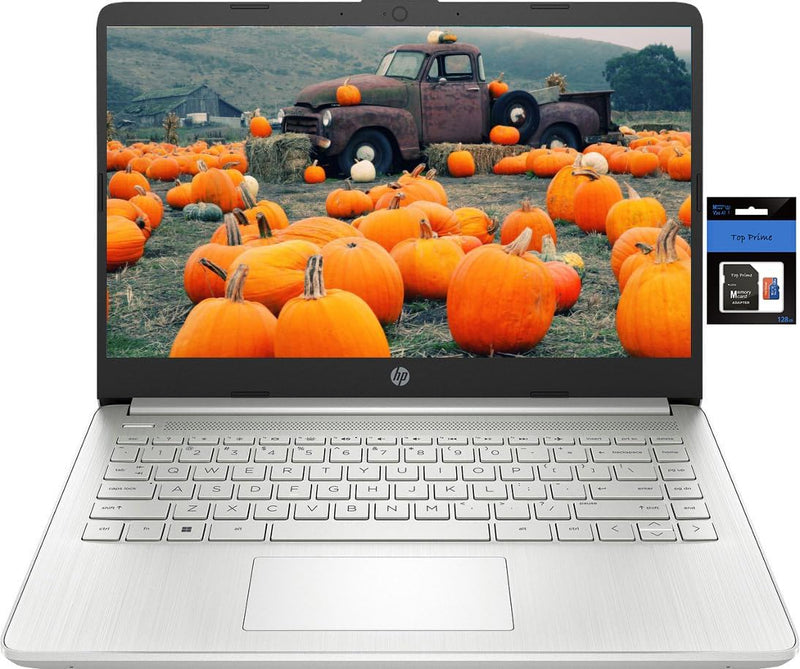
HP 14" HD Stream Laptop Intel Celeron 8GB 256GB SSD
★★★★★
UHD1366 x 7688GB RAM256GB SSD128GB eMMC
Portable Productivity for Students and Business The HP 14" HD Stream Laptop is designed for both students and business professionals, offering a balance of portability and performance. Featuring a Quad-Core Intel Celeron N processor, 8GB RAM, and ample storage, this laptop is perfect for everyday...
$269.99*
View on Amazon
✓ In Stock on Amazon.com
*Price sourced from Amazon.com. Last updated:Jun 07, 2026.Price and availability are subject to change.
Affiliate Disclosure: Studio Supplies may earn a commission from qualifying purchases made through links on this page, at no additional cost to you. This helps support our editorial team.
Notice a mistake? Let Us Know
Overview
Portable Productivity for Students and Business
The HP 14" HD Stream Laptop is designed for both students and business professionals, offering a balance of portability and performance. Featuring a Quad-Core Intel Celeron N processor, 8GB RAM, and ample storage, this laptop is perfect for everyday tasks. Comes with 1 year of Office 365 subscription.
Key Specifications:
- Display: 14.0-inch diagonal, HD (1366 x 768), micro-edge, BrightView
- Processor: Intel Celeron N4120, up to 2.6 GHz, 4 Cores & 4 Threads
- Memory: 8GB RAM
- Storage: 128GB eMMC + 128GB SD Card
- Graphics: Intel UHD Graphics 600
- Operating System: Windows 11 Home in S mode
- Wireless: 802.11a/b/g/n/ac Wi-Fi and Bluetooth
- Webcam: HP True Vision 720p HD camera with integrated dual array digital microphones
- Battery Life: Up to 10 hours
Key Features
【14" HD BrightView Display】14.0-inch diagonal, HD (1366 x 768), micro-edge, BrightView. The captivating clarity and brilliance will surely enhance your work and entertainment endeavors.
【Processor & Graphics】Intel Celeron N4120, 4 Cores & 4 Threads, 1.10 GHz Base Frequency, Up to 2.60 GHz Burst Frequency, 4 MB Cahce, Intel UHD Graphics 600
【Upgraded to 8GB RAM & 128GB eMMC】Adequate high-bandwidth RAM to smoothly run multiple applications and browser tabs all at once. Massive storage space for your files, applications, and multimedia content, providing fast and reliable data access.
【Windows 11 Home in S mode】You may switch to regular windows 11: Press "Start button" bottom left of the screen; Select "Settings" icon above "power" icon;Select "Activation", then Go to Store; Select Get option under "Switch out of S mode"; Hit Install. (If you also see an "Upgrade your edition of Windows" section, be careful not to click the "Go to the Store" link that appears there.)
Activate pre-installed Office 365: 1.Launch any Office app > 2.Start your activation by signing in with your Microsoft account(Create a account if you don't have one yet) > 3.Click "Activative Office" > 4.Sign in your account and follow the next prompts. > 5.Complete Step 1,2 and 3 > 6.Click on Refresh once Office is ready > 7.Open a document and accept the license agreement.
Specifications
Display Size
14.0-inch diagonal
Display Resolution
HD (1366 x 768)
Display Type
micro-edge, BrightView
Processor
Intel Celeron N4120
Processor Cores/Threads
4 Cores & 4 Threads
Base Frequency
1.10 GHz
Burst Frequency
Up to 2.60 GHz
Processor Cache
4 MB
Graphics Card
Intel UHD Graphics 600
RAM
8GB
Storage
128GB eMMC
Operating System
Windows 11 Home in S mode
Pros & Cons
👍 Pros
- Features a 14" HD BrightView micro-edge display for captivating clarity and an immersive viewing experience
- Equipped with an Intel Celeron N4120 processor (4 Cores & 4 Threads) for smooth multitasking up to 2.60 GHz burst frequency
- Upgraded to 8GB RAM, providing adequate high-bandwidth memory to run multiple applications and browser tabs simultaneously
- Includes 128GB eMMC storage, offering massive space for files, applications, and multimedia content with reliable data access
- Comes with Windows 11 Home in S mode, which can be easily switched to regular Windows 11 for broader app compatibility
👎 Cons
- The 14" HD (1366 x 768) resolution is lower than Full HD, which might result in less sharp visuals compared to higher-resolution displays
- Intel UHD Graphics 600 is an integrated graphics solution, limiting its performance for graphically demanding tasks or modern gaming
- While upgraded, 128GB eMMC storage is generally slower than a traditional SSD and may feel limited for users with extensive software needs
- Windows 11 Home in S mode restricts users to Microsoft Store apps unless switched out, which is an additional step for new users
- The pre-installed Office 365 requires activation steps, including creating a Microsoft account, which adds to the initial setup process
Frequently Asked Questions
What is the screen size and resolution of this HP Stream Laptop?
This HP Stream Laptop features a 14.0-inch diagonal HD (1366 x 768) BrightView micro-edge display.
What type of processor powers this laptop?
It is powered by an Intel Celeron N4120 processor with 4 Cores & 4 Threads, offering a burst frequency up to 2.60 GHz.
How much RAM and storage does this laptop have?
The laptop is upgraded to 8GB RAM and includes 128GB eMMC storage for your files and applications.
What operating system comes pre-installed on this device?
It comes with Windows 11 Home in S mode, which allows for an easy switch to regular Windows 11.
How do I activate the pre-installed Office 365?
To activate Office 365, you need to launch any Office app, sign in with your Microsoft account, click "Activate Office," follow the prompts, and then accept the license agreement after refreshing.
Related Products


