



HP
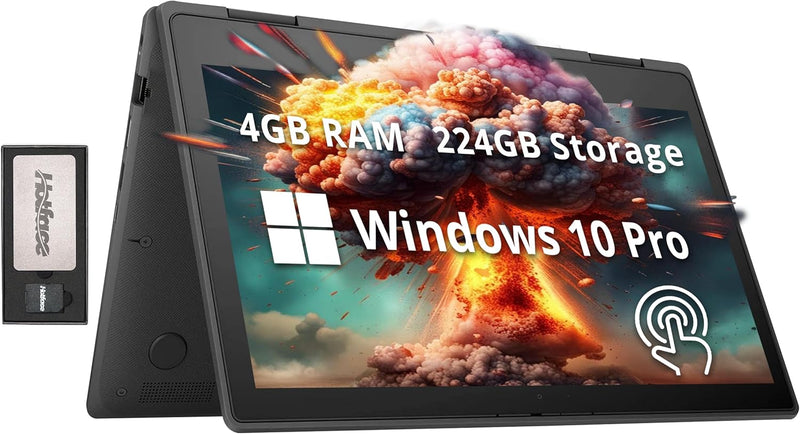
HP ProBook x360 G5 11.6" Touchscreen 2-in-1 Laptop
★★★★★
UHD11.6in4GB DDR464GB eMMCUSB 3.1
A touch-enabled 2-in-1 at an entry-level price point — the ProBook x360 G5 converts between laptop and tablet for light productivity and classroom use.
$349.00*
Check availability
*Price sourced from Amazon.com. Last updated:Jun 08, 2026.Price and availability are subject to change.
Affiliate Disclosure: Studio Supplies may earn a commission from qualifying purchases made through links on this page, at no additional cost to you. This helps support our editorial team.
Notice a mistake? Let Us Know
Overview
Key Features
【11.6" HD IPS Touchscreen】11.6in diagonal HD IPS WLED-backlit touchscreen design. Embark on a visual journey where vibrant colors and high resolution come to life at your fingertips.
【Intel Celeron N4020 Processor】Seamlessly multitask between study materials, stream your favorite entertainment content, and browse the internet smoothly without any lag.
【4GB DDR4 RAM】Elevate your projects with a high-speed RAM, ensuring faster data processing, seamless multitasking, and improved responsiveness that keeps you in the flow.【224GB Storage】64GB eMMC + 128GB 7-in-1 docking station + 32GB MicroSD card adapter. Delivers blazing boot-up speed and enhanced storage capabilities. Effortlessly access your extensive digital library with ease.
【HD Webcam】Provides high quality video calls, virtual meetings and online interactions.【Intel UHD Graphics 600】Enjoy solid image quality that brings your everyday content to life with vibrant colors and sharp details.
【Windows 10 Pro】Family, friends, passions, music, creations, games – Windows 10 Pro is the one place for it all.【Ports & Accessories】2x USB 3.1 Gen 1,1x USB Type-C,1x RJ-45,1x headphone/microphone combo,1x HDMI,1x AC power. WIFI+ Bluetooth 5, Gray.【Bonus Docking Station Set】1x 7-in-1 Docking Station with 128GB Storage, 1x 32GB MicroSD Card with Adapter, 1x Type-C Data Cable, 1x 3-in-1 Charging Cable, 1x Suede Cleaning Cloth.
Specifications
Display
11.6" HD IPS WLED-backlit touchscreen
Processor
Intel Celeron N4020
RAM
4GB DDR4
Storage
224GB (64GB eMMC + 128GB docking station + 32GB MicroSD card)
Graphics
Intel UHD Graphics 600
Operating System
Windows 10 Pro
USB 3.1 Gen 1 Ports
2
USB Type-C Ports
1
RJ-45 Ports
1
HDMI Ports
1
Wireless Connectivity
WIFI + Bluetooth 5
Color
Gray
Pros & Cons
👍 Pros
- 360-degree hinge enables four use modes — laptop, tent, stand, and tablet — providing genuine flexibility for classroom, presentation, and media consumption scenarios.
- 11.6" IPS panel delivers better viewing angles and color consistency than TN alternatives at the same price tier, making off-axis screen sharing more practical.
- The bundled accessory set (7-in-1 docking station with 128GB storage, 32GB MicroSD, Type-C cable, and multi-tip charging cable) meaningfully extends the base system's connectivity and storage beyond what the internal spec suggests.
- At 3.15 pounds with an 11.8" footprint, the unit is genuinely portable for students or users moving between locations daily.
- Windows 10 Pro is a more capable OS tier than Windows 10 Home for organizational environments that require domain join or remote desktop functionality.
👎 Cons
- 64GB eMMC internal storage is critically limited — Windows 10 Pro alone consumes a substantial portion, leaving minimal headroom for application installation without relying on external storage.
- The Intel Celeron N4020's dual-core architecture and limited cache create a real performance ceiling that will be reached quickly under multitasking workloads.
- 4GB DDR4 RAM is non-upgradable in most configurations at this tier, meaning performance cannot be improved as software demands grow.
- 1366x768 resolution on the 11.6" IPS panel is below Full HD — text and UI elements are less sharp than on 1080p displays, which is noticeable for extended reading or document work.
- Windows 10 Pro is end-of-life for consumer support, and upgrading to Windows 11 may not be supported on the N4020 platform due to TPM 2.0 requirements.
Frequently Asked Questions
What real-world performance should I expect from the Intel Celeron N4020?
The N4020 is a dual-core processor with a 1.1 GHz base clock (burst to 2.8 GHz). It handles web browsing, document editing, video streaming, and light multitasking adequately. Expect noticeable slowdown with more than 8–10 browser tabs open simultaneously, or when running any locally intensive application.
Is 4GB DDR4 RAM sufficient for Windows 10 Pro daily use?
4GB is the functional minimum for Windows 10 Pro. It's workable for single-application use and light multitasking, but the system will lean on virtual memory (paging) under heavier loads, which causes perceptible lag on the eMMC storage. Users who frequently multitask between applications will feel this constraint.
What does the 224GB total storage actually consist of?
The 64GB eMMC is the internal drive where Windows and applications reside. The remaining 128GB is housed on a bundled external 7-in-1 docking station, and the 32GB is a MicroSD card. For practical purposes, the internal storage is 64GB — a meaningful limitation for software installations.
Does the USB-C port support video output and charging?
The USB-C port is listed for data and connectivity. The product description does not specify USB-C DisplayPort Alt Mode or USB-C charging input — the primary charging is via the dedicated AC power port. Verify USB-C video output capability before relying on it for external display connections.
Does this unit ship with a stylus for the touchscreen?
No stylus is included. The touchscreen is finger-touch capable, which works for navigation and general interaction. Active pen input would require a separately purchased compatible stylus.
Related Products


