



HP
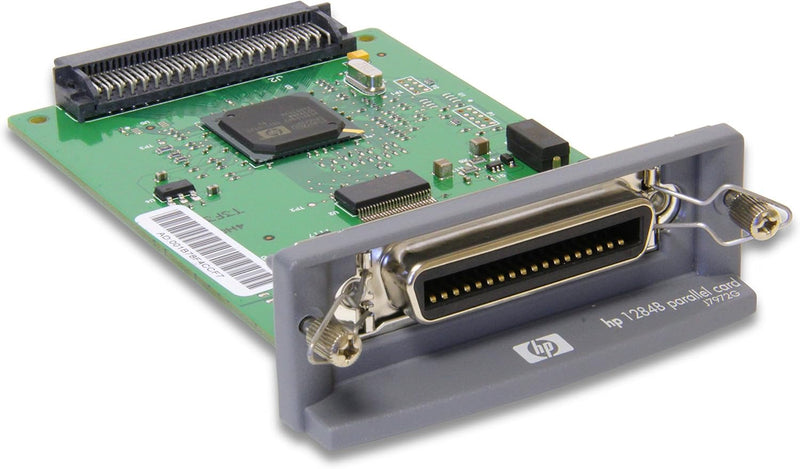
HP J7972G Parallel Interface Card
★★★★★
Add a parallel port to compatible HP devices with this EIO-slot interface card for legacy peripheral connectivity.
$24.29*
View on Amazon
✓ In Stock on Amazon.com
*Price sourced from Amazon.com. Last updated:Jul 15, 2026.Price and availability are subject to change.
Affiliate Disclosure: Studio Supplies may earn a commission from qualifying purchases made through links on this page, at no additional cost to you. This helps support our editorial team.
Notice a mistake? Let Us Know
Overview
Key Features
14674
Specifications
Brand
HP
Model
J7972G
Interface
Parallel Port
Slot Type
EIO (Enhanced Input/Output)
Compatibility
HP Devices with EIO Expansion Slot
Pros & Cons
👍 Pros
- Provides a straightforward way to maintain parallel port connectivity on HP devices that lack a built-in parallel interface.
- Slots directly into a standard EIO expansion bay with no external adapters or cables required beyond the parallel cable itself.
- Plug-and-play installation requires no additional driver setup on supported HP devices.
- Compact card form factor does not add external bulk to the printer or MFP.
👎 Cons
- Only fits HP devices equipped with an EIO expansion slot, which limits compatibility to certain printer and MFP models.
- Supports only the parallel interface with no additional connectivity options such as USB or serial.
- Parallel technology is largely obsolete, so this card serves a narrow use case for legacy equipment.
- Minimal product documentation and feature information available from the manufacturer.
Frequently Asked Questions
What HP devices is the J7972G compatible with?
The HP J7972G Parallel Interface Card is designed for HP devices that have an available Enhanced Input/Output (EIO) expansion slot, commonly found in HP LaserJet printers and select MFP models. Consult your device's documentation to confirm EIO slot availability.
What type of peripherals can I connect through this card?
This card provides a standard parallel port, allowing you to connect parallel-interface peripherals such as computers with parallel output that need to send print jobs to an HP printer without a built-in parallel connection.
How do I install the J7972G in my HP device?
Installation involves powering off the device, inserting the card into an open EIO slot on the back of the printer or MFP, and securing it in place. No additional drivers are typically required as the device recognizes the interface upon restart.
Related Products


