



Lenovo
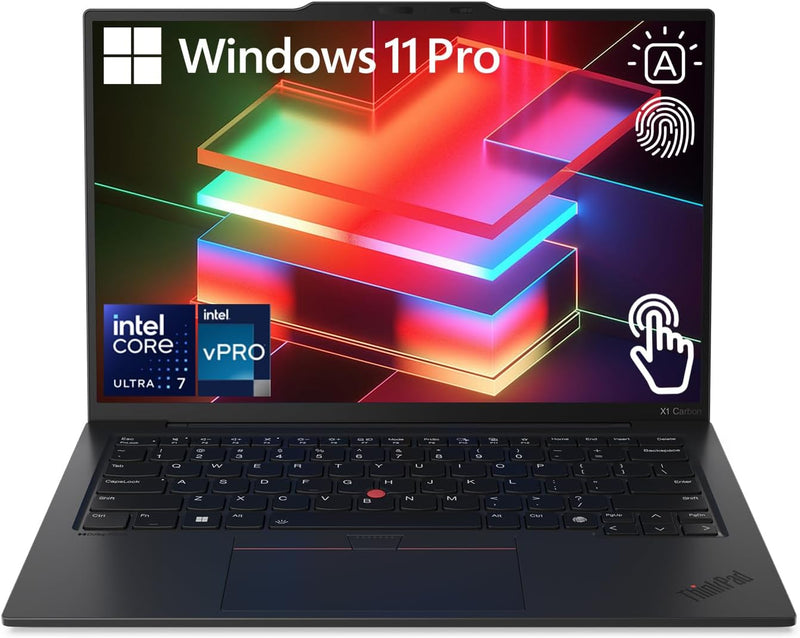
Lenovo 004AUS ThinkPad X1 Carbon G12 i7 Touchscreen Laptop
★★★★★
1080pFHD1920 x 1200USB-CThunderbolt 4
A 32GB LPDDR5X platform in a 2.42 lb chassis gives road warriors genuine workstation-class multitasking without the weight penalty.
View price on Amazon
Affiliate Disclosure: Studio Supplies may earn a commission from qualifying purchases made through links on this page, at no additional cost to you. This helps support our editorial team.
Notice a mistake? Let Us Know
Overview
Key Features
[High Speed RAM And Enormous Space] 32GB LPDDR5X RAM to smoothly run multiple applications and browser tabs all at once; 1TB PCIe NVMe M.2 Solid State Drive allows to fast bootup and data transfer
[Processor] Intel Core Ultra 7 165U Processor (12 Cores, 14 Threads, 12MB Cache, E-cores up to 3.80 GHz P-cores up to 4.90 GHz Turbo Frequency) with Intel Integrated Graphics
[Display] 14" WUXGA (1920 x 1200), IPS, Anti-Glare, Touch, 100%sRGB, 400 nits, 60Hz, Low Power
[Tech Specs] 2 x USB-C (Thunderbolt 4, USB 40Gbps), 2 x USB-A(USB 5Gbps), 1 x Audio Combo Jack, 1 x HDMI, Backlit Keyboard, Wi-Fi 6, Bluetooth, 1080p FHD + IR with webcam privacy shutter
[Operating System] Windows 11 Pro - Get all the features of Windows 11 Home operating system plus Mobile device management, Group Policy, Enterprise State Roaming, Assigned Access, Dynamic Provisioning, Windows Update for Business, Kiosk mode, and Active Directory/Azure AD
Specifications
Processor
Intel Core Ultra 7 165U
Processor Cores
12
Processor Threads
14
Processor Cache
12MB
E-core Turbo Frequency
3.80 GHz
P-core Turbo Frequency
4.90 GHz
Graphics
Intel Integrated Graphics
RAM
32GB LPDDR5X
Storage
1TB PCIe NVMe M.2 Solid State Drive
Display Size
14"
Display Resolution
WUXGA (1920 x 1200)
Display Type
IPS, Anti-Glare, Touch
Display sRGB Coverage
100%
Display Brightness
400 nits
Display Refresh Rate
60Hz
USB-C Ports
2 (Thunderbolt 4, USB 40Gbps)
USB-A Ports
2 (USB 5Gbps)
Audio Port
1 x Audio Combo Jack
Video Output
1 x HDMI
Wireless Connectivity
Wi-Fi 6, Bluetooth
Webcam
1080p FHD + IR with privacy shutter
Operating System
Windows 11 Pro
Pros & Cons
👍 Pros
- 32GB LPDDR5X at high bandwidth eliminates the memory ceiling that limits most thin-and-light laptops during heavy multitasking and browser-intensive workflows.
- 1TB PCIe NVMe M.2 SSD delivers fast boot and application load times with enough capacity to avoid constant file management on a primary machine.
- 2.42 lb chassis with 0.59-inch thickness places it among the lightest 14-inch business laptops at this specification level — measurable difference over a full travel day.
- Dual Thunderbolt 4 ports at 40Gbps support simultaneous high-bandwidth peripherals: external display, storage, and dock from a single cable.
- Windows 11 Pro includes MDM, BitLocker, and Active Directory support natively — no additional licensing required for enterprise deployment.
👎 Cons
- Intel UHD integrated graphics with no dedicated VRAM is a hard ceiling for GPU-accelerated workloads; the 165U's efficiency tuning compounds this under sustained load.
- 32GB RAM is soldered to the board — if future workloads demand more memory, the machine cannot be upgraded.
- 14-inch WUXGA panel at 60Hz refresh rate and 400 nits brightness is adequate but not competitive against the 90Hz+ OLED displays appearing at this price tier.
- The 165U's 15W TDP means sustained CPU-heavy tasks — compilation, batch processing — will be throttled by thermal limits in the thin chassis more aggressively than a 28W or 45W class processor.
Frequently Asked Questions
What workloads does the Intel Core Ultra 7 165U handle well, and where does it hit its ceiling?
The 165U is a 15W efficiency-tuned processor with 12 cores (including Intel's hybrid P-core/E-core architecture), P-cores boosting to 4.90 GHz for single-threaded tasks and E-cores handling background work at up to 3.80 GHz. It handles office productivity, multi-tab browsing, video conferencing, light photo editing, and software development smoothly. The ceiling appears with sustained GPU-heavy workloads — the integrated Intel UHD graphics have no dedicated VRAM, so 3D rendering, gaming above 1080p low settings, or multi-stream 4K video editing will saturate it.
How much bandwidth does the 32GB LPDDR5X RAM actually deliver compared to DDR4?
LPDDR5X operates at up to 8533 MT/s with a 128-bit bus, delivering roughly double the peak bandwidth of LPDDR4X at the same capacity. In practical terms this means the integrated GPU — which shares system memory — gets a meaningful pool of fast bandwidth, reducing the bottleneck when running multiple large applications simultaneously. The 32GB ceiling is also soldered to the board and not upgradeable post-purchase.
Does the Thunderbolt 4 port support external GPU enclosures?
Yes — Thunderbolt 4 at 40Gbps supports external GPU (eGPU) enclosures via PCIe tunneling, which can address the integrated graphics limitation for users who occasionally need discrete GPU performance at a desk. The 15W processor TDP means CPU performance will still be the ceiling in sustained compute tasks even with an eGPU attached.
What display cable output options does this laptop support?
The X1 Carbon G12 provides one full-size HDMI port and two Thunderbolt 4 USB-C ports, both of which support DisplayPort Alt Mode. You can drive up to three external displays simultaneously when using both Thunderbolt 4 ports and the HDMI port, though the exact maximum resolution per output depends on the connected display and cable type.
Is the 1TB NVMe SSD replaceable?
The 1TB PCIe NVMe M.2 SSD is in an M.2 slot; unlike the soldered RAM, it is typically user-replaceable on ThinkPad X1 Carbon models with standard M.2 2280 drives. Lenovo's service manual should be consulted for the specific G12 revision before attempting replacement.
Related Products


