

Lenovo
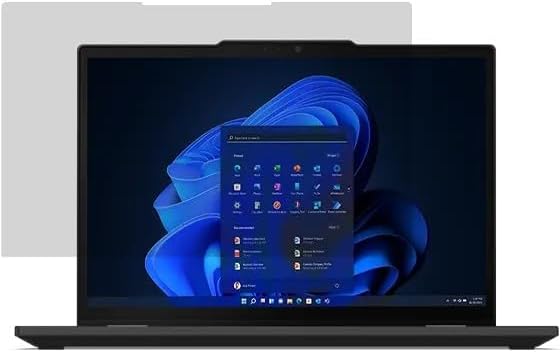
Lenovo 11LT0009US ThinkSmart Core Zoom USB-C Controller
9WUSB-C
Lenovo's ThinkSmart Core delivers dedicated Zoom Room compute with native USB-C connectivity in a purpose-built conferencing appliance.
View price on Amazon
Affiliate Disclosure: Studio Supplies may earn a commission from qualifying purchases made through links on this page, at no additional cost to you. This helps support our editorial team.
Notice a mistake? Let Us Know
Overview
Key Features
Item Package Dimension: 8.9L x 7.9W x 1.5H inches
Item Package Weight - 15.0 Pounds
Item Package Quantity - 1
Product Type - NOTEBOOK COMPUTER
ThinkSmart Core + USB-C Controller (Zoom) w/ new Hirose connector
Specifications
Product Type
Notebook Computer
Connectivity
USB-C Controller with new Hirose connector
Function
Zoom integration
Package Dimension (L x W x H)
8.9 x 7.9 x 1.5 inches
Package Weight
15.0 Pounds
Package Quantity
1
Pros & Cons
👍 Pros
- Purpose-built compute appliance eliminates shared-PC dependency and keeps Zoom Room performance consistent across reboot cycles.
- New Hirose connector provides a mechanically secure controller link versus friction-fit USB — reduces accidental disconnection in daily use.
- Intel integrated graphics with 1080p output is correctly matched to the appliance's single-display conference room use case without unnecessary GPU overhead.
- SSD storage means faster boot-to-ready times compared to HDD-based room systems, reducing pre-meeting setup delays.
- Dedicated Zoom certification ensures firmware and software updates are validated against the platform — no generic driver compatibility surprises.
👎 Cons
- Proprietary Hirose connector means cable replacement requires Lenovo-specific parts — not a standard drop-in component available at retail.
- Intel integrated graphics cap at 1080p; organizations moving to 4K conference displays will find this unit is not the right platform.
- DOS/legacy OS base layer means IT administrators must manage the Zoom Rooms software environment rather than a standard Windows endpoint — different tooling required.
- 15-pound package weight suggests a chassis not designed for tight ceiling or under-table mounting without dedicated hardware.
- No discrete GPU or enhanced compute headroom means the unit is optimized exclusively for Zoom — running any parallel workload or switching platforms is not a supported scenario.
Frequently Asked Questions
What does the ThinkSmart Core actually do — is it a standalone PC?
Yes, functionally. The ThinkSmart Core is a dedicated compute unit running the Zoom Rooms software stack on an Intel chipset with integrated graphics. It handles all Zoom Room processing independently, so your meeting room operates without relying on a laptop or shared workstation.
What does the USB-C Controller add to the system?
The USB-C Controller is the room's touch interface — it sits on the conference table and connects back to the Core via the new Hirose connector. It handles Zoom Room controls (join, mute, share) and uses USB-C for display/peripheral passthrough, eliminating the cable sprawl of older analog control setups.
What is the Hirose connector and why does it matter?
The Hirose connector is a proprietary locking connector used between the Controller and the Core unit. It provides a more secure, vibration-resistant link than a standard USB connection — important in environments where cables get jostled. It's not a universal standard, so replacements must come from Lenovo.
What resolution output does the ThinkSmart Core support?
The integrated Intel graphics support up to 1920x1080 (1080p). For a dedicated Zoom Room display, this is the target resolution and the system is spec'd accordingly. Driving 4K displays is not a supported use case for this appliance.
Does this require a separate Zoom Room license?
Yes. The ThinkSmart Core is the hardware appliance; a Zoom Rooms license subscription is required separately to activate and manage the room through Zoom's cloud platform. The hardware does not include software licensing.
Related Products


