



Lenovo
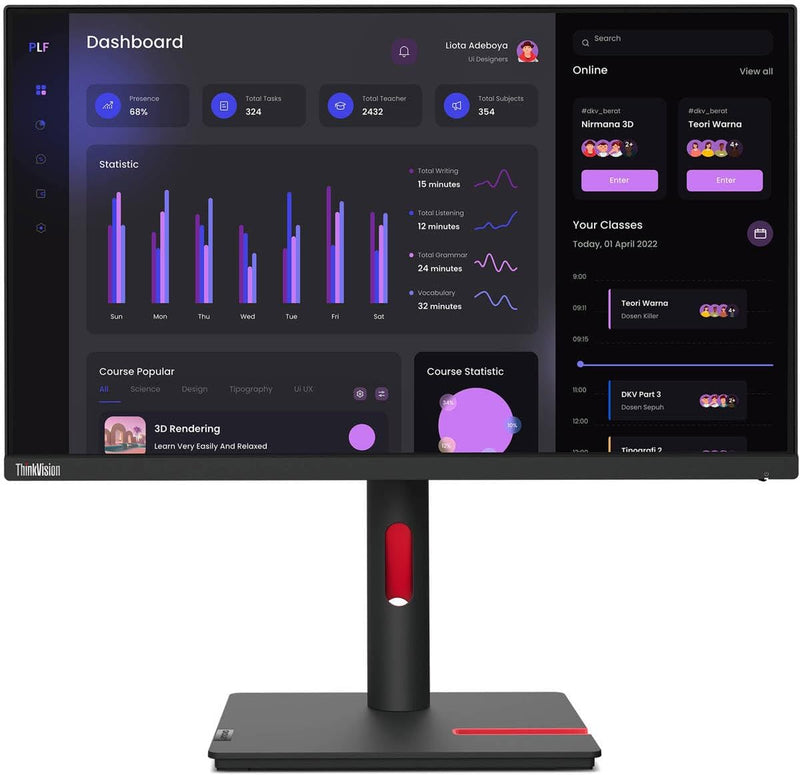
Lenovo T24i-30 ThinkVision 24" FHD IPS Monitor
★★★★★
FHD
The ThinkVision T24i-30 delivers IPS color accuracy and wide viewing angles in a productivity-focused 24" panel built for all-day enterprise and home office use.
$184.99*$199.99Save 7%
View on Amazon
✓ In Stock on Amazon.com
*Price sourced from Amazon.com. Last updated:Jul 14, 2026.Price and availability are subject to change.
Affiliate Disclosure: Studio Supplies may earn a commission from qualifying purchases made through links on this page, at no additional cost to you. This helps support our editorial team.
Notice a mistake? Let Us Know
Overview
Key Features
Number of Screens: 1
Screen Size Class: 24"
Viewable Screen Size: 23.8"
Screen Mode: Full HD
Panel Technology: In-plane Switching (IPS) Technology
Specifications
Screen Size
23.8" (Viewable)
Resolution
1920 x 1080 (Full HD)
Panel Technology
IPS (In-Plane Switching)
Aspect Ratio
16:9
Brightness
250 nit
Response Time
4 ms (Extreme Mode)
Refresh Rate
60 Hz
Connectivity
HDMI, DisplayPort, VGA, USB Hub
Color
Raven Black
Brand
Lenovo
Model
T24i-30
Pros & Cons
👍 Pros
- IPS panel technology provides consistent, accurate color reproduction at wide viewing angles — a direct productivity benefit for multi-monitor setups and shared-screen presentations
- Full HD 1920x1080 at 23.8" delivers a pixel density that renders text sharply without requiring display scaling adjustments
- Triple input support (HDMI, DisplayPort, VGA) accommodates a wide range of host devices without an adapter
- Integrated USB hub reduces cable clutter by terminating peripheral connections at the monitor
- 4ms response time (Extreme Mode) eliminates motion blur on the IPS panel for fast-moving content
👎 Cons
- 60Hz refresh rate is a fixed ceiling — users who occasionally game or want smoother scrolling will find this limiting compared to 75Hz or higher IPS alternatives at a similar price point
- 250 nits brightness is adequate for controlled office environments but undersized for brightly lit rooms or setups near windows
- VGA inclusion adds legacy connectivity but takes up rear I/O space that could have been used for an additional USB-A or USB-C port
- Full HD resolution at 24" lacks the pixel density of a 1440p or 4K panel for users doing fine detail work in design or photo editing applications
Frequently Asked Questions
What does IPS panel technology mean for daily productivity use compared to TN or VA?
IPS (In-Plane Switching) maintains consistent color and contrast across a wide horizontal and vertical viewing angle — typically 178°/178° — meaning the image doesn't shift or wash out when you move off-axis. For a productivity monitor where color fidelity matters in documents, presentations, and photo review, IPS is the technically superior choice over TN (which shifts color badly off-axis) and VA (which can exhibit motion smearing at lower refresh rates).
What connectivity options does the T24i-30 support, and which should I use for best image quality?
The T24i-30 includes HDMI, DisplayPort, and VGA inputs. DisplayPort is the recommended connection for best image quality and full 1920x1080 at 60Hz with no signal compression. HDMI also delivers full digital quality at this resolution. VGA is an analog signal and should be used only when no digital option is available, as it can introduce softness at native resolution.
Does the T24i-30 include a USB hub, and what version of USB does it support?
Yes, the T24i-30 integrates a USB hub. This allows you to connect peripherals directly to the monitor rather than routing cables back to the host PC — a practical workflow benefit for desk setups with a docked laptop or compact desktop. Check current Lenovo spec documentation for the specific USB version and port count.
Is 60Hz refresh rate sufficient for productivity workloads on this monitor?
For productivity work — document editing, spreadsheets, web browsing, email, coding — 60Hz is entirely sufficient. Motion smoothness limitations at 60Hz are only meaningfully felt in fast-paced gaming, where 144Hz+ panels provide a measurable advantage. For office and creative productivity, the T24i-30's 60Hz refresh rate is not a practical limitation.
How does 250 nits of brightness perform in a typical office environment?
250 nits is Lenovo's rated brightness for the T24i-30, which is within the standard range for office-class IPS monitors. It performs well in controlled lighting environments. In rooms with direct sunlight or very bright ambient light, glare or washout may occur — the panel does not include anti-glare coating equivalent to higher-brightness outdoor-class monitors.
Related Products


