



Lenovo
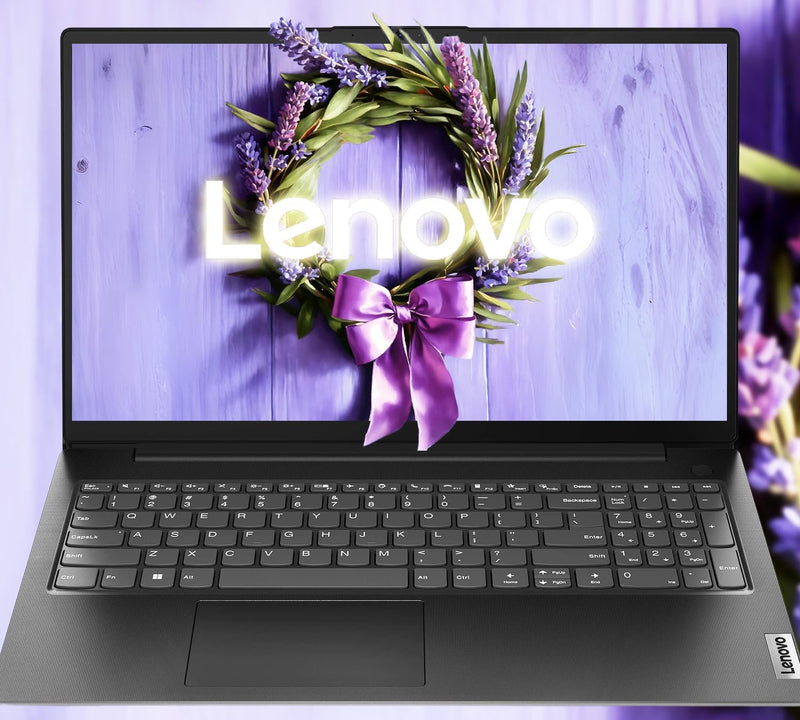
Lenovo V15 AI-Powered 16GB 1TB SSD Business Laptop
★★★★★
UHDFHD1920x108016GB DDR41TB SSD
The Lenovo V15 pairs a 1TB PCIe SSD and 16GB DDR4 with Windows 11 Pro in a 3.75-lb chassis — capable business storage in a budget-accessible package.
$479.99*
View on Amazon
✓ In Stock on Amazon.com
*Price sourced from Amazon.com. Last updated:Jun 23, 2026.Price and availability are subject to change.
Affiliate Disclosure: Studio Supplies may earn a commission from qualifying purchases made through links on this page, at no additional cost to you. This helps support our editorial team.
Notice a mistake? Let Us Know
Overview
Key Features
Powerful Performance: Equipped with an Intel Celeron N4500 processor (2C, 4MB Cache, Up to 2.8GHz) and integrated Intel UHD Graphics, ensuring smooth and efficient multitasking for everyday computing tasks.
Generous Storage & Memory: Features 16GB DDR4 RAM and 1TB PCIe SSD for fast data access and ample storage space, perfect for storing large files and applications.
Sleek Design & Display: 15.6" FHD (1920x1080) anti-glare display delivers clear and vibrant visuals. The laptop has a modern and durable design with a black PC-ABS chassis, weighing just 1.7 kg (3.75 lbs) for portability.
Enhanced Connectivity & Security: Includes multiple ports for versatile connectivity - USB 2.0, USB 3.2 Gen 1, HDMI 1.4b, and RJ-45 Ethernet. Features Wi-Fi 5, Bluetooth 5.1, a camera privacy shutter, Firmware TPM 2.0 for added security, and comes with Windows 11 Pro pre-installed.
Long-Lasting Battery Life: Enjoy 9 hours of uninterrupted usage, making it ideal for work, entertainment, or gaming on the go. The energy-efficient design ensures you stay productive and entertained throughout the day.
Specifications
Brand
Lenovo
Processor
Intel Celeron N4500
Processor Cores
2
Processor Cache
4MB
Max Processor Speed
2.8GHz
Graphics
Integrated Intel UHD Graphics
RAM
16GB DDR4
Storage
1TB PCIe SSD
Display Size
15.6 inches
Display Resolution
1920x1080
Display Type
FHD Anti-Glare
Chassis Material
PC-ABS
Color
Black
Weight
1.7 kg (3.75 lbs)
Operating System
Windows 11 Pro
Wireless Connectivity
Wi-Fi 5, Bluetooth 5.1
Battery Life
9 hours
Security Features
Camera Privacy Shutter, Firmware TPM 2.0
Pros & Cons
👍 Pros
- The 1TB PCIe NVMe M.2 SSD provides fast storage access that keeps the system feeling responsive for file operations, application launches, and boot times despite the entry-level CPU.
- 16GB DDR4 RAM is generous at this price tier, providing adequate memory headroom for multitasking with multiple browser tabs, office applications, and background processes simultaneously.
- The Intel Celeron N4500's 6W TDP enables up to 9.5 hours of rated battery life — the low power consumption translates to a portable laptop that can genuinely last a workday unplugged.
- Windows 11 Pro pre-installed provides domain join, BitLocker encryption, and remote desktop capabilities required for business and enterprise deployment out of the box.
- Firmware TPM 2.0 and a camera privacy shutter address basic enterprise security requirements without additional hardware purchases.
👎 Cons
- The Intel Celeron N4500 dual-core at 2.8 GHz burst is a significant CPU bottleneck — multi-tab browsing, video conferencing with background applications, and any CPU-intensive business software will expose its performance ceiling quickly.
- The USB-C port is data-only and does not support DisplayPort Alt Mode — users expecting USB-C docking or dual external display capability will need to rely on the HDMI 1.4b port exclusively for video output.
- The 220-nit display brightness is below the 300-nit minimum recommended for comfortable outdoor or bright-window office use — working in sunny environments will require squinting at a dim screen.
- The non-backlit keyboard is a meaningful omission for a business laptop used in variable lighting — dimly lit conference rooms, travel, or evening work all become noticeably less comfortable.
- No USB4 or Thunderbolt support limits high-speed peripheral and storage expansion — the fastest external storage connection is USB 3.2 Gen 1 at 5Gbps, which bottlenecks high-capacity NVMe enclosures.
Frequently Asked Questions
What is the actual performance capability of the Intel Celeron N4500 processor in this laptop?
The Intel Celeron N4500 is a dual-core Jasper Lake processor with a base clock of 1.1 GHz and a burst up to 2.8 GHz, targeting entry-level productivity workloads. It is a low-power, low-cost chip — not a performance processor. For light tasks like document editing, web browsing, email, and video calls, it performs adequately. For CPU-intensive tasks like video encoding, multi-tab browsing with heavy web apps, or running demanding business software, the Celeron N4500 will feel constrained. Buyers expecting performance comparable to Intel Core i5 or AMD Ryzen 5 systems will be disappointed.
Is the 1TB PCIe NVMe SSD in this laptop fast, and does it offset the slow CPU?
The 1TB PCIe NVMe M.2 SSD delivers substantially faster read/write speeds than a SATA SSD or HDD — sequential reads in the 2,000–3,500 MB/s range are typical for PCIe NVMe at this tier. The fast SSD makes application launches, file access, and boot times feel responsive even with the entry-level CPU, as storage is never the bottleneck. However, NVMe storage speed cannot compensate for CPU-bound workloads — tasks that require intensive computation will still be limited by the Celeron N4500's processing ceiling.
What does "Copilot Ready" mean on the Lenovo V15, and does the Celeron N4500 support AI features?
"Copilot Ready" indicates the V15 meets Microsoft's hardware baseline for running Windows Copilot features — primarily that it runs Windows 11 and meets basic connectivity and memory requirements. However, the Celeron N4500 lacks a dedicated NPU (Neural Processing Unit), which is required for the hardware-accelerated AI tasks in Microsoft's Copilot+ PC tier. Basic Copilot features accessible via the taskbar will function, but the AI-accelerated capabilities (like Recall, Live Captions with local AI) that define true Copilot+ PCs are not supported on this hardware.
Does the V15's USB-C port support video output or charging?
The USB-C 3.2 Gen 1 port on the V15 is specified as data transfer only — it does not support DisplayPort Alt Mode for video output, and the laptop charges via a proprietary AC Smart Pin connector, not USB-C. This is a notable limitation for users expecting to use USB-C for docking stations or external display connections. External video output options are limited to the HDMI 1.4b port, which is capped at 4K at 30Hz or 1080p at 60Hz.
What is the real-world battery life on the Lenovo V15, and does the Celeron N4500's efficiency help?
Lenovo rates the V15 at up to 9.5 hours of battery life — the Celeron N4500's low TDP (Thermal Design Power of 6W) is genuinely efficient, contributing to this above-average battery rating for a 15.6-inch laptop. In real-world mixed use (web browsing, document editing, video calls at moderate screen brightness), 6–8 hours is a realistic expectation. The 220-nit display brightness limit keeps power consumption low but may require full brightness in well-lit office environments, which reduces battery runtime.
Related Products


