


Logitech
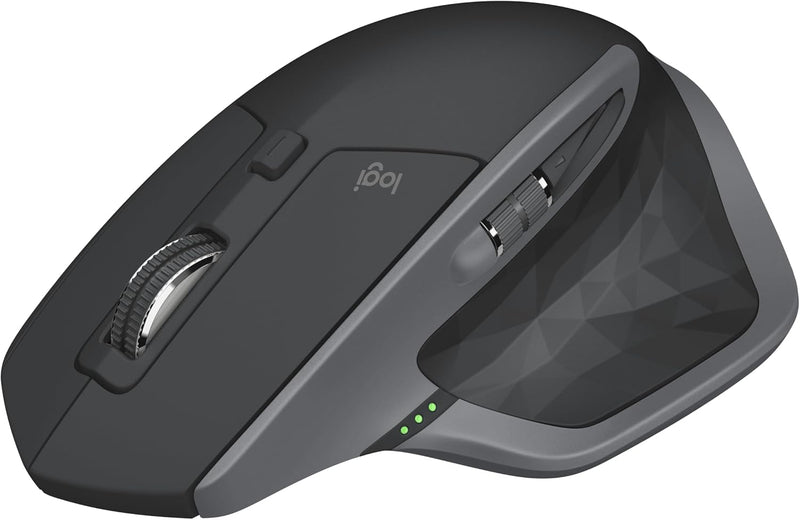
Logitech MX Master 2S Wireless Ergonomic Mouse
The MX Master 2S delivers precision tracking on any surface, cross-computer control, and a scroll wheel that transforms how you navigate dense data.
$59.99*$99.99Save 40%
Check availability
*Price sourced from Amazon.com. Last updated:Aug 30, 2026.Price and availability are subject to change — details.
Affiliate Disclosure: As an Amazon Associate, Studio Supplies earns from qualifying purchases made through links on this page, at no additional cost to you. This helps support our editorial team.
Notice a mistake? Let Us Know
Overview
Key Features
Logitech MX Master 2S Wireless Mouse
Specifications
Brand
Logitech
Model
MX Master 2S
Connectivity
Wireless — Logitech Unifying Receiver (USB) + Bluetooth Low Energy
Multi-Device Pairing
Up to 3 devices
Tracking Technology
Darkfield laser (glass and standard surfaces)
Scroll Wheel
Hyper-Fast free-spinning metal wheel with MagSpeed auto-shift
Battery
Built-in rechargeable, up to 70 days per charge
Charging Port
Micro-USB
Hand Orientation
Right-hand ergonomic
Cross-Computer Control
Logitech Flow (requires Logi Options software)
Operating System
Windows, macOS
Frequently Asked Questions
Does the MX Master 2S connect via Bluetooth or does it require the Unifying receiver?
Both. The MX Master 2S supports Logitech's Unifying receiver (USB nano-dongle) and Bluetooth Low Energy. You can pair it to up to three devices simultaneously and switch between them using the button on the underside. This dual-connectivity approach makes it practical whether your machine has Bluetooth or you'd rather preserve that and use the dongle.
What is the Hyper-Fast scroll wheel, and is it actually useful for productivity?
The MX Master 2S features a free-spinning metal scroll wheel that can shift between ratcheted click-per-notch scrolling and free-spin mode — either manually via a thumb button or automatically when you scroll fast. For navigating long documents, code files, or spreadsheets, free-spin mode lets you traverse thousands of lines in under a second. It's one of the features users consistently describe as genuinely changing their workflow rather than being a spec-sheet checkbox.
What is Flow, and do I need special software for it to work?
Flow is Logitech's cross-computer control feature, enabled through the Logi Options software on macOS or Windows. It lets you move your cursor from one computer to another by pushing to the edge of the screen, and copy-paste content between machines. It requires the Logi Options app installed on each computer and both machines on the same Wi-Fi network. Without the software, the mouse functions as a standard wireless mouse without cross-computer capability.
Is the battery rechargeable, and how long does a charge last?
Yes — the MX Master 2S has a built-in rechargeable battery charged via micro-USB. Logitech rates it at up to 70 days per charge under typical use conditions. Under heavy daily use that number will be lower, but most users report weeks between charges rather than days, making it a low-maintenance device in practice.
How does the Darkfield sensor perform on glass or unusual surfaces?
Logitech's Darkfield laser tracking technology is specifically engineered to work on surfaces that defeat standard optical sensors — including high-gloss surfaces and glass (minimum 4mm thickness). This is a meaningful practical advantage for users working at glass desks or non-standard workstation surfaces where cheaper mice simply lose tracking.
Related Products
