



Logitech
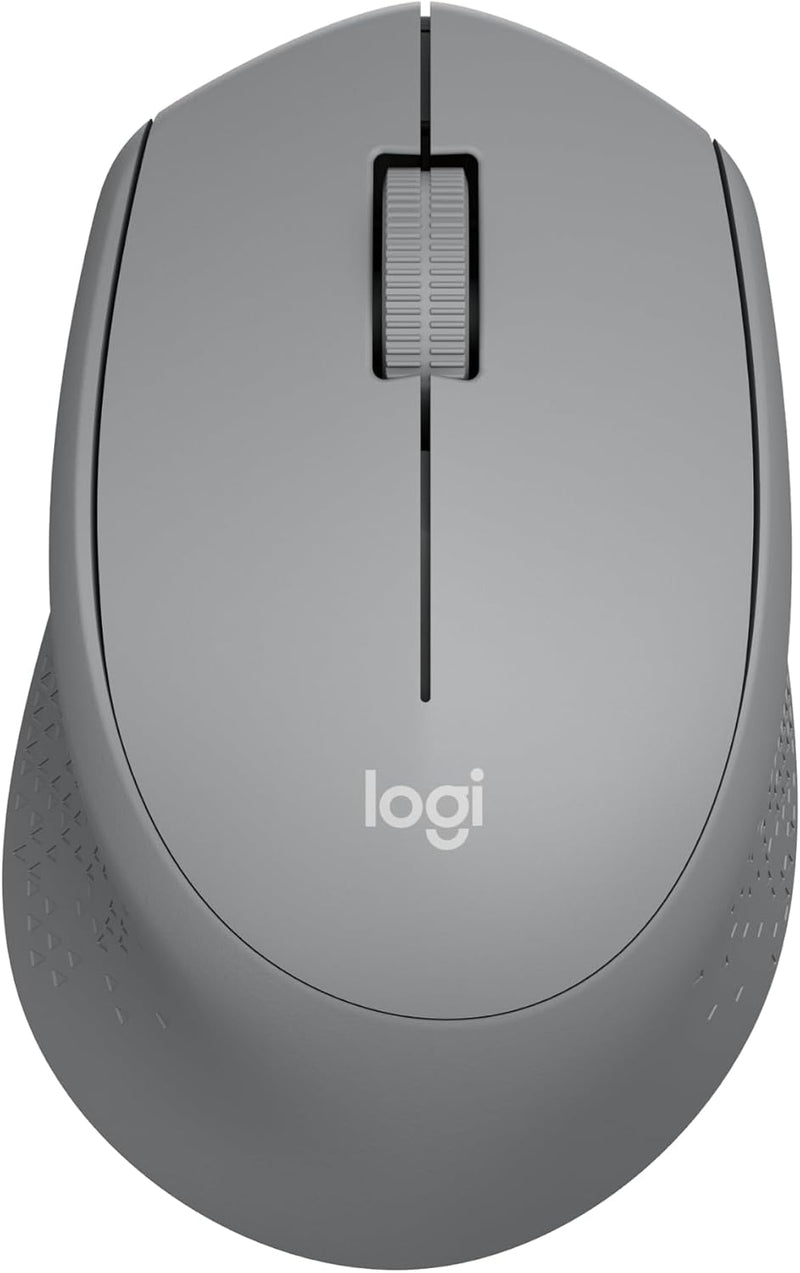
Logitech 910-004908 M330 SILENT Wireless Mouse (Grey)
★★★★★
Logitech's SilentTouch technology cuts click noise by over 90%, making this wireless mouse ideal for shared and quiet spaces.
$22.99*
View on Amazon
✓ In Stock on Amazon.com
*Price sourced from Amazon.com. Last updated:Jul 14, 2026.Price and availability are subject to change.
Affiliate Disclosure: Studio Supplies may earn a commission from qualifying purchases made through links on this page, at no additional cost to you. This helps support our editorial team.
Notice a mistake? Let Us Know
Overview
Key Features
Quieter Click: Logitech’s SilentTouch Technology reduces over 90 percent (1) of clicking sounds — ensuring top performance while contributing to a quieter working environment
Crafted for Comfort: Design with naturally shaped contoured plastic grips, the M330 SILENT wireless mouse is built for long-lasting comfort and functionality for right-handed users
Long Battery Life: M330 SILENT has a 18-month battery life (2) and power saving auto-sleep mode; it allows you to focus on your work without the hassle of changing batteries (1 x AA included)
Advanced Optical Tracking: With a wireless range of up to 33 ft (10m)(3), this quiet computer mouse provides high-performance precision and smart cursor control on most surfaces
Plug and Play: M330 SILENT comes with a USB-A receiver that’s compatible with most operating systems including Windows, macOS, ChromeOS, and Linux
Upgrade to Signature M650: Upgrade to smarter scrolling, better comfort, and more productivity
Plastic parts in M330 SILENT include certified post-consumer recycled plastic (Black: 76%, Grey: 58%)*
Product carbon footprint: 3.97 kg CO2e
Note: In case of Wireless mouse, the USB receiver will be provided inside or along with the mouse
Specifications
Brand
Logitech
Model
910-004908
Wireless Technology
2.4 GHz Radio Frequency
Connectivity
USB-A Nano Receiver
Tracking
Advanced Optical
Battery
1 x AA (included), up to 18 months
Wireless Range
Up to 33 ft (10 m)
OS Compatibility
Windows, macOS, ChromeOS, Linux
Color
Grey
Dimensions
1.51 x 2.67 x 4.15 inches
Recycled Content
58% post-consumer recycled plastic (Grey model)
Carbon Footprint
3.97 kg CO2e
Pros & Cons
👍 Pros
- SilentTouch clicks are nearly inaudible, making it ideal for offices, libraries, and late-night use
- 18-month battery life with auto-sleep mode means very infrequent battery changes
- Comfortable ergonomic contour fits the right hand well during extended use sessions
- Simple plug-and-play USB receiver setup with no software installation required
- Contains certified post-consumer recycled plastic (58% in the grey model), reducing environmental impact
👎 Cons
- Right-hand-only ergonomic design excludes left-handed users entirely
- USB-A receiver only — no Bluetooth option, which means it occupies a USB port and won't work with devices lacking USB-A
- No adjustable DPI settings, limiting customization for users who want variable cursor speed
- Standard optical sensor may not track well on glass or glossy surfaces
- No side buttons or programmable controls for productivity shortcuts
Frequently Asked Questions
How much quieter is this mouse compared to a standard mouse?
Logitech's SilentTouch technology reduces clicking noise by over 90% compared to conventional mice, making the M330 nearly inaudible during normal use.
What type of battery does the M330 use and how long does it last?
It uses a single AA battery (included) and delivers up to 18 months of battery life, aided by an automatic sleep mode that conserves power when the mouse is idle.
Is the M330 suitable for left-handed users?
No, the M330 SILENT is ergonomically shaped specifically for right-handed use. Left-handed users should consider Logitech's ambidextrous mouse options.
Does this mouse use Bluetooth or a USB receiver?
The M330 connects via a USB-A nano receiver using 2.4 GHz wireless. It does not support Bluetooth connectivity.
What surfaces does the optical sensor work on?
The advanced optical tracking works reliably on most surfaces including wood, fabric, and standard mouse pads, though it may have difficulty on glass or highly reflective surfaces.
Related Products


