
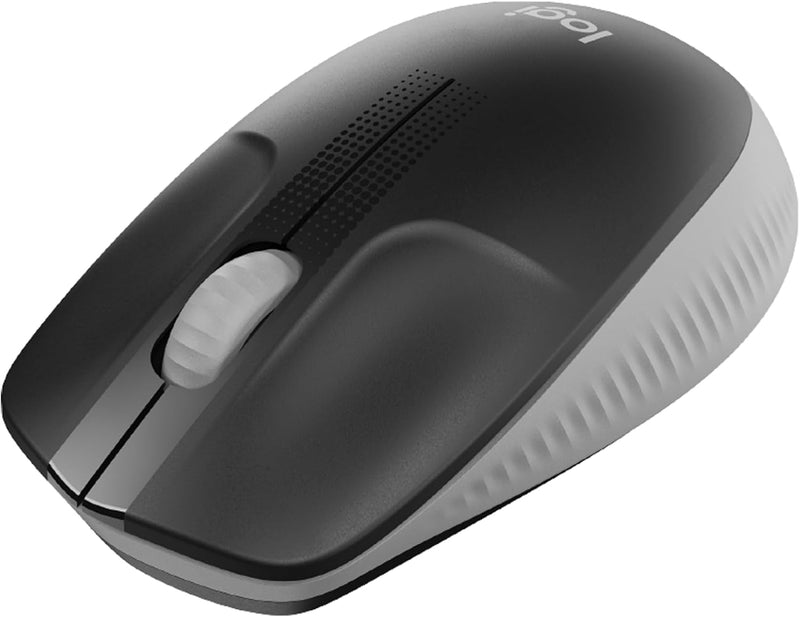


Logitech 910-005900 M190 Full-Size Wireless Mouse - Grey
The Logitech M190 delivers full-size wireless comfort and 18-month battery life for everyday productivity.
*Price sourced from Amazon.com. Last updated:Oct 21, 2026.Price and availability are subject to change — details.
Notice a mistake? Let Us Know
Overview
Key Features
CORDLESS COMFORT: The mouse is crafted with a contoured, ergonomic shape that follows the natural curve of larger hands and guides fingers into ideal placement with scooped buttons for all-day comfort
LAG-FREE WIRELESS CONNECTION – Work wirelessly and move freely – from up to 10 meters away – with virtually no delays or dropouts. No cable means no clutter on your desk and easy transporting
HIGH-QUALITY PRECISION: Don’t compromise on quality with work or gaming. Precision tracking, line-by-line scrolling and simple navigation mean you can say goodbye to annoying missed clicks
BUILT TO LAST: Designed by the number one world leader in mice and keyboards, the M190 is an everyday laptop and PC computer mouse you can depend on. It’s durable, reliable, and built to last
LONG-LASTING BATTERY: Enjoy up to 18 months of worry-free usage thanks to a long-lasting battery, and a mouse that kicks into power saving mode automatically when not in use. AA Battery is included
Plastic parts in M190 include certified post-consumer recycled plastic (61% for Charcoal, 31% for Red, Blue and Mid-Grey)*
Product carbon footprint: 4.16 kg CO2e
Note: In case of Wireless mouse, the USB receiver will be provided inside or along with the mouse
Specifications
Frequently Asked Questions
Related Products
