

Microsoft
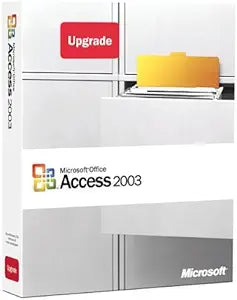
Microsoft 077-02871 Access 2003 Database Software Upgrade
★★★★★
Streamline Your Data Management with Classic Efficiency Microsoft Access 2003 provides an intuitive yet robust suite of tools designed to empower both novice and expert users in crafting effective database solutions. Organize, access, and share information with unparalleled ease. Key Features: ...
View price on Amazon
Affiliate Disclosure: Studio Supplies may earn a commission from qualifying purchases made through links on this page, at no additional cost to you. This helps support our editorial team.
Notice a mistake? Let Us Know
Overview
Streamline Your Data Management with Classic Efficiency
Microsoft Access 2003 provides an intuitive yet robust suite of tools designed to empower both novice and expert users in crafting effective database solutions. Organize, access, and share information with unparalleled ease.
Key Features:
- File Compatibility: Utilizes Access 2000 as the default file format, ensuring seamless compatibility with existing Access environments and solutions.
- Efficient Information Sharing: Facilitates data export, import, and linking to Windows SharePoint Services sites (requires Microsoft Windows Server 2003 running Windows SharePoint Services).
- Error Detection: Incorporates an error-checking feature to quickly identify and resolve common issues in forms and reports.
- Versatile Data Source Support: Compatible with a wide array of data formats including Extensible Markup Language (XML), OLE, Open Database Connectivity (ODBC), and Windows SharePoint Services.
- Multi-Database Integration: Access data from various databases within forms, reports, and data access pages by linking tables from other Access databases, Microsoft Excel spreadsheets, ODBC data sources, Microsoft SQL Server databases, and more.
- Stored Procedure Designer: Create and modify procedures stored in SQL Server for enhanced database management.
- Database Object Dependencies: Quickly identify tables, queries, forms, or reports that rely on specific database objects for streamlined maintenance.
- PivotTable and PivotChart Integration: Easily create Microsoft PivotTable or PivotChart views, or spreadsheets by dragging controls onto your Access form.
Key Features
Supports a variety of data formats, including Extensible Markup Language ( XML ), OLE, Open Database Connectivity ( ODBC ), and Microsoft Windows SharePoint Services
Access data from multiple databases in forms, reports, and data access pages, linking tables from other Access databases, Microsoft Excel spreadsheets, ODBC data sources, Microsoft SQL Server databases & other sources
Stored Procedure Designer creates & modifies procedures stored in SQL Server
Quickly find tables, queries, forms or reports that depend on a particular database object
Drag controls onto your Access form to create a Microsoft PivotTable or PivotChart view, or a spreadsheet
Specifications
Product
Access 2003
Product Type
Database Software Upgrade
Brand
Microsoft
Supported Data Formats
XML, OLE, ODBC
Database Link Capabilities
Other Access databases, Microsoft Excel spreadsheets, ODBC data sources, Microsoft SQL Server databases, Microsoft Windows SharePoint Services
Tools
Stored Procedure Designer, PivotTable/PivotChart view creation
Pros & Cons
👍 Pros
- Supports a variety of data formats including XML, OLE, ODBC, and Microsoft Windows SharePoint Services, enhancing interoperability.
- Allows linking tables from multiple sources like other Access databases, Excel spreadsheets, and SQL Server, for comprehensive data views.
- Includes a Stored Procedure Designer, enabling creation and modification of procedures within SQL Server databases directly from Access.
- Offers tools to quickly find dependent objects, simplifying database management and schema changes.
- Provides the capability to drag controls onto forms to create Microsoft PivotTable or PivotChart views, facilitating data analysis.
- Designed as an upgrade, potentially offering a cost-effective way for existing users to enhance their database capabilities.
- Streamlines data access pages, making it easier to publish and share database information over intranets or networks.
👎 Cons
- As Access 2003, it is an older version of the software, potentially lacking modern features and compatibility with newer operating systems or database technologies.
- Upgrade status implies it requires a previous version of Access to install, not a standalone full license.
- Support for Microsoft Windows SharePoint Services might be limited to older SharePoint versions, not current cloud-based offerings.
- Newer data formats or cloud integrations popular today may not be fully supported or optimized in Access 2003.
- Security features and protocols in an older software version might not meet contemporary enterprise security standards.
- Compatibility issues could arise when sharing databases with users on much newer versions of Access or other database systems.
- Finding extensive community support or updated documentation for Access 2003 may be more challenging than for current versions.
Frequently Asked Questions
What data formats does Microsoft Access 2003 support?
Microsoft Access 2003 supports various data formats, including Extensible Markup Language (XML), OLE, Open Database Connectivity (ODBC), and Microsoft Windows SharePoint Services.
Can Access 2003 link to external databases or spreadsheets?
Yes, it allows you to link tables from other Access databases, Microsoft Excel spreadsheets, ODBC data sources, and Microsoft SQL Server databases, among other sources.
What is the Stored Procedure Designer feature used for?
The Stored Procedure Designer in Access 2003 allows you to create and modify procedures that are stored within SQL Server databases.
How can Access 2003 help with data analysis and reporting?
You can quickly find tables, queries, forms, or reports that depend on a particular database object, and also drag controls onto forms to create Microsoft PivotTable or PivotChart views.
Is this a full version of Microsoft Access 2003 or an upgrade?
This is specified as an upgrade, meaning it requires a qualifying previous version of Microsoft Access to be installed.
Will Access 2003 be compatible with modern operating systems like Windows 10 or 11?
As an older software version, Access 2003 may have limited or no official compatibility with newer operating systems like Windows 10 or 11.
Can this version of Access integrate with current cloud-based services like modern SharePoint?
Compatibility with Microsoft Windows SharePoint Services mentioned likely refers to older, on-premise SharePoint versions, and not necessarily with current cloud-based SharePoint Online services.
Related Products


