

Microsoft
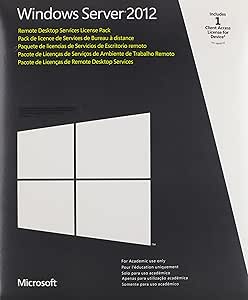
Microsoft 6VC-01764 Remote Desktop Services CAL 2012 MLP Device
Enable Remote Access with Windows Remote Desktop Services CAL 2012 The Windows Remote Desktop Services CAL 2012 provides the necessary licenses for users to connect to virtual desktops, remote application programs, and session-based desktops within a Windows Server 2012 environment. With Remote D...
Check availability
Affiliate Disclosure: Studio Supplies may earn a commission from qualifying purchases made through links on this page, at no additional cost to you. This helps support our editorial team.
Notice a mistake? Let Us Know
Overview
Enable Remote Access with Windows Remote Desktop Services CAL 2012
The Windows Remote Desktop Services CAL 2012 provides the necessary licenses for users to connect to virtual desktops, remote application programs, and session-based desktops within a Windows Server 2012 environment. With Remote Desktop Services, users can securely access remote connections from within a corporate network or over the Internet, enabling seamless remote productivity and collaboration.
Specifications:
- Product: Windows Remote Desktop Services CAL 2012
- License Type: Device CAL
- Functionality: Enables users to connect to virtual desktops and remote applications
- Compatibility: Windows Server 2012
- Access: Allows remote connections from corporate networks or the Internet
Key Features
Unified administration experience
User personalization
Less expensive storage
Automated pooled virtual desktop management
Specifications
Product Type
Remote Desktop Services CAL
Version
2012
License Type
MLP Device
Pros & Cons
👍 Pros
- Provides a unified administration experience, simplifying management tasks for IT professionals
- Offers enhanced user personalization, allowing for tailored desktop environments for each user
- Designed to utilize less expensive storage solutions, potentially reducing overall infrastructure costs
- Features automated pooled virtual desktop management, streamlining deployment and maintenance of desktops
- Part of the Remote Desktop Services CAL 2012, offering established functionalities for remote access
👎 Cons
- This is a Device CAL, meaning it licenses devices rather than users, which may not be ideal for all deployment scenarios
- The product is specific to the 2012 version of Remote Desktop Services, potentially lacking features of newer iterations
- Requires an existing Windows Server infrastructure to function, as it is not a standalone operating system
- The benefits are primarily administrative and cost-focused, with no direct performance upgrades for individual user applications
- Implementation requires expertise in server administration and licensing, which may be a barrier for some users
Frequently Asked Questions
What does a Remote Desktop Services CAL 2012 MLP Device license?
This license provides access for a specific device to connect to a Remote Desktop Session Host.
What version of Remote Desktop Services is this CAL for?
This CAL is for Remote Desktop Services 2012.
Does this CAL allow for user personalization?
Yes, it supports user personalization, allowing for tailored desktop experiences.
What are the benefits of automated pooled virtual desktop management with this service?
It helps streamline the deployment and maintenance of multiple virtual desktops by automating management tasks.
Is this a user-based or device-based license?
This is a Device CAL, meaning the license is assigned to a device, not an individual user.
Does this product include the Remote Desktop Services software itself?
No, this is a Client Access License (CAL) that grants access to existing Remote Desktop Services infrastructure, it is not the server software.
Can this CAL help reduce storage costs?
Yes, one of the features mentioned is less expensive storage, implying it can contribute to cost savings in storage infrastructure.
Related Products


