

Microsoft
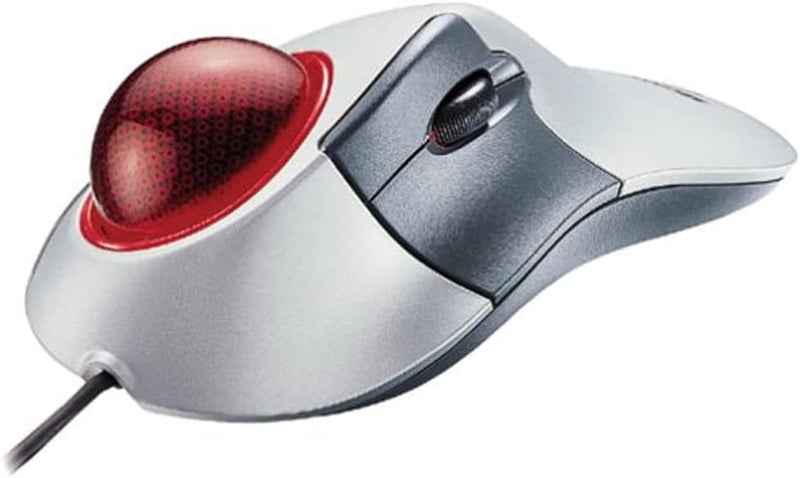
Microsoft D68-00007 Trackball Explorer PS/2 & USB
★★★★★
Precision Control at Your FingertipsThe Microsoft Trackball Explorer offers precise control and ergonomic comfort. Featuring IntelliEye optical technology, this trackball provides smooth and accurate tracking. With five programmable buttons and a convenient scroll wheel, it enhances your producti...
$110.00*
Check availability
*Price sourced from Amazon.com. Last updated:Jul 15, 2026.Price and availability are subject to change.
Affiliate Disclosure: Studio Supplies may earn a commission from qualifying purchases made through links on this page, at no additional cost to you. This helps support our editorial team.
Notice a mistake? Let Us Know
Overview
Precision Control at Your Fingertips
The Microsoft Trackball Explorer offers precise control and ergonomic comfort. Featuring IntelliEye optical technology, this trackball provides smooth and accurate tracking. With five programmable buttons and a convenient scroll wheel, it enhances your productivity and browsing experience.
- Technology: IntelliEye Optical Technology
- Buttons: 5 Buttons (2 Programmable)
- Scrolling: Scroll Wheel
- Design: Ergonomic, Right-Handed
- Interface: PS/2 & USB
Key Features
Index-finger-controlled precision trackball design
IntelliEye optical technology
5 buttons--including 2 programmable buttons
Wheel for scrolling and zooming
Designed for use with the right hand
Specifications
Device Type
Trackball
Control Method
Index-finger-controlled trackball
Technology
IntelliEye optical
Number of Buttons
5
Programmable Buttons
2
Scrolling Mechanism
Wheel
Hand Orientation
Right-hand design
Connectivity
PS/2, USB
Pros & Cons
👍 Pros
- Features an index-finger-controlled trackball design, offering precise cursor movement.
- Utilizes IntelliEye optical technology, providing smooth and accurate tracking performance.
- Equipped with 5 buttons, including 2 programmable options for customized functionality.
- Includes a convenient scroll wheel, facilitating easy navigation through documents and web pages.
- Designed specifically for right-handed use, providing an ergonomic fit for many users.
👎 Cons
- The right-hand specific design limits its appeal to left-handed users or those seeking ambidextrous options.
- The PS/2 and USB connectivity may be less convenient for modern devices primarily featuring USB-C ports.
- The trackball design requires a different usage habit compared to traditional optical or laser mice.
- With only two programmable buttons, advanced users might find customization options somewhat limited.
- Potential for trackball maintenance, as dust and debris can sometimes accumulate and affect performance.
Frequently Asked Questions
Is the Microsoft Trackball Explorer compatible with modern computers?
The Microsoft Trackball Explorer offers both PS/2 and USB connectivity, making it broadly compatible with many computers. For systems with only USB-C ports, an adapter would be required, as it primarily supports standard USB-A.
Can left-handed users comfortably operate this trackball?
The Microsoft Trackball Explorer is specifically designed for use with the right hand, which means it may not offer an optimal ergonomic experience for left-handed individuals. There are no ambidextrous features mentioned for this model.
How many buttons does this trackball have, and are they customizable?
This trackball features a total of 5 buttons, two of which are programmable. This allows users to assign specific functions or macros to these buttons for improved workflow and efficiency.
Does this trackball include a scroll feature for navigating documents?
Yes, the Microsoft Trackball Explorer is equipped with a wheel that enables convenient scrolling and zooming functions. This feature facilitates easier navigation through web pages, documents, and spreadsheets.
What kind of tracking technology does the Microsoft Trackball Explorer use?
The Trackball Explorer utilizes IntelliEye optical technology. This provides precise and smooth cursor movement by tracking the movement of the trackball, contributing to accurate navigation without needing to move the entire device.
Related Products


