

Microsoft
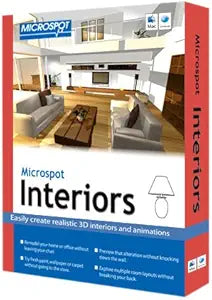
Microsoft INTS4.0 MacDraft Interiors 3D Design Software
★★★★★
Visualize Your Dream Home in 3DMicrospot Interiors is an intuitive interior design software that allows you to easily visualize your design ideas in 3D. Perfect for first-time users and design professionals alike, it provides the tools you need to create stunning interior visualizations.Specifica...
View price on Amazon
Affiliate Disclosure: Studio Supplies may earn a commission from qualifying purchases made through links on this page, at no additional cost to you. This helps support our editorial team.
Notice a mistake? Let Us Know
Overview
Visualize Your Dream Home in 3D
Microspot Interiors is an intuitive interior design software that allows you to easily visualize your design ideas in 3D. Perfect for first-time users and design professionals alike, it provides the tools you need to create stunning interior visualizations.
Specifications:
- Brand: Microspot
- Model: INTS4.0
-
Features:
- Advanced wall drawing tools
- Drag and drop furniture
- High-resolution image export
- Animation tools for creating camera paths
- 3DS file support
Key Features
Advanced wall drawing tools layout the shape of your room, color or texture walls, floors and ceilings, add windows, doors and lighting
Drag and drop the furniture you want, then export a high-resolution image or create a walkthrough
Add rendered realism to your designs - Once it's fully rendered, you'll have teh shadows and lighting effects that show you what your room will really look like
Use Animation tools to create a camera path that travels through your design - letting you stroll through the rooms you've created
3DS file support gives you access to thousands of 3D models available Internet, expanding your choices & giving you more options
Specifications
Software Type
3D Design Software
Category
Interiors
Platform
MacDraft
Features
Advanced wall drawing tools, Drag and drop furniture, Rendered realism, Animation tools, 3DS file support
Pros & Cons
👍 Pros
- Features advanced wall drawing tools that allow for comprehensive room layout, including colors, textures, windows, doors, and lighting.
- Enables drag and drop functionality for furniture placement, simplifying the design process for interiors.
- Offers rendered realism with shadows and lighting effects, providing a visual preview of what the designed room will truly look like.
- Includes animation tools to create camera paths for virtual walkthroughs, allowing users to experience their designs dynamically.
- Supports 3DS files, granting access to a vast library of 3D models available online, significantly expanding design options.
👎 Cons
- The software is specifically for MacDraft Interiors, limiting its application to interior design rather than broader architectural or engineering tasks.
- Functionality like "color or texture walls, floors and ceilings" may require additional assets or textures not explicitly included with the base software.
- While it allows exporting high-resolution images, specific export formats beyond that are not mentioned.
- The software is identified as an older product from Microsoft (though typically associated with Microspot), which may have implications for contemporary system compatibility.
Frequently Asked Questions
What kind of design tools are available in MacDraft Interiors 3D Design Software?
It offers advanced wall drawing tools for room layout, including options to color or texture walls, floors, and ceilings, and add windows, doors, and lighting.
Can I see what my designed room will look like before it's built?
Yes, the software adds rendered realism to your designs, including shadows and lighting effects, to show you what your room will truly look like.
Does this software allow for virtual tours of my designs?
Yes, you can use Animation tools to create a camera path that travels through your design, letting you stroll through the rooms you've created.
Is it possible to import additional 3D models into this software?
Yes, with 3DS file support, you gain access to thousands of 3D models available online, expanding your design choices and options.
Can I easily add furniture to my interior designs?
Yes, the software allows you to drag and drop the furniture you want into your design.
Related Products


