

Microsoft
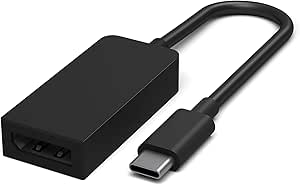
Microsoft JVZ-00002 Surface USB-C to Mini DisplayPort Adapter
★★★★★
USB-CDisplayPort
Seamless Display Connection: Microsoft Surface USB-C to Mini DisplayPort Adapter Extend your display capabilities with the Microsoft Surface USB-C to Mini DisplayPort Adapter. This adapter allows you to easily connect your Surface device to Mini DisplayPort-compatible monitors and projectors for ...
Check availability
Affiliate Disclosure: Studio Supplies may earn a commission from qualifying purchases made through links on this page, at no additional cost to you. This helps support our editorial team.
Notice a mistake? Let Us Know
Overview
Seamless Display Connection: Microsoft Surface USB-C to Mini DisplayPort Adapter
Extend your display capabilities with the Microsoft Surface USB-C to Mini DisplayPort Adapter. This adapter allows you to easily connect your Surface device to Mini DisplayPort-compatible monitors and projectors for high-quality video output.
Key Features:
- Type: USB-C to Mini DisplayPort Adapter
- Color: Black
- Compatibility: Designed for Surface devices and other USB-C enabled devices.
- Function: Connects USB-C port to a Mini DisplayPort display.
Key Features
usb-c to Mini DisplayPort
Compatible with all Surface models with an integrated USB-C port
Windows 10
Specifications
Brand
Microsoft
Model
JVZ-00002
Connector Type
USB-C to Mini DisplayPort
Compatibility
All Surface models with an integrated USB-C port
Operating System Support
Windows 10
Product Type
Adapter
Pros & Cons
👍 Pros
- Enables connection from a USB-C port to a Mini DisplayPort, expanding display options for compatible devices.
- Specifically designed to be compatible with all Surface models that feature an integrated USB-C port.
- Manufactured by Microsoft, ensuring optimal compatibility and performance with Microsoft's own Surface product line.
- Allows users to connect to a wider range of external monitors, projectors, or displays that use Mini DisplayPort.
- Provides a practical solution for presentations, external display workspaces, or extending a device's screen.
👎 Cons
- Only converts from USB-C to Mini DisplayPort, so it's not a universal display adapter for other port types like HDMI or VGA.
- Requires the source device to have a USB-C port that supports video output, which not all USB-C ports do.
- The adapter's functionality is limited to Windows 10, meaning it might not be fully supported on other operating systems.
- Specific details on maximum resolution support or refresh rates are not provided in the features.
- Its primary compatibility is with Surface devices, potentially limiting its versatility with non-Microsoft hardware.
Frequently Asked Questions
What kind of connection does the Microsoft Surface USB-C to Mini DisplayPort Adapter facilitate?
This adapter facilitates a connection from a USB-C port on a compatible device to an external display or projector that uses a Mini DisplayPort input.
Which Microsoft Surface models is this adapter compatible with?
This adapter is designed to be compatible with all Microsoft Surface models that feature an integrated USB-C port, allowing for extended display connectivity.
What operating system is supported by this adapter?
The Microsoft JVZ-00002 Surface USB-C to Mini DisplayPort Adapter is compatible with and supports devices running Windows 10.
Can this adapter connect to standard DisplayPort or HDMI displays?
This adapter is specifically designed for Mini DisplayPort output. To connect to standard DisplayPort or HDMI displays, additional adapters or cables might be necessary.
Are there any specific requirements for the USB-C port on my device for this adapter to work?
Yes, your device's USB-C port must support video output capabilities (often referred to as DisplayPort Alternate Mode) for this adapter to function correctly.
Related Products


