



Monoprice
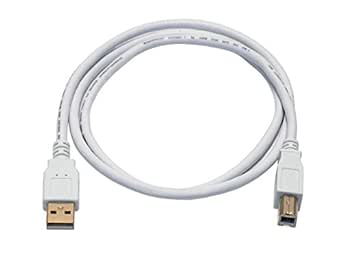
Monoprice 108615 3ft USB 2.0 A to B Cable (White)
★★★★★
Gold-plated USB 2.0 A-to-B in white — the reliable last-mile cable between your computer and every printer or scanner on your desk.
View price on Amazon
Affiliate Disclosure: Studio Supplies may earn a commission from qualifying purchases made through links on this page, at no additional cost to you. This helps support our editorial team.
Notice a mistake? Let Us Know
Overview
Key Features
A great value on high performance USB 2.0 compliant cables
Gold plated connectors for corrosion resistance and heavy gauge wires for years of reliable use
Compatible with both PC and Apple systems
28 AWG data conductors and 24 AWG power conductors
Molded connector heads with molded strain relief boots Shielded to protect against external signal interference
Specifications
Brand
Monoprice
Model
108615
ASIN
B009GUNDTU
Cable Type
USB 2.0 A Male to B Male
Length
3 ft
Connector Plating
Gold
Data Conductors
28 AWG
Power Conductors
24 AWG
Shielding
Yes
Strain Relief
Molded boots, both ends
Color
White
Compatibility
PC and Apple systems
Pros & Cons
👍 Pros
- 28AWG data / 24AWG power conductor split meets the USB 2.0 specification correctly — the heavier power conductors maintain voltage over the cable length, which cheaper cables cut corners on.
- Gold-plated connectors resist oxidation at contact points, which matters for cables that sit connected for months or years without being unplugged.
- Molded strain relief at both connector ends protects the conductor-to-connector junction — the most common physical failure point on USB cables.
- Shielded construction reduces signal interference in environments with dense wireless or electrical noise.
- 3-foot length is the right size for desk peripherals — long enough to reach without cable drape across the workspace.
👎 Cons
- 3 feet is insufficient if your printer or scanner sits more than arm's reach from your computer — you'll need a longer cable for floor-standing printers or remote workstation setups.
- USB 2.0 is a legacy standard — while it handles every current printer and scanner use case fine, it won't future-proof you for USB 3.0-native peripheral connections.
- White finish shows grime and desk dust more visibly than black alternatives over time.
- No locking mechanism on either connector — in a high-traffic or cramped workspace, accidental disconnection from the Type-B port is possible.
Frequently Asked Questions
What devices actually use a USB Type-B connector, and will this cable work with them?
USB Type-B is the square-ish connector used on the device side of printers, scanners, MIDI interfaces, and some older external hard drives and audio interfaces. If your device has that square port, this cable connects it directly to any USB-A port on a PC or Mac. It's one of the most common peripheral connection standards still in active use.
Does USB 2.0 create a bottleneck for printer or scanner data transfer?
For the vast majority of printing and scanning tasks, no. USB 2.0's 480 Mbps theoretical throughput far exceeds what a printer's processing pipeline or a flatbed scanner's actual scan rate can push through the cable. The bottleneck in a print or scan job is always the device, not the USB 2.0 bus on a cable this length.
Why does wire gauge matter on a USB cable, and what do 28/24AWG mean here?
The two gauges serve different conductors. The 28AWG data wires carry signal — thinner is fine because data currents are tiny. The 24AWG power conductors carry the 5V bus power to the connected device — heavier gauge reduces resistive voltage drop over the cable length, ensuring the device receives clean power. The 28/24 split is the correct specification for USB 2.0 compliance and is better than cheaper cables that use 28AWG for everything.
Does shielding on this cable actually matter for a printer connection?
In a home or office environment with moderate RF interference (WiFi routers, Bluetooth, fluorescent lighting), shielding on a USB data cable prevents bit errors and connection dropouts. At 3 feet you're unlikely to notice the difference under normal conditions, but the shielding is meaningful if the cable runs near power supplies, switching equipment, or dense wireless environments.
Is this compatible with USB 3.0 ports?
USB is backward-compatible, so this cable will work in a USB 3.0 or USB 3.1 port — the port will negotiate down to USB 2.0 speeds. Since USB Type-B devices are almost universally USB 2.0 devices themselves, this creates no practical limitation.
Related Products


