
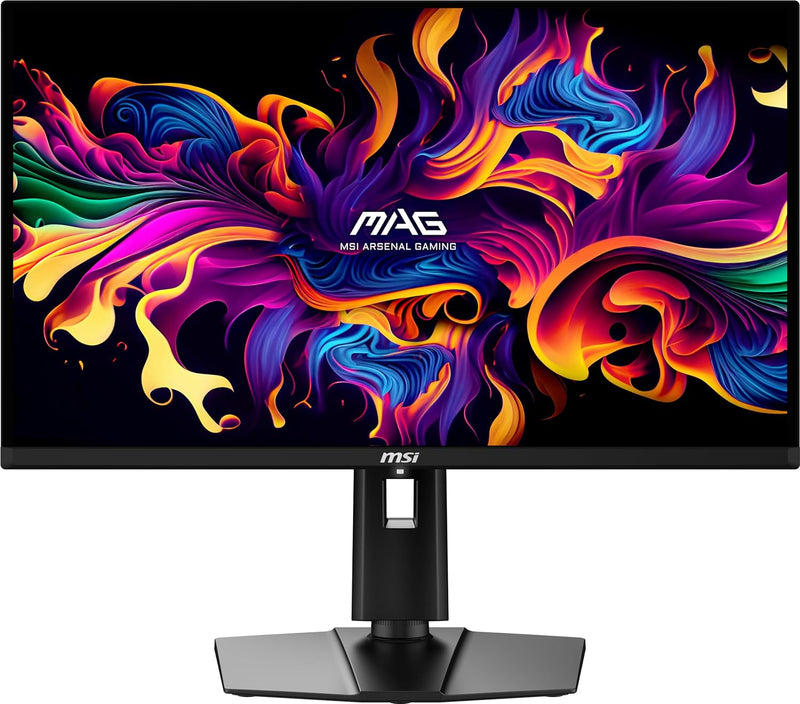


MSI MAG 271QPX QD-OLED — Editorial Review
The MAG 271QPX is a 27-inch gaming monitor built on Samsung's third-generation QD-OLED panel — 2560×1440 at 360Hz with a 0.03ms response time and roughly 99% DCI-P3 coverage. Per TFTCentral, it sits as the more affordable sibling to MSI's MPG 271QRX while sharing the same core panel, making it one of the most accessible ways into a high-refresh 1440p QD-OLED.
Featured Video Review
Why QD-OLED at this size works
The combination of per-pixel OLED blacks, QD-OLED's vivid wide-gamut color, 360Hz, and near-instant pixel response makes for an exceptional gaming image. DisplayNinja documents the strengths: true blacks, a 1.5 million:1 contrast figure, 10-bit color, and HDR highlights reaching up to ~1000 nits on small (≤3%) windows for genuine pop in specular detail. TFTCentral's range guide positions it among the strongest value picks in MSI's QD-OLED lineup. In TFTCentral's firmware-testing video — featured above — the reviewers verify how MSI's updates affect behavior across the 27" and 32" QD-OLED models.
Burn-in protection and warranty
MSI pairs the panel with OLED Care 2.0 (pixel shift, panel refresh, and related safeguards) and a 3-year warranty that explicitly covers burn-in — directly addressing the most common OLED concern for desktop use.
Honest cons
- Full-screen brightness ceiling. Like all current QD-OLEDs, sustained full-white brightness is modest (~250 nits SDR; ~200 nits default) — it can't match mini-LED LCDs for a bright, sunlit room.
- Long-term burn-in risk. OLED burn-in is a "when, not if" risk over many years; MSI's care features and 3-year burn-in warranty mitigate but don't eliminate it.
- DSC can't be disabled. TFTCentral notes there's no option to turn off Display Stream Compression even at pairings that technically wouldn't require it.
- No KVM switch. A miss for multi-PC desk setups that want one keyboard/mouse across machines.
Where this monitor fits
- Competitive and immersive PC gamers who want 1440p/360Hz QD-OLED with per-pixel blacks and instant response at the most accessible price tier.
- HDR gamers who value contrast and color pop over peak full-screen brightness.
- Content creators wanting wide DCI-P3 gamut for color work in a controlled-lighting room.
- Not bright-room users who need high sustained brightness (mini-LED is better), or multi-PC setups that rely on a built-in KVM.
Sources & Citations
- TFTCentral, "Differences Between the MSI MPG 271QRX and MAG 271QPX Explained," tftcentral.co.uk (accessed 2026-05-25)
- TFTCentral, "The Complete MSI QD-OLED Monitor Range Round-up and Guide," tftcentral.co.uk (accessed 2026-05-25)
- DisplayNinja, "MSI MAG 271QPX Review," displayninja.com (accessed 2026-05-25)
Last verified: 2026-05-25


