



MSI
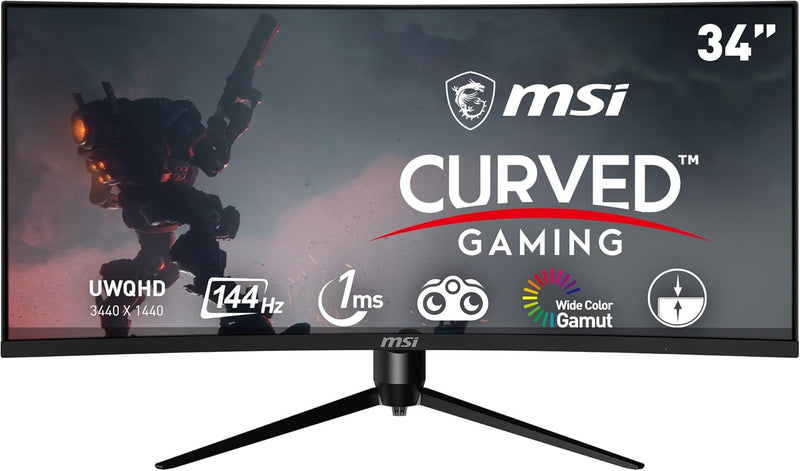
MSI Optix MAG342CQR 34" UWQHD 144Hz Curved Monitor
★★★★★
A 3440x1440 VA panel at 144Hz with 1500R curvature puts every pixel of that ultrawide real estate to work without tearing or ghosting.
$289.00*
View on Amazon
✓ In Stock on Amazon.com
*Price sourced from Amazon.com. Last updated:Jul 14, 2026.Price and availability are subject to change.
Affiliate Disclosure: Studio Supplies may earn a commission from qualifying purchases made through links on this page, at no additional cost to you. This helps support our editorial team.
Notice a mistake? Let Us Know
Overview
Key Features
Curved Gaming display (1500R) – The best gameplay immersion.Specific uses for product - Gaming
Viewing Angle is 178° (H) / 178° (V); Brightness is 300nits; Aspect Ratio is 21:9
Mystic Light – The ultimate gaming finish
UWQHD High Resolution - Game titles will even look better, displaying more details due to the UWQHD resolution
144Hz Refresh Rate – Real smooth gaming
Specifications
Screen Size
34 inches
Resolution
UWQHD
Refresh Rate
144Hz
Curvature
1500R
Viewing Angle (H)
178°
Viewing Angle (V)
178°
Brightness
300nits
Aspect Ratio
21:9
Pros & Cons
👍 Pros
- 3440x1440 UWQHD at 34 inches delivers 109 PPI — significantly higher pixel density than 1080p ultrawide at the same size, with enough detail for both gaming and productivity document work
- 3440x1440 UWQHD resolution on a 34-inch panel delivers approximately 110 PPI — sharp enough for fine text and detailed game textures without display scaling
- 144Hz refresh rate at UWQHD eliminates the visual stutter that 60Hz creates during fast lateral movement in racing, FPS, and real-time strategy titles
- VA panel technology provides deep black levels and high static contrast ratio (typically 2500:1–3000:1) that IPS competitors at this price tier cannot match — relevant for dark game scenes and movie viewing
- 144Hz refresh rate paired with AMD FreeSync eliminates tearing across the full FreeSync range, and at 1ms MPRT, motion handling is competitive for fast-paced gameplay at ultrawide resolutions
- 1500R curvature on a 34-inch panel provides field-of-view immersion that flat ultrawide panels cannot replicate — the screen wrap aligns with natural peripheral vision
- VA panel technology delivers higher native contrast ratios than IPS at this price point, producing deeper blacks in dark scene rendering that IPS cannot match without local dimming
- 1500R curvature is matched to standard desktop viewing distance, wrapping the 21:9 panel edges within comfortable forward-gaze range without distortion at the panel center
- 178°/178° horizontal and vertical viewing angles mean color and brightness remain consistent across the panel — important for the wide field of view of a 34-inch curved display
- Mystic Light RGB edge lighting provides ambient bias lighting that reduces eye strain in dark rooms during long gaming sessions
👎 Cons
- VA panel's pixel response time (GtG) can produce dark-zone trailing — a ghosting artifact visible on fast-moving objects crossing dark backgrounds, which is a known trade-off vs. IPS at this panel size
- VA panel exhibits color shift at extreme viewing angles beyond the rated 178° — noticeable when standing to the side, though less relevant in single-user seated scenarios
- 300-nit peak brightness limits HDR impact — SDR content looks excellent, but HDR highlights lack the punch of monitors with 600+ nit peak brightness and local dimming zones
- 300 nits peak brightness is below the 400–500 nit ceiling of premium HDR displays — adequate for SDR gaming but insufficient to render HDR content with peak highlight impact
- Driving 3440x1440 at 144Hz requires DisplayPort 1.4 or HDMI 2.1 bandwidth; HDMI 2.0 connections will cap refresh rate or resolution, limiting compatibility with older GPU outputs
- 21:9 aspect ratio is not natively supported by all older game titles, which will render pillarboxed at 16:9 or stretch incorrectly without aspect ratio override in-game settings
- The 34-inch footprint requires a desk depth of at least 70cm to sit at the optimal 60-80cm viewing distance where 1500R curvature provides its intended immersive geometry
- Mystic Light RGB on the rear panel adds no display performance value and draws power continuously — users who find case/peripheral lighting distracting may view this as unnecessary complexity
- The 21:9 aspect ratio creates letterboxing in content produced for 16:9 (most TV shows, some games that do not support ultrawide natively), which requires in-game ultrawide support or black bars at the sides
- MPRT 1ms response requires backlight strobing that reduces effective brightness and introduces potential flicker — native GtG is considerably slower and may produce trailing on fast transitions
Frequently Asked Questions
Does the MAG342CQR's 1ms response time apply to GtG or MPRT, and does it affect motion clarity?
MSI specifies 1ms for this panel — on VA displays, this typically refers to MPRT (Moving Picture Response Time), which is a backlight strobing measurement rather than the pixel transition time (GtG). Actual GtG on VA panels at 144Hz is typically 4–8ms for non-overdriven transitions. In practice at 144Hz, motion clarity is competitive with similarly-classed IPS panels, though fast-moving bright-to-dark transitions may show subtle ghosting characteristic of VA technology.
Does the 1ms response time on a VA panel represent true GtG (gray-to-gray) or MPRT performance?
MSI specifies 1ms as MPRT (Moving Picture Response Time), which is achieved via backlight strobing rather than native panel transition speed. Native GtG on VA panels typically measures 4-8ms. MPRT reduces perceived motion blur during fast movement but can introduce backlight flicker — users sensitive to flicker should evaluate at their preferred brightness level.
What GPU do I need to push 3440x1440 at 144Hz, and what bottleneck does the FreeSync range address?
Running UWQHD at 144Hz requires a mid-to-high-end discrete GPU — an RTX 3070 or RX 6700 XT represents the practical entry point for consistent 100fps+ in demanding titles. AMD FreeSync synchronizes the display's refresh rate to your GPU's frame output across a variable range, eliminating tearing without the input latency penalty of V-Sync at frame rates below your GPU's maximum output.
What GPU is required to drive 3440x1440 at 144Hz, and does the monitor support DSC?
Driving UWQHD at 144Hz requires DisplayPort 1.4 (with DSC) or HDMI 2.1 to sustain full bandwidth without compression artifacts. An NVIDIA RTX 2070 or AMD RX 5700 XT represents the practical minimum for hitting 100+ fps in modern titles at 3440x1440 ultra settings. Mid-range cards (RTX 3060, RX 6600 XT) will sustain 60–90fps at medium-to-high settings, where FreeSync's dynamic range keeps the experience tear-free.
What is the AMD FreeSync range on the MAG342CQR, and does it support NVIDIA G-Sync Compatible?
The MAG342CQR supports AMD FreeSync, which operates across a specified variable refresh rate range (exact range not detailed in available specs). NVIDIA has validated many FreeSync monitors as G-Sync Compatible — users should verify the MAG342CQR's G-Sync Compatible status via NVIDIA's certified monitor list, as this varies by firmware version and display hardware.
Is this monitor G-Sync compatible, or is FreeSync the only adaptive sync option?
The MAG342CQR is certified for AMD FreeSync. NVIDIA's G-Sync Compatible validation requires separate certification — check MSI's product page for confirmed G-Sync Compatible status, as many FreeSync monitors pass NVIDIA's testing unofficially.
What does the 1500R curvature mean, and is it appropriate for a 34-inch ultrawide?
1500R describes the radius (in millimeters) of the curve — a tighter curve than the common 1800R standard. At 34 inches, a 1500R curvature ensures the display edges are at nearly equal optical distance from your eyes at a typical 60-80cm viewing distance, reducing perceived peripheral distortion and wrapping the image more deeply into your field of view.
How does 1500R curvature affect the perceived field of view at 34 inches?
1500R is a curvature radius of 1.5 meters — the panel curves to follow the natural focal arc of a viewer seated approximately 60–80cm from the screen. At 34 inches and 21:9, this curvature brings the panel edges into the viewer's natural forward focus zone without requiring head movement, which is the immersion benefit. Viewing at close range (under 50cm) can make the curvature feel pronounced; at the intended 60–80cm seating distance it is natural.
What are the ergonomic adjustment options on the MAG342CQR stand?
The MAG342CQR supports tilt, swivel, height, and pivot adjustments. In practice, a 34-inch curved monitor in landscape orientation is the intended use configuration — pivot (rotation to portrait) on a 34-inch ultrawide is technically possible but ergonomically impractical.
Does the MAG342CQR support picture-in-picture or KVM functionality for multi-source inputs?
Based on available product specifications, the MAG342CQR provides standard multi-input selection. KVM and PiP functionality vary by firmware version — consult MSI's current firmware release notes for the MAG342CQR to confirm supported multi-source modes.
Related Products


