



MSI
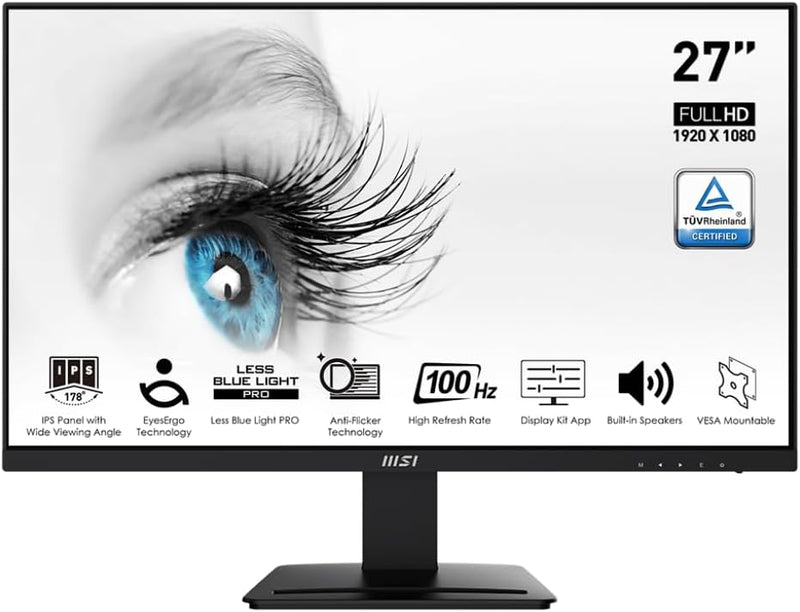
MSI Pro MP273A 27" FHD 100Hz Monitor TUV Certified
★★★★★
FHD1920 x 1080
A 27" IPS panel with 100Hz refresh and TUV-certified eye protection that eliminates the flickering and blue-light fatigue of budget office displays.
$109.99*$129.99Save 15%
Check availability
*Price sourced from Amazon.com. Last updated:Jul 14, 2026.Price and availability are subject to change.
Affiliate Disclosure: Studio Supplies may earn a commission from qualifying purchases made through links on this page, at no additional cost to you. This helps support our editorial team.
Notice a mistake? Let Us Know
Overview
Key Features
27" (1920 x 1080 full HD)
100Hz Refresh Rate
TUV Certified Eyesight Protection
4ms response time
Specifications
Screen Size
27 inches
Resolution
1920 × 1080 (Full HD)
Panel Type
IPS
Refresh Rate
100Hz
Response Time
4ms (GtG)
Connectivity
DisplayPort, HDMI
Ergonomics
Tilt adjustment
VESA Mount
100 × 100mm
Certification
TUV Eyesight Protection
Color
Black
Pros & Cons
👍 Pros
- IPS panel provides accurate, consistent color across the 178°/178° viewing angle — a genuine step up over TN alternatives at this price tier.
- 100Hz refresh rate delivers perceptibly smoother motion than 60Hz panels without requiring a high-performance GPU to reach that framerate.
- TUV hardware certification for flicker reduction and low blue light is implemented at the panel level, not via a software overlay that degrades color accuracy.
- Dual-input (DisplayPort + HDMI) supports multi-source switching without an external switch or KVM.
- Tilt adjustment addresses ergonomic positioning in fixed-height desk setups without requiring an aftermarket arm.
👎 Cons
- 1920×1080 resolution at 27" yields a pixel density of ~82 PPI — noticeably soft compared to 1440p or 4K panels at the same size, which will frustrate users doing fine typography or detailed image work.
- No USB hub integration limits desk cable management options compared to similarly-priced competitors that include downstream USB ports.
- Single tilt axis only — no height adjustment, swivel, or pivot without a VESA mount (100×100mm VESA is supported).
- No built-in speakers, which is standard at this price but worth noting for a compact workspace build.
Frequently Asked Questions
What panel type does the MP273A use, and why does it matter?
IPS (In-Plane Switching). Unlike TN panels common at this price point, IPS delivers wider viewing angles (roughly 178°/178°) and more accurate color reproduction — important for spreadsheet work or photo editing where you need consistent color from off-axis seating positions.
Does 100Hz make a meaningful difference over a standard 60Hz panel for productivity use?
Yes, measurably so. At 100Hz, cursor and window movement renders noticeably smoother than 60Hz, reducing cognitive load during long sessions. It's not a gaming-grade 144Hz panel, but the improvement over 60Hz is perceptible without needing a high-end GPU to drive it.
What does the 4ms response time mean for this monitor's use case?
At 4ms (GtG), the MP273A handles fast motion in productivity tasks and casual gaming without significant ghosting. This is not a competitive esports spec, but it's well within the range where motion blur won't be a visible problem for the target audience.
What connectivity does the MP273A provide?
One DisplayPort and one HDMI port. That covers connection to modern PCs, laptops with dedicated outputs, and most docking stations. There is no USB hub built into the panel, which matters if you're planning a cable-managed desk.
What does TUV Eyesight Protection certification actually mean here?
TUV Rheinland certifies that the display meets specific standards for flicker reduction and low blue-light emission. The MP273A achieves this without the color-washing effect of some software-level blue-light filters, so the certification applies to the hardware itself.
Related Products


