
Samsung
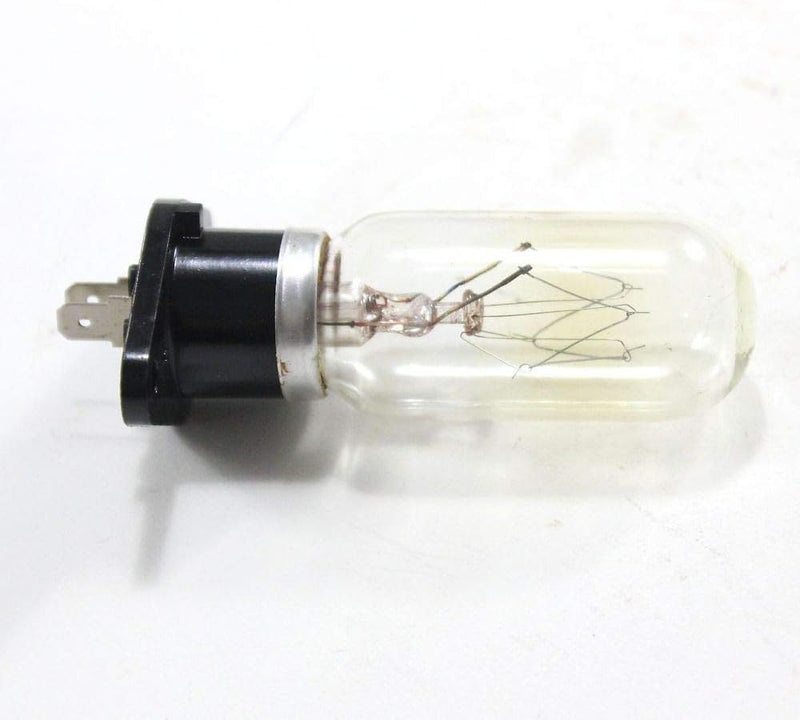
Samsung 4713-001102 OEM Replacement Lamp
Bring your Samsung display back to full brightness with a guaranteed-fit OEM replacement lamp.
$25.80*$32.99Save 21%
View on Amazon
✓ In Stock on Amazon.com
*Price sourced from Amazon.com. Last updated:Oct 25, 2026.Price and availability are subject to change — details.
Affiliate Disclosure: As an Amazon Associate, Studio Supplies earns from qualifying purchases made through links on this page, at no additional cost to you. This helps support our editorial team.
Notice a mistake? Let Us Know
Overview
Key Features
This is an O.E.M. Authorized part
Fits with various Samsung brand models
Oem part # 4713-001102
Specifications
Brand
Samsung
Part Number
4713-001102
Type
OEM Replacement Lamp
Compatibility
Various Samsung display models (verify before purchase)
Weight
1.28 ounces
Dimensions
4 × 3 × 1 inches
Frequently Asked Questions
How do I know if this lamp fits my Samsung TV or projector?
Cross-reference your device's model number against Samsung's compatibility list for part number 4713-001102. Since this is an OEM part, Samsung designed it specifically to fit a defined range of their display devices — check your owner's manual or Samsung's support site to confirm your model is on that list before purchasing.
Is there a noticeable quality difference between this OEM lamp and a third-party alternative?
OEM lamps are manufactured to the original factory specification for brightness, color temperature, and bulb life — so you're restoring the display to how it performed when new. Third-party lamps often vary in output consistency and may not trigger the lamp-hour reset correctly in the device's firmware.
How difficult is it to install a replacement lamp like this?
Lamp replacement on Samsung display devices typically involves removing a rear access panel, sliding out the old lamp module, and inserting the new one — no soldering or specialized tools required. Difficulty varies by model; consult your device's service guide or Samsung's support resources for step-by-step instructions specific to your unit.
What is the expected lifespan of this replacement lamp?
Lamp lifespan varies by usage hours and display mode settings. As an OEM part, this lamp is built to Samsung's rated hours for the applicable models — check your device's documentation for the specific hour rating, and reset the lamp timer in the display settings after installation.
Can I keep using my device while I wait for the replacement lamp to arrive?
Running a projector or lamp-based display with a failing lamp risks further degradation or sudden failure. If your device is showing dimming, color shifting, or lamp warning messages, it's worth limiting use until the replacement arrives.
Related Products


