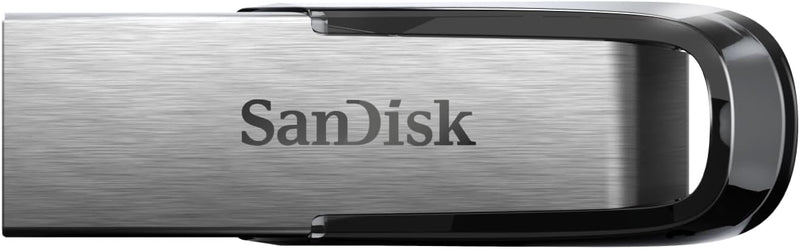


SanDisk Ultra Flair USB 3.0 Flash Drive (16GB-512GB) — Editorial Review & Use Cases
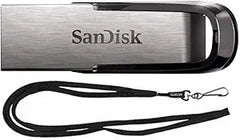
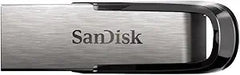
The SanDisk Ultra Flair USB 3.0 family (SDCZ73 SKU prefix — 16GB, 32GB, 64GB, 128GB, 256GB, 512GB capacities) is SanDisk's metal-housing USB 3.0 SuperSpeed flash drive line — designed for daily file transfer at SSD-class speeds without the cost of a portable SSD. Per Western Digital's official SanDisk Ultra Flair product page, the line delivers up to 150 MB/s read speeds with USB 3.0 host compatibility (USB 3.1 / 3.2 hosts compatible at backward speeds), durable metal casing, and 5-year limited warranty. As of 2026, the Ultra Flair sits as the mainstream-popular "USB 3.0 stick" for most users — fast enough for everyday transfer, cheap enough not to feel precious.
What the Ultra Flair Specifically Wins
- 150 MB/s read on USB 3.0 SuperSpeed — vs USB 2.0 commodity drives (~15 MB/s read), this is ~10x faster. Real-world: transferring a 4K movie file (~10GB) takes ~70 seconds on Ultra Flair vs ~12 minutes on USB 2.0 sticks
- Metal casing — significantly more durable than plastic Cruzer Blade USB 2.0. Survives travel, pocket-carry, key-ring transport without bending / breaking
- 5-year limited warranty — SanDisk's premium-tier warranty
- SecureAccess software bundled for AES-128 encrypted folder protection
- RescuePRO Deluxe data recovery bundled
- Compatible with USB 3.0 / 3.1 / 3.2 hosts; backward compatible with USB 2.0 — works in any USB-A port, modern or legacy
- USB 3.0 backward-compatible — plugs into USB 2.0 ports at 480 Mbps fallback speed (still much faster than USB 2.0-class drive)
- Wide capacity range — 16GB to 512GB — flexible for budget-to-archive needs
- Compatible with Windows / macOS / Linux / ChromeOS / Android (USB-OTG via USB-A-to-USB-C adapter)
Where the Ultra Flair Specifically Fits
- Daily file transfer / sneakernet between PCs — fast enough for video / large photo / project archives
- Bootable Windows install media — Rufus / Media Creation Tool work at SSD-class speeds
- Bootable Linux ISO drives — Ubuntu / Fedora / Arch + similar ISOs install in minutes vs hours
- Software / driver portable storage for IT / repair workflows
- Field photographer / videographer offload — quick offload from SD card reader to drive for backup
- School / classroom file transfer
- Document backup beyond cloud (3-2-1 redundancy)
- USB-based external boot disk for testing / recovery
- Travel data backup — small enough to fit in luggage, fast enough for daily backup before crossing borders
- Music production project archive / quick sample transfer
- Game ROM / emulator portable storage
- Office presentation / file delivery to clients
Honest Limits Buyers Should Know
- Read speeds 150 MB/s — write speeds slower (~30-40 MB/s). Read is much faster than write. Multi-GB write workloads (filling the drive) is slow vs read. For balanced read/write performance, look at SanDisk Extreme PRO USB 3.2 SSD-class drives
- USB-A connector — modern USB-C-only laptops need adapter. Verify host laptop port type. USB-A-to-USB-C dongles add ~$5 and bag-clutter. For native USB-C, look at SanDisk Ultra USB Type-C (SDCZ48) line
- Limited workflow vs portable SSD. Sustained large-file operations (full system backup, video edit scratch) are markedly slower than portable SSDs. For active project work, step up to SanDisk Extreme Portable SSD
- No write-protection switch. Some users want a physical write-protect to prevent accidental data loss; Ultra Flair has no switch. Use BitLocker / FileVault / VeraCrypt for write-protect via software encryption
- Cap loss risk. The Ultra Flair has a removable cap; losing the cap exposes USB connector to damage / dust / debris. Some users prefer fixed-cap or capless drives (SanDisk Ultra Fit lacks cap)
- Metal body conducts heat. After extended-write workloads (filling the drive completely), the metal casing gets warm. Hot to touch but normal under sustained writes
- Heavy capacity tiers benchmark slightly faster. 256GB / 512GB variants typically benchmark ~150 MB/s read vs 16GB / 32GB at ~130 MB/s. Verify capacity-specific specs before assuming top performance
- Counterfeit risk on third-party marketplaces. Buy SanDisk Ultra Flair from Amazon Direct (NOT Amazon Marketplace), B&H, Adorama, or SanDisk direct. Many counterfeit SanDisk drives in unregulated channels
- USB 3.0 backward compat works but is slow. In a USB 2.0 host port, the drive falls back to ~30 MB/s read (still 2x faster than commodity USB 2.0 drives)
Where Buyers Should Look Elsewhere
- USB-C native flash drive → SanDisk Ultra USB Type-C (SDCZ48), Samsung BAR Plus Type-C, Kingston DataTraveler USB-C
- SSD-class speeds (1,000+ MB/s) → SanDisk Extreme Portable SSD, Samsung T7
- Compact / capless design → SanDisk Ultra Fit USB 3.1 (sub-2cm)
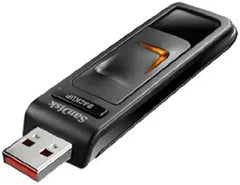
- Hardware-encrypted drive → Kingston IronKey, Apricorn Aegis, SanDisk Ultra Backup AES (with built-in keypad)
- Higher-capacity (1TB+) → SanDisk Ultra USB Type-C 1TB+, SanDisk Extreme PRO USB 3.2 SSD (~$200)
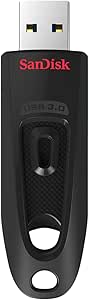
- Pure budget (acceptable speed loss) → SanDisk Cruzer Blade USB 2.0 (SDCZ50 family — much cheaper, ~$5-10 for 32GB)
- Industry / enterprise-grade reliability → Kingston DataTraveler 4000G2 (FIPS-compliant), Apricorn Aegis Secure Key 3
Sources & Citations
- Western Digital (SanDisk), "Ultra Flair USB 3.0 product family page," westerndigital.com (accessed 2026-05-18)
- Tom's Hardware, "USB 3.0 flash drive comparison and benchmarks," tomshardware.com (accessed 2026-05-18)
- The Wirecutter (NYT), "Best USB flash drive buying guide," nytimes.com/wirecutter (accessed 2026-05-18)
- AnandTech, "USB flash drive performance review coverage," anandtech.com (accessed 2026-05-18)
Last verified: 2026-05-18