
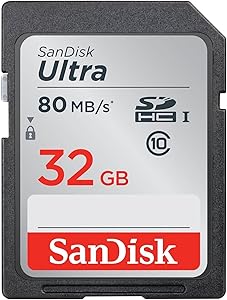
SanDisk Extreme PRO SDXC Cards (64GB-1TB) — Editorial Review & Camera Compatibility Guide
The SanDisk Extreme PRO SDXC family (SDSDXXY / SDSDXXD SKU prefixes — covering 64GB, 128GB, 256GB, 512GB, and 1TB capacities) is SanDisk's flagship UHS-I full-size SD card line — targeting full-frame mirrorless cameras (Sony A7-series, Canon EOS R, Nikon Z, Fuji X, Panasonic Lumix S), DSLRs, and 4K-capable camcorders. Per Western Digital's official SanDisk Extreme PRO SDXC product family page, the Extreme PRO line is rated for UHS-I U3 V30 (Video Speed Class 30), supports up to 200 MB/s read and 140 MB/s write, and ships with a lifetime warranty + RescuePRO Deluxe data recovery software.
What Extreme PRO SDXC Specifically Wins
- UHS-I U3 V30 sustained write speed — 30 MB/s minimum sustained write per V30 spec; real-world sustained writes typically 80-140 MB/s. Sufficient for 4K video at most bitrates, RAW continuous burst photography, and dual-card recording on supported camera bodies
- 200 MB/s read speed — fast offload from camera to computer via UHS-I card reader. Tethered transfer + Wi-Fi transfer to phone is markedly faster than slower SD cards
- Lifetime warranty + RescuePRO Deluxe data recovery — SanDisk supports the line; data recovery software helps when accidental deletion occurs
- Sandisk + Western Digital reliability vs no-name brands — SanDisk's manufacturing controls + warranty support are markedly better than generic Chinese SD cards (which routinely fail or lose data, especially in heat / vibration / repeated use)
- Wide camera body compatibility — works in any camera body with UHS-I SD slot (essentially all consumer + prosumer + most pro cameras)
- Available 64GB to 1TB — single capacity scaling means a buyer can match card capacity to specific workflow (64GB for casual shooting, 1TB for documentary / wedding marathons)
- Multi-card workflow ready — UHS-I cards work in dual-card bodies (Sony A7 III/IV/V, Canon EOS R5/R6, Nikon Z8/Z9 in CFexpress + SD mode)
- Temperature + shock resistance — operating range -25°C to 85°C; survives typical outdoor use including hot car interior
Where Extreme PRO SDXC Specifically Fits
- Wedding / event photography on Sony A7 IV / Canon R6 II / Nikon Z6 II / Fuji X-T5 with dual SD slots
- 4K video recording at standard bitrates (60-200 Mbps) on Sony A7S III, Canon R6 II, Panasonic GH6, Fuji X-T5
- Wildlife / sports photography with continuous burst (15+ fps) capturing RAW frames at sustained write speeds
- Travel / documentary photographers who can't afford to lose data — SanDisk reliability + warranty justifies premium over no-name brands
- Vlogger / YouTube creator recording 4K video at typical bitrates (60-100 Mbps)
- Real estate photographer with high-volume shoot days
- Photojournalist / news photographer needing reliable storage in critical-shoot scenarios
- Drone aerial photography (DJI Mavic 3, Air 3) — many drone bodies use SD cards as primary recording media
- Studio commercial photography with tethered shooting + occasional in-camera storage
- Trail camera / wildlife observation setups with continuous-recording cards
- Action camera secondary cards (some GoPro / Insta360 / DJI Osmo Action use SD instead of microSD)
Honest Limits Buyers Should Know
- UHS-I — not UHS-II. UHS-II cards (Sony SF-G, ProGrade V60, Lexar Professional 2000x) read/write at 280-300 MB/s and have a second row of pins. UHS-I caps at 200 MB/s read. For high-bitrate 4K 60p / 8K video / massive RAW burst, UHS-II or CFexpress is required. Verify the camera supports UHS-II for it to be worth paying premium
- Not for 8K video. 8K cinema cameras (Canon R5 8K RAW, Nikon Z9 8K, RED Komodo 8K) need CFexpress Type A/B; UHS-I SDXC cannot keep up with 8K bitrates
- Not for ProRes / ProRes RAW external recording. Atomos / external recorders writing ProRes need SSDs or CFast, not SD
- V30 minimum write is 30 MB/s — some 4K video at high bitrates exceeds this. For Canon EOS R5 4K 120p (high-bitrate), some Atomos workflows, or Sony 4K 60p XAVC HS (high bitrate), V60+ or UHS-II is recommended
- Lifetime warranty has exclusions. Physical damage (broken card, bent connectors), water immersion beyond rated depth, intentional damage are not covered. RescuePRO Deluxe data recovery has a 1-year subscription period
- Counterfeit risk on third-party marketplaces. Buy SanDisk Extreme PRO from Amazon Direct (NOT Amazon Marketplace), B&H, Adorama, SanDisk direct, or authorized resellers. Many no-name "SanDisk Extreme PRO" cards on questionable marketplaces are fake — they fail spectacularly in production
- Capacity inflation over years. 1TB cards exist but 256GB / 512GB are sweet spots for most workflows (cost-per-GB + manageable card rotation). 1TB on a single card means more eggs in one basket if the card fails
- Larger capacities take longer to fill / longer to format. Formatting a 1TB card in-camera takes several minutes vs seconds for 64GB. Larger cards also have longer recovery times if data corruption occurs
Where Buyers Should Look Elsewhere
- UHS-II for high-end bodies + high bitrates → Sony SF-G Tough (300 MB/s), ProGrade V60, Lexar Professional 2000x
- CFexpress Type B for 8K / cinema → Sony Tough G-Series CFexpress, Delkin Black CFexpress, Lexar Professional CFexpress
- CFexpress Type A (Sony A1 / A7S III / FX3) → Sony Tough CFexpress A series, ProGrade CFexpress A
- Atomos / external ProRes recording → 2.5" SATA SSDs (Samsung 870 EVO, Crucial MX500) in Atomos caddy
- Smartphone microSD use → SanDisk Ultra microSD / Extreme microSD (different form factor)
- Pure budget → SanDisk Ultra SD (slower V10 class — fine for non-burst use, photos)
- High-volume professional workflow → 2-card rotation + offload + ingest on-site for redundancy
Sources & Citations
- Western Digital (SanDisk), "SanDisk Extreme PRO UHS-I SDXC product family page," westerndigital.com (accessed 2026-05-18)
- SanDisk, "SD card buying guide and specifications," westerndigital.com (accessed 2026-05-18)
- DPReview, "SD card buying guide and camera body compatibility," dpreview.com (accessed 2026-05-18)
- Imaging Resource, "Camera memory card performance testing," imaging-resource.com (accessed 2026-05-18)
Last verified: 2026-05-18

