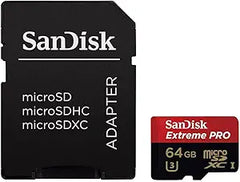
SanDisk 1TB Extreme microSD — Device Compatibility & Independent Findings
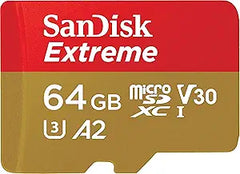
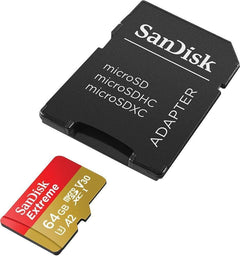
The SanDisk Extreme 1TB (SDSQXA1-1T00-GN6MA) is the 160 MB/s read / 90 MB/s write generation of SanDisk's flagship UHS-I microSDXC card, carrying A2, U3, and V30 ratings. Per SanDisk's official product page, the card targets action cameras, drones, and Android devices that need both raw capacity and the A2 random-IOPS specification for fast app loads. The matrix below maps the 1TB Extreme against the most common host devices — including the critical Switch versus Switch 2 distinction that has reshaped microSD buying decisions in 2025-2026.
Independently Measured Performance
Camera Memory Speed's bench tests of the SanDisk Extreme 160 MB/s V30 A2 microSDXC family (the same product line as the 1TB SDSQXA1) recorded 169.3 MB/s sequential read and 99.8 MB/s sequential write in their fastest SanDisk-supplied UHS-I reader. The tested write speed comfortably clears the V30 sustained-write floor of 30 MB/s, validating the V30 badge for 4K video capture. The measured read modestly exceeds SanDisk's 160 MB/s marketing claim, while the write speed lands roughly 10 MB/s above the rated 90 MB/s. Real-world performance in any specific host device is gated by the device's UHS-I implementation, not just the card.
Cross-Device Compatibility Matrix
| Device | Compatible? | What's gated by the card |
|---|---|---|
| Nintendo Switch / Switch OLED | Yes | UHS-I + microSDXC up to 2 TB; game-load times improve with higher sequential read |
| Nintendo Switch 2 | NO — for game storage | Switch 2 requires microSD Express; regular UHS-I cards cannot save game data |
| Steam Deck / Steam Deck OLED | Yes | UHS-I (Valve's spec); A2 random-IOPS helps game-launch on SteamOS |
| GoPro HERO10 / HERO11 / HERO12 / HERO13 Black | Yes — on recommended list | V30 + A2 meets GoPro's spec for 5.3K and 4K60 capture |
| DJI Mavic 3, Air 3, Mini 4, FPV, etc. | Yes — on DJI's official list | V30 sustained-write covers DJI's 4K-at-100 Mbps profiles |
| Modern Android phones / tablets (with microSD slot) | Yes | A2 random-IOPS accelerates app loads when adopted as internal storage |
| Cinema cameras requiring V60 / V90 | NO | This card is V30, not V60 / V90 — insufficient sustained write for 6K / 8K cinema |
Nintendo Switch — Confirmed Compatible (Up to 2 TB)
Per Nintendo's official microSD FAQ, the original Switch and Switch OLED support microSDXC cards up to 2 TB and require UHS-I compatibility. Nintendo recommends transfer speeds in the 60-95 MB/s range and notes that higher transfer speed improves the gameplay experience. The SanDisk Extreme 1TB clears this comfortably at its measured ~169 MB/s read. A one-time system update is required on first insert of any microSDXC card.
Nintendo Switch 2 — Important Buyer Warning
Nintendo's Switch 2 microSD compatibility statement is explicit: "Nintendo Switch 2 is only compatible with microSD Express cards." Buyers who already own a SanDisk Extreme 1TB and assume it will migrate to Switch 2 will be disappointed — regular UHS-I microSDXC cards cannot save game data, in-game screenshots, or video on Switch 2 even though the slot physically accepts them. This is a forced upgrade path: Switch 2 buyers need a microSD Express card. For the original Switch and Switch OLED, the SanDisk Extreme 1TB remains a sound choice and continues to be fully supported.
Steam Deck and Steam Deck OLED — Compatible
According to Valve's official Steam Deck tech specs, both the Steam Deck and Steam Deck OLED support UHS-I microSD across SD, SDHC, and SDXC formats. The A2 random-IOPS rating on the SanDisk Extreme is the more impactful spec for Steam Deck use — A2's accelerated random-read performance translates directly to faster SteamOS app launches and shorter game-load times compared to A1-rated cards at the same nominal MB/s. Because Steam Deck is UHS-I only, paying a premium for UHS-II cards delivers no incremental benefit; the SanDisk Extreme's UHS-I tier matches the device's bus exactly.
GoPro HERO10 Black and Newer — On the Recommended List
Per GoPro's official microSD card considerations page, HERO10 Black and later models (HERO11, HERO12, HERO13) require microSD cards rated A2 (random performance) and V30 (sustained write of at least 30 MB/s). The SanDisk Extreme line carries both ratings and appears on GoPro's recommended list across 128 GB, 256 GB, 512 GB, and 1 TB capacities. GoPro caps maximum supported capacity at 1 TB on HERO12 Black and earlier — the SanDisk Extreme 1TB sits exactly at that ceiling. HERO models prior to HERO10 (HERO9 and earlier) only require Class 10 / UHS-I, which the card clears comfortably.
DJI Drones — Listed on the Official Recommended Cards
DJI's recommended storage cards list includes the SanDisk Extreme V30 A2 across multiple drone families, including Mavic 3 and Mavic 3 Classic, Air 3, Mini 4 / Mini 2 / Mini SE, and DJI FPV. The 1 TB capacity is recommended specifically for higher-end Mavic models that record 4K video at high bitrates; smaller drones in the Mini series typically list smaller capacities but support the same card line. UHS-I Speed Class 3 (U3) or higher is DJI's published floor, and the SanDisk Extreme exceeds that with its V30 rating.
Honest Cons from Independent Coverage
- Not compatible with Nintendo Switch 2 for game storage. Per Nintendo's official statement, Switch 2 requires microSD Express, not regular UHS-I. Buyers planning to migrate from original Switch to Switch 2 cannot reuse this card for saving game data
- Write speed is the limiting factor for sustained cinema capture. Camera Memory Speed's measured ~99.8 MB/s write is solid for 4K video at typical drone and action-cam bitrates, but falls short of the V60 (60 MB/s sustained) and V90 (90 MB/s sustained) tiers required for 6K and 8K cinema cameras. Mirrorless and cinema cameras that demand V60+ need the SanDisk Extreme PRO microSDXC line or a CFexpress card instead
- UHS-I is the bus ceiling on most host devices. Even though the card itself can hit ~170 MB/s reads, a UHS-I-only host (Switch, Steam Deck, most action cameras) caps performance at the bus speed. Paying for a UHS-II card delivers no incremental benefit unless the destination device's slot is UHS-II
- microSDXC at 1 TB requires exFAT and a system update on Switch. Per Nintendo's documentation, microSDXC use on Switch requires a one-time system update before first use. Older host devices that don't natively support exFAT (some legacy dashcams and embedded systems) cannot read the card without reformatting
Where the 1TB Extreme Specifically Fits
- Original Nintendo Switch / Switch OLED owners wanting the largest single-card library that fits Nintendo's spec — particularly digital-game-heavy users archiving titles between play sessions
- Steam Deck and Steam Deck OLED owners who want A2-accelerated game loads and the maximum 1 TB UHS-I capacity that matches the device's bus speed (paying for UHS-II delivers no benefit on Steam Deck)
- GoPro HERO10 / HERO11 / HERO12 Black users targeting the maximum 1 TB capacity that GoPro supports — enough for many hours of 5.3K or 4K60 capture between offloads
- DJI Mavic 3 / Air 3 / Mini drone pilots on flight-heavy itineraries who want extended capture sessions without swapping cards mid-day, on a card that is already on DJI's published recommended list
- Modern Android phone and tablet owners using microSD as adopted storage — the A2 random-IOPS specification meaningfully accelerates app launches and small-file reads versus A1-rated alternatives
Who Should Look Elsewhere
- Nintendo Switch 2 owners need a microSD Express card (Samsung microSD Express, SanDisk Express line, or similar) — the SanDisk Extreme UHS-I 1TB cannot save game data on Switch 2
- Cinema and 6K / 8K shooters requiring V60 or V90 sustained-write should step up to SanDisk Extreme PRO microSDXC (V60-rated) or to CFexpress for cinema-camera workflows
- Dashcam buyers wanting maximum endurance are better served by SanDisk High Endurance or Samsung Pro Endurance microSD lines, which are specifically rated for the sustained record-overwrite cycles dashcams generate
Sources & Citations
- SanDisk, "1TB SanDisk Extreme microSDXC UHS-I CARD (Up to 160 MBPs) — SKU SDSQXA1-1T00-GN6MA," sandisk.com (accessed 2026-05-17)
- Camera Memory Speed, "SanDisk Extreme 160MB/s UHS-I V30 A2 microSDXC Memory Card Review," cameramemoryspeed.com (accessed 2026-05-17)
- Nintendo Support, "microSD Cards FAQ — Nintendo Switch," en-americas-support.nintendo.com (accessed 2026-05-17)
- Nintendo Support, "microSD Card and microSD Express Card Compatibility with Nintendo Switch 2 and Nintendo Switch," en-americas-support.nintendo.com (accessed 2026-05-17)
- Valve, "Steam Deck Tech Specs," steamdeck.com (accessed 2026-05-17)
- GoPro, "SD Cards That Work With GoPro Cameras," community.gopro.com (accessed 2026-05-17)
- DJI Support, "List of Recommended Storage Cards for Drones," support.dji.com (accessed 2026-05-17)
Last verified: 2026-05-17