

Seagate
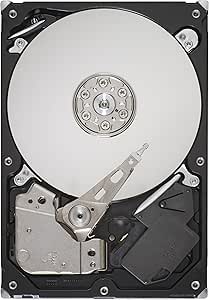
Seagate ST31000528AS 1TB Barracuda SATA Hard Drive
7,200 RPM and 32MB cache deliver the sustained throughput a 1TB desktop drive needs to keep pace with everyday workloads.
$82.00*
View on Amazon
✓ In Stock on Amazon.com
*Price sourced from Amazon.com. Last updated:Oct 21, 2026.Price and availability are subject to change — details.
Affiliate Disclosure: As an Amazon Associate, Studio Supplies earns from qualifying purchases made through links on this page, at no additional cost to you. This helps support our editorial team.
Notice a mistake? Let Us Know
Overview
Key Features
Spindle Speed is 7,200 RPM
Delivers 1 TB capacity, 32 MB Cache
Interface option is SATA 3Gb/s NCQ
12th Generation of the world?s most popular desktop hard drive
Specifications
Capacity
1 TB
Spindle Speed
7,200 RPM
Cache
32 MB
Interface
SATA 3Gb/s with NCQ
Form Factor
3.5 inch
Model
ST31000528AS
Similar Products
Other products from the same family that visitors often consider:
 ✓ Available
Seagate ST31000340NS Barracuda 1TB SATA Hard Drive
$64.29
View on Amazon → ✓ Available
Seagate Barracuda 1TB 7200RPM SATA Internal Hard Drive
$71.74
View on Amazon → ✓ Available
Seagate Barracuda ES 1TB 7200RPM SATA Internal Hard Drive
$64.47
View on Amazon → ✓ Available
Seagate ST1000DM003 1TB Barracuda Hard Drive
$75.98
View on Amazon → ✓ Available
Seagate ST31000524NS 1TB SATA Hard Drive (Renewed)
$135.00
View on Amazon →Frequently Asked Questions
What interface does the ST31000528AS use, and will it work with my motherboard?
SATA 3Gb/s (SATA II). It is backward-compatible with SATA I and forward-compatible with SATA III ports — a SATA III controller will negotiate down to 3Gb/s, so you won't see a bandwidth gain from a newer port, but the drive will function correctly in any SATA system.
Does the 32MB cache actually make a noticeable difference compared to 8MB or 16MB cache drives?
Yes, in sequential and sustained read/write workloads. The larger cache buffer reduces the number of times the drive must seek back to the platter for frequently accessed data, which improves throughput consistency during large file transfers and OS loading.
What is the sustained data transfer rate for this drive?
Seagate rates this generation of Barracuda 7200.12 at up to approximately 126MB/s sustained transfer rate, which is competitive for a 7,200 RPM SATA II desktop drive at this capacity.
Is this drive suitable for use in a NAS enclosure?
It is a desktop-class drive, not rated for NAS operation. It lacks the vibration compensation and TLER (Time Limited Error Recovery) tuning found in NAS-specific drives like the IronWolf line. For single-bay or occasional-use scenarios it may function, but it is not the recommended configuration.
How does NCQ (Native Command Queuing) improve this drive's performance?
NCQ allows the drive to reorder incoming read/write commands to minimize unnecessary head movement. Under mixed workloads — simultaneous application launches, background indexing, file transfers — NCQ reduces seek latency and improves effective throughput compared to non-NCQ drives.
Related Products
