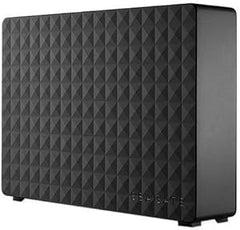
Seagate Expansion External 10TB USB 3.0 HDD — Editorial Review
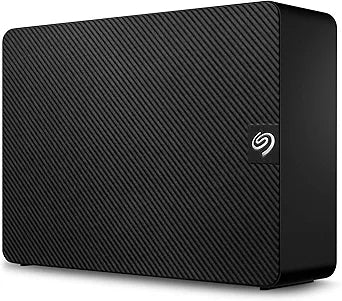
The Seagate Expansion external HDD line (STKP-prefix SKUs) covers 8 TB, 10 TB, 12 TB, 14 TB, 16 TB, and 18 TB capacity tiers — Seagate's desktop-class plug-and-play external storage targeted at archival backup, media library hosting, and bulk file storage at the lowest cost-per-TB tier of the consumer market. Per Seagate's official Expansion Desktop product page, the Expansion ships with USB 3.0 connectivity, drag-and-drop file management without proprietary software, automatic recognition with Windows and Mac out of the box, and a 1-year limited warranty.
Where the Expansion Desktop Specifically Fits
- Bulk media archive (Plex library, photo collection, music collection) — 10-18 TB single-drive capacity covers most home-media-server needs without a multi-bay NAS investment
- Backup destination drives for Time Machine (Mac), Windows Backup, Macrium Reflect, Acronis True Image, or other periodic-backup software
- Console game library expansion — PS4 / PS5 external storage (limitations apply for PS5 native games per Sony's specifications), Xbox Series X/S external library
- Photo / video archive for casual photographers storing JPEGs and Full HD video footage — sequential read / write is appropriate for archival workloads
- Cold-storage rotation for the 3-2-1 backup rule (3 copies, 2 different media, 1 offsite) — the Expansion's external form factor and price tier make multi-drive rotation budgets achievable
Per Backblaze Drive Stats — Reliability Context
Per Backblaze's published Drive Stats data, Seagate consumer-tier drives sit in the 1.5-3% annualized-failure-rate band over the 2-5 year deployment window. For external HDDs in archival / backup use, this is appropriate — the drives are not running 24/7 enterprise workloads. Buyers should plan around the SMART monitoring + 3-2-1 backup approach rather than betting any single drive will outlast its warranty.
Honest Limits Buyers Should Know
- 1-year warranty is short for the price tier. Seagate's enterprise-tier external drives (One Touch Hub, Backup Plus, IronWolf Pro in enclosure) carry 2-3 year warranties. For drives expected to deploy long-term, the higher-warranty tier is worth the price delta
- Spinning HDD inside — not SSD speed. Sequential read / write of 150-180 MB/s is appropriate for archival; for video editing scratch or active project storage, a portable SSD (Samsung T7, Crucial X9 Pro, SanDisk Extreme Portable) is the correct tier
- Vibration-sensitive in multi-drive configurations. Per Seagate's specifications, the Expansion is single-drive desktop-deployment-optimized. Stacking multiple Expansion drives in a single enclosure (DIY DAS / NAS-from-USB) introduces rotational vibration that the drives are not engineered to handle
- External-power required for 8 TB+. The Expansion Desktop uses external AC power; portable USB-bus-powered variants cap at 5 TB. Buyers wanting bus-powered ≥8 TB are limited and may need to step to higher-tier portable lines
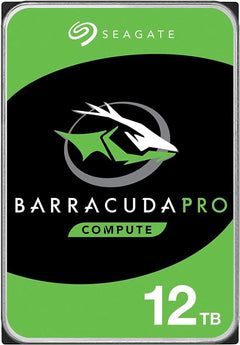
- SMR (Shingled Magnetic Recording) at the higher capacities. Per Seagate's broader product documentation, higher-capacity desktop drives may use SMR — sustained-write workloads beyond the typical archival pattern can encounter the SMR slowdown documented in Tom's Hardware coverage of the BarraCuda 8TB (covered separately on the homepage for the internal version)
Where Buyers Should Look Elsewhere
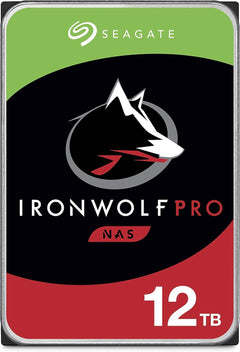
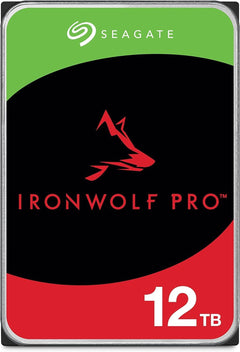
- NAS / multi-bay rebuilds requiring CMR drives → Seagate IronWolf (NAS-rated CMR), WD Red Plus (NAS CMR) in 3.5-inch internal form factor
- Portable / travel external storage → Seagate One Touch / Backup Plus portable (covered separately for the Portable 2TB SKU), WD My Passport, LaCie Rugged
- Active video-editing scratch / project storage → portable SSDs (Samsung T7 / T9, Crucial X9 Pro, SanDisk Extreme Portable)
- Enterprise / 24/7 server use → Seagate Exos enterprise HDD line, WD HC-series, or HGST / Hitachi Ultrastar drives in proper rack-mount enclosures
- Buyers wanting 3+ year warranty → Seagate One Touch Hub / Backup Plus Hub at modest premium
Sources & Citations
- Seagate, "Expansion Desktop Hard Drive product page," seagate.com (accessed 2026-05-18)
- Backblaze, "Hard Drive Test Data — Drive Stats archive," backblaze.com (accessed 2026-05-18)
- Tom's Hardware, "Toshiba, Seagate Also Shipping Slower SMR-Based Hard Drives Without Disclosure (SMR context)," tomshardware.com (accessed 2026-05-18)
Last verified: 2026-05-18