



Synology
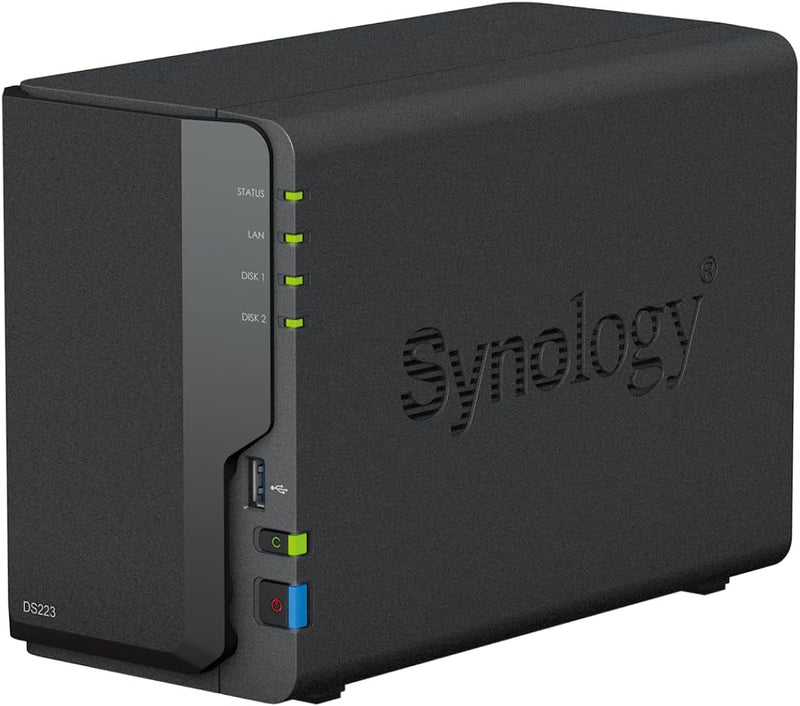
Synology DS223 DiskStation 2-Bay NAS
2 GB DDR42GB RAMUSB 3.2
A quad-core NAS that turns two drives into your own private cloud — fast enough for home streaming, solid enough for small office backup.
$310.38*
Check availability
*Price sourced from Amazon.com. Last updated:Aug 28, 2026.Price and availability are subject to change — details.
Affiliate Disclosure: As an Amazon Associate, Studio Supplies earns from qualifying purchases made through links on this page, at no additional cost to you. This helps support our editorial team.
Notice a mistake? Let Us Know
Overview
Key Features
Realtek RTD1619B Quad-Core 1.7 GHz processor with 2 GB DDR4 non-ECC system memory
1x RJ-45 1GbE LAN Port and 3x USB 3.2 Gen 1 ports for comprehensive connectivity
Private Cloud Made Easy - Consolidate files from PCs, Macs, and external storage devices into your own secure hub
DiskStation Manager (DSM) - Intuitive operating system with efficient Btrfs file system for data protection
Advanced Snapshot Technology - Roll back accidental or malicious changes and protect against data corruption
Specifications
CPU
Realtek RTD1619B, 4-core, 1.7 GHz
System Memory
2 GB DDR4 non-ECC (not expandable)
Drive Bays
2
LAN Port
1x RJ-45 1GbE
USB Ports
3x USB 3.2 Gen 1
Form Factor
Desktop NAS
Frequently Asked Questions
What drives are compatible with the DS223, and how much raw storage can it hold?
The DS223 accepts two 3.5-inch SATA HDDs or 2.5-inch SSDs — Synology's compatibility list is the authoritative source, but most major WD, Seagate, and Toshiba NAS-grade drives are supported. Maximum usable capacity depends on drive size; in a mirrored (RAID 1) configuration you get the capacity of one drive as protected storage.
Can the DS223's RAM be upgraded beyond the stock 2 GB?
No — the 2 GB DDR4 is soldered to the board and cannot be expanded. For most home and light small-office workloads this is sufficient, but it is a ceiling worth understanding if you plan to run many Synology packages simultaneously.
Does the single 1GbE port create a bottleneck for file transfers?
Yes, for sequential throughput: 1GbE caps theoretical transfer speed at ~125 MB/s, which in practice means real-world speeds of 80–110 MB/s depending on drive configuration. For streaming media or routine backup this is plenty; for large-scale daily video ingest it is the primary constraint.
What operating system does the DS223 run, and how is it managed?
It runs Synology's DiskStation Manager (DSM) — a browser-based OS with a desktop-style interface. Management is handled entirely through a web browser; no client software is required for basic administration.
Is the DS223 compatible with Time Machine for Mac backups?
Yes — DSM supports Apple Time Machine natively as a backup destination, making it straightforward to set up automatic Mac backups over your local network.
Related Products
