



Synology
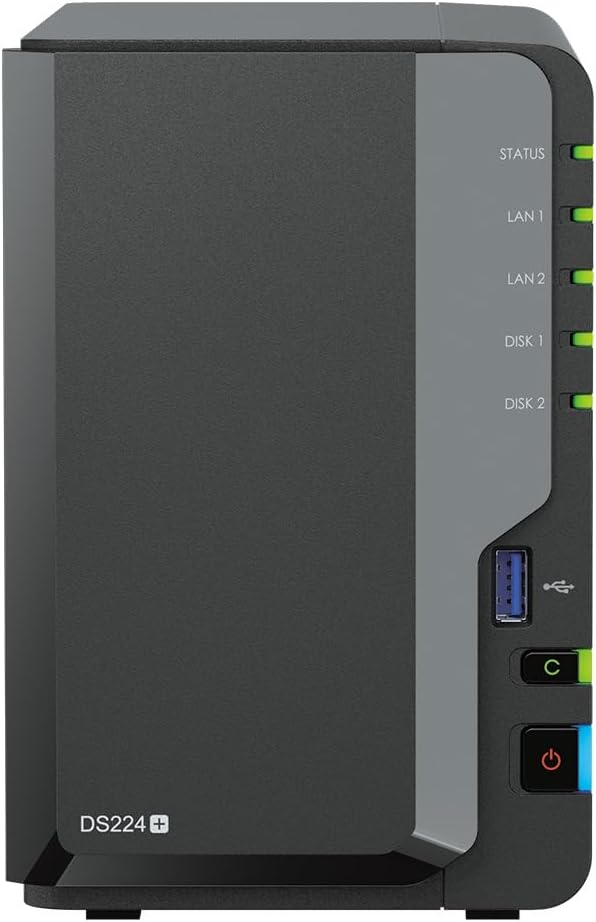
Synology DS224+12tPL 12TB 2-Bay NAS WD Red Plus Bundle
USB 3.2
A ready-to-run 12TB NAS bundle that gives small teams centralized storage, automated backup, and network access without the build-it-yourself overhead.
$889.48*
Check availability
*Price sourced from Amazon.com. Last updated:Aug 29, 2026.Price and availability are subject to change — details.
Affiliate Disclosure: As an Amazon Associate, Studio Supplies earns from qualifying purchases made through links on this page, at no additional cost to you. This helps support our editorial team.
Notice a mistake? Let Us Know
Overview
Key Features
CPU Model Intel Celeron J4125 4-core 2.0 (base) / 2.7 (burst) GHz
Secure data with comprehensive built-in security tools to protect your devices against evolving threats.
Access and sync your files seamlessly
2x RJ-45 1GbE LAN-Port, 2x USB 3.2 Gen 1 Port
Specifications
CPU
Intel Celeron J4125, 4-core, 2.0GHz base / 2.7GHz burst
RAM
2GB DDR4 (expandable to 6GB)
Storage
12TB (2 x 6TB WD Red Plus)
Drive Bays
2
LAN Ports
2 x RJ-45 1GbE
USB Ports
2 x USB 3.2 Gen 1
Dimensions
9.17 x 4.25 x 6.5 inches
Weight
6.85 pounds
Model
DS224+12tPL
Frequently Asked Questions
What does the Intel Celeron J4125 CPU actually enable at this storage tier, and where are its limits?
The J4125 is a quad-core 10nm processor with a 2.0GHz base and 2.7GHz burst clock. At this performance tier, it handles simultaneous file serving to 5–10 users, Synology's Drive and Photos packages, and light virtualization without significant CPU saturation. Where it shows its limits: real-time transcoding of 4K video via Plex or intensive Docker workloads will push the J4125 to its ceiling. For NAS-as-file-server or backup target, it is appropriately spec'd.
The bundle includes 2x6TB WD Red Plus drives — what RAID configuration is available, and what is the usable storage?
In RAID 1 (mirrored), usable capacity is 6TB with full redundancy — one drive can fail without data loss. In JBOD or basic configuration, usable capacity is the full 12TB with no redundancy. Synology's DSM OS presents both options during setup. For a small business primary storage use case, RAID 1 is the appropriate default; for a backup target receiving data from a primary array elsewhere, JBOD maximizes capacity.
The DS224+ ships with 2GB DDR4 RAM. Is that sufficient, and what is the upgrade path?
2GB handles standard SMB file sharing and basic package use adequately. For running Surveillance Station (IP cameras), Synology's Active Backup suite, or multiple Docker containers simultaneously, the documented 6GB maximum via a single 4GB SO-DIMM upgrade resolves the bottleneck. RAM expansion is a standard, non-voiding operation on this unit.
Does the dual 1GbE LAN support link aggregation, and what throughput should I expect for large sequential transfers?
Yes, the two RJ-45 1GbE ports support 802.3ad Link Aggregation (LAG) in DSM, which increases aggregate bandwidth for multi-client environments. Single-client sequential throughput is bounded by the 1Gbps link ceiling (~115 MB/s theoretical). For workflows involving large media file transfers — video production dailies, large RAW image libraries — a 10GbE upgrade via a compatible NAS adapter is the next step, which the DS224+ does not support natively.
How does DSM handle security, and is this appropriate for internet-exposed access?
DSM includes built-in firewall, DoS protection, two-factor authentication, and automatic security advisory updates. Synology's QuickConnect service provides external access without requiring open ports. For small business deployments with sensitive data, the recommendation is QuickConnect or a properly configured VPN rather than direct port forwarding — DSM provides the tools; configuration discipline determines the actual security posture.
Related Products
