



TP-Link
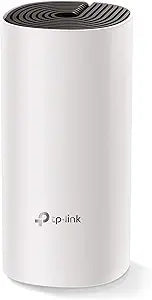
TP-Link AC1200 Deco M4 Mesh WiFi Router Renewed
The Deco M4 eliminates dead zones across 2,000 sq. ft. with a mesh backbone that handles 40+ devices without manual band steering.
$49.99*$89.99Save 44%
View on Amazon
✓ In Stock on Amazon.com
*Price sourced from Amazon.com. Last updated:Oct 24, 2026.Price and availability are subject to change — details.
Affiliate Disclosure: As an Amazon Associate, Studio Supplies earns from qualifying purchases made through links on this page, at no additional cost to you. This helps support our editorial team.
Notice a mistake? Let Us Know
Overview
Specifications
Model
Deco M4
WiFi Standard
AC1200 Dual Band
2.4GHz Speed
300Mbps
5GHz Speed
867Mbps
Ethernet Ports
Gigabit Ethernet
Coverage (Single Unit)
Up to 2,000 sq. ft.
Features
Beamforming, MU-MIMO, IPv6, Parental Controls
Backhaul
Wireless only
Condition
Renewed
Frequently Asked Questions
What does AC1200 actually mean for real-world throughput on this router?
AC1200 means a combined theoretical maximum of 1,200Mbps across two bands — 300Mbps on 2.4GHz and 867Mbps on 5GHz. Real-world throughput on the 5GHz band at close range typically lands in the 400–600Mbps range depending on device capability and interference. The 2.4GHz band prioritizes range and wall penetration over raw speed.
Does the Deco M4 work as a standalone router, or does it require multiple units?
A single M4 unit functions as a complete router — it handles DHCP, NAT, and wireless access for up to 2,000 sq. ft. Additional M4 units extend coverage as mesh nodes; they communicate over a dedicated wireless backhaul rather than consuming client bandwidth.
What does MU-MIMO support mean for a household with many simultaneous devices?
MU-MIMO (Multi-User, Multiple Input, Multiple Output) allows the M4 to communicate with multiple devices simultaneously rather than sequentially. In practice, a household streaming video, gaming, and video calling at the same time will see more consistent throughput per device compared to a router without MU-MIMO.
How does this renewed unit differ from new, and what should I verify on first setup?
Renewed units are tested and factory-reset before sale. On first setup, verify firmware is current via the Deco app — TP-Link frequently releases updates that improve mesh handoff and add security patches. Functionality should be identical to new.
Does the Deco M4 support wired backhaul between units?
No. The M4 uses wireless backhaul exclusively between nodes. If you need wired backhaul for maximum throughput in a mesh configuration, you'd need to step up to Deco models that support Ethernet backhaul natively.
Related Products


