



TP-Link
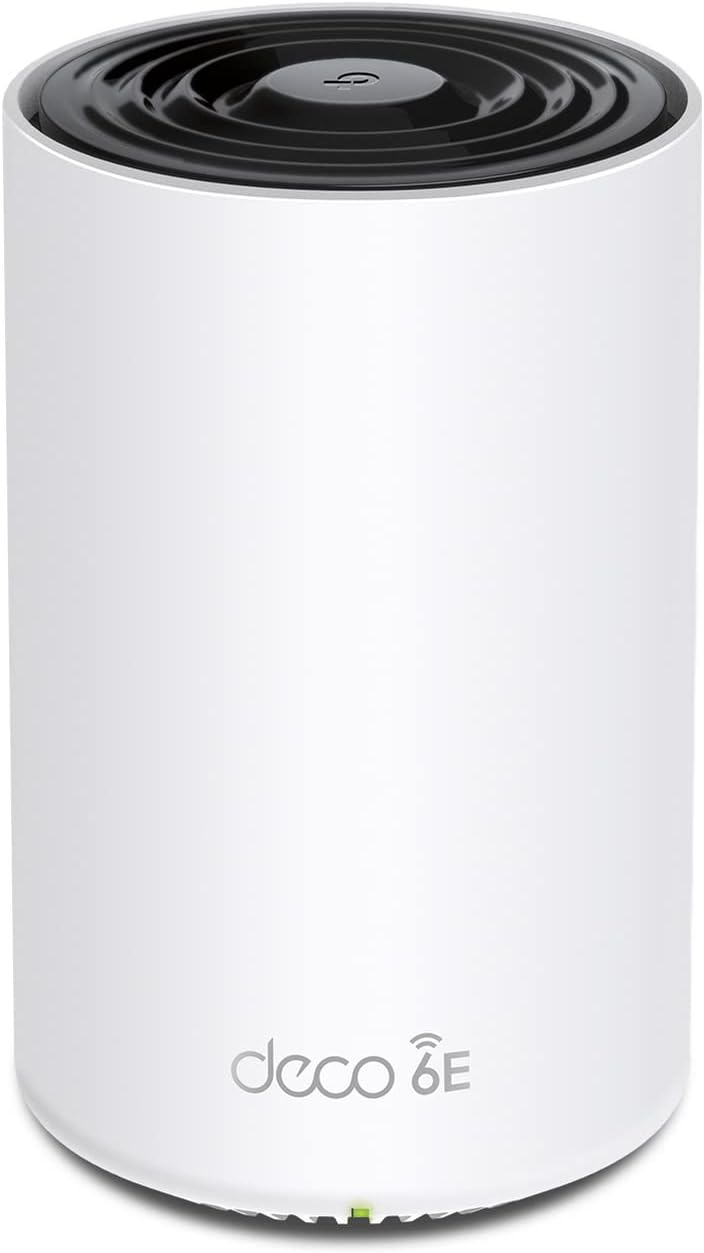
TP-Link Deco XE75 AXE5400 Tri-Band WiFi 6E Mesh Renewed
WiFi 6E's uncongested 6 GHz band plus AI-driven mesh gives the Deco XE75 a genuine throughput advantage in dense, multi-device homes.
$84.95*$99.99Save 15%
View on Amazon
✓ In Stock on Amazon.com
*Price sourced from Amazon.com. Last updated:Oct 24, 2026.Price and availability are subject to change — details.
Affiliate Disclosure: As an Amazon Associate, Studio Supplies earns from qualifying purchases made through links on this page, at no additional cost to you. This helps support our editorial team.
Notice a mistake? Let Us Know
Overview
Specifications
WiFi Standard
WiFi 6E (802.11ax)
Band Configuration
Tri-Band
Combined Speed
Up to 5400 Mbps (AXE5400)
6 GHz Band
Yes
Coverage per Unit
Up to 2900 sq. ft
Mesh Technology
AI-driven mesh
Security Platform
TP-Link HomeShield
LAN Ports
3
Management App
TP-Link Deco app
Condition
Renewed
Frequently Asked Questions
What does the 6 GHz band actually add that WiFi 6 (2.4/5 GHz) doesn't already provide?
The 6 GHz band is currently uncongested — no legacy devices use it, meaning the Deco XE75's backhaul between nodes runs on clean spectrum without competing with your neighbors' routers or your own older devices. This translates to lower latency and more consistent throughput on capable WiFi 6E client devices, particularly in dense neighborhoods where 5 GHz is already saturated.
What does WiFi 6E actually add over standard WiFi 6, and does it matter for my home network?
WiFi 6E adds access to the 6 GHz band, which is the core difference. The 6 GHz spectrum is currently far less congested than 2.4 GHz or 5 GHz because legacy devices cannot use it — only WiFi 6E clients can connect there. In a dense apartment building or neighborhood with dozens of overlapping networks, the 6 GHz band delivers consistently lower latency and less interference-related throughput degradation. If you have newer WiFi 6E-capable devices (many 2022+ smartphones, laptops, and gaming hardware), you'll notice the difference under load.
What does "AI-driven mesh" mean in practical terms for coverage and handoff?
The AI mesh functionality analyzes traffic patterns and device behavior to optimize which node each device connects to and when handoffs occur between nodes. In practice, this means fewer situations where a device stubbornly holds onto a distant node when a closer one is available — a common frustration with earlier-generation mesh systems. The result is more consistent speeds as you move through a space.
How many nodes come in the standard package, and what square footage does that cover?
The standard Deco XE75 package covers up to 2900 sq. ft. Check your specific listing for node count — multi-pack configurations extend coverage further. For homes over 3500 sq. ft. or with thick concrete walls, adding a third node is advisable to maintain backhaul signal quality between units.
Does this mesh system replace a separate router, or does it work alongside one?
The Deco XE75 operates in router mode and replaces your existing router entirely — it connects directly to your modem. It can also run in access point mode if you want to keep an existing router's NAT and routing but extend coverage through the mesh. Most home users replace their ISP gateway device and run the Deco system standalone.
How many square feet does a single Deco XE75 unit cover, and do I need multiple units?
A single unit covers up to 2900 sq. ft according to TP-Link's specifications, though real-world coverage depends heavily on wall construction, interference sources, and building layout. For most single-story homes under 2500 sq. ft with standard drywall construction, one unit can provide adequate coverage. Multi-story homes or spaces with concrete or masonry walls will benefit from a two-unit setup.
Is this renewed unit compatible with other Deco mesh nodes I may already own?
Deco units are designed to work together within the Deco ecosystem, but cross-generation and cross-model compatibility can vary. The XE75 uses the Deco app for setup and management, which is consistent across the Deco lineup, but mixing WiFi 6E and older WiFi 5 or WiFi 6 nodes in the same mesh may limit the 6 GHz backhaul advantage. Check TP-Link's compatibility documentation for specific node pairings.
What does the AI-driven mesh feature actually do in practice?
The AI mesh technology analyzes traffic patterns and device locations to dynamically optimize which node each device connects to and which band it uses. In practice, this means devices roaming through your home hand off between nodes more smoothly than static band steering, and bandwidth-heavy clients are more consistently directed to the 6 GHz or 5 GHz bands rather than defaulting to 2.4 GHz.
Is this a renewed/refurbished unit, and what does that mean for reliability and warranty?
This listing is a renewed (refurbished) unit, meaning it has been inspected and tested to meet functional standards but is not new. Renewed units typically show light cosmetic wear. Check the seller's warranty policy — Amazon Renewed products generally include a 90-day guarantee, though this varies by seller. For mission-critical home office setups, verify the return/replacement policy before purchase.
What security features does TP-Link HomeShield provide on the XE75?
HomeShield is TP-Link's network security platform, providing real-time threat protection, IoT device scanning, and parental controls. The basic tier is included with the hardware; advanced features such as malicious site blocking, detailed traffic analysis, and robust parental control profiles require a HomeShield Pro subscription. For most home users, the included tier covers the fundamentals — intrusion detection and basic content filtering.
Related Products


