
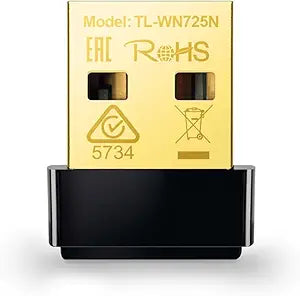
TP-Link Archer TX21UH AX1800 WiFi 6 USB Adapter — Editorial Review & Use Cases
The TP-Link Archer TX21UH is an AX1800-class WiFi 6 USB adapter that upgrades a desktop or laptop's onboard WiFi (or adds WiFi to a WiFi-less desktop) to dual-band WiFi 6 (802.11ax) — 1201 Mbps on the 5 GHz band + 574 Mbps on the 2.4 GHz band, for an AX1800 marketing-tier connection. Per TP-Link's official Archer TX21UH product page, the adapter plugs into a USB 3.0 / USB 3.1 port (Gen 1, 5 Gbps), supports Windows 7 / 8.1 / 10 / 11 and macOS via TP-Link drivers, includes a high-gain external antenna with adjustable angle, and supports WPA3-Personal encryption.
What the TX21UH Specifically Wins
- AX1800-class WiFi 6 on USB 3.0 — vs the older Archer TX20U (similar speed, similar form-factor) the TX21UH adds high-gain external antenna for ~20% more range in dead-zone environments
- External antenna with adjustable angle — physical adjustability lets users tune for the angle to the router rather than depending on whatever onboard antenna chassis allows
- WPA3-Personal support — current standard for router encryption; older WiFi adapters lack WPA3 firmware, which limits them on modern WPA3-only networks
- USB 3.0 bandwidth headroom — USB 3.0 (5 Gbps) is well above the 1.8 Gbps WiFi 6 theoretical maximum, so the USB bus is never the bottleneck (vs USB 2.0 adapters that throttle WiFi 6 to ~480 Mbps maximum)
- Driver support across Windows 7-11 + macOS — flexible deployment for mixed OS environments. TP-Link's driver downloads at tp-link.com are direct + don't require third-party driver-update tools
- Suitable for gaming / streaming / video conferencing — AX1800 WiFi 6 has the low-latency + high-throughput characteristics modern WiFi 6 routers expect
Where the TX21UH Specifically Fits
- Desktop PCs with no built-in WiFi upgrading to current-gen WiFi 6 wireless network
- Older laptops with WiFi 4 / WiFi 5 internal chips that can't be upgraded internally (sealed-bottom MacBooks, ultrabook chassis) but need WiFi 6 throughput
- Twitch / YouTube streamers on WiFi needing stable 5 GHz upload bandwidth alongside game traffic
- Gamers on WiFi 6 routers needing matching client-side WiFi 6 for full router capability (router-side WiFi 6 alone doesn't help if the client is WiFi 5)
- Video editors / large-file workflows on wireless networks needing 500-1000 Mbps sustained throughput
- Standby / backup wireless for desktops that primarily use Ethernet but need WiFi fallback
- Home / small-office WiFi 6 buildouts upgrading all client devices to match a new WiFi 6 / WiFi 6E router
Honest Limits Buyers Should Know
- WiFi 6 (AX1800) not WiFi 6E or WiFi 7. The TX21UH supports 2.4 + 5 GHz dual-band only. WiFi 6E (adds 6 GHz band) and WiFi 7 require separate adapters. If the router is WiFi 6E and the user wants the 6 GHz band for low-interference traffic, step up to TP-Link Archer TX800E or similar WiFi 6E USB adapter
- USB stick form factor — protrudes from the host. Laptops on the go may snag the adapter; the design suits stationary desktops better than mobile use. Some users report cradle / extension cable adapters to angle the antenna away from RFI sources
- External antenna trumps internal — but only for line-of-sight to the router. Through-wall interference still limits range; the high-gain antenna helps but doesn't beat physics
- Driver dependency on Windows. Plug-and-play works on Windows 10/11 with native drivers, but TP-Link's downloaded drivers expose more configuration (band steering, channel selection) than the native Windows driver. Power users will want the TP-Link driver for full control
- macOS support is limited to newer versions. Apple's USB-WiFi driver model changed in macOS 10.15+; verify TP-Link's currently-supported macOS list before purchase. M-series Macs in particular may need specific driver versions
- 2.4 GHz performance is sub-AX speeds. The "AX1800" label includes 574 Mbps 2.4 GHz which is the theoretical max under perfect conditions — real-world 2.4 GHz typically caps around 200-300 Mbps because of co-channel interference. The 5 GHz 1201 Mbps tier is where the meaningful throughput lives
Where Buyers Should Look Elsewhere
- WiFi 6E (6 GHz band) → TP-Link Archer TX800E, ASUS USB-AXE5400, similar WiFi 6E USB adapter
- WiFi 7 (BE-class) → Newer WiFi 7 USB adapters from TP-Link / ASUS / Netgear as they enter market
- Internal PCIe upgrade (for desktop only) → TP-Link Archer TX3000E / ASUS PCE-AX58BT internal PCIe WiFi 6 cards (better antenna placement, Bluetooth integrated)
- Highest-throughput USB-tethered LAN → USB-to-Ethernet adapter + wired LAN (eliminates WiFi interference entirely)
- Mesh / whole-home WiFi upgrade → router-side replacement (TP-Link Deco, eero, Asus AiMesh) rather than client-side adapter — usually a better investment
- Cheaper WiFi 6 USB → TP-Link Archer TX20U (similar but smaller antenna, lower range)
Sources & Citations
- TP-Link, "Archer TX21UH product page," tp-link.com (accessed 2026-05-18)
- SmallNetBuilder, "WiFi 6 USB adapter coverage," smallnetbuilder.com (accessed 2026-05-18)
- Tom's Hardware, "Best WiFi 6 USB adapters coverage," tomshardware.com (accessed 2026-05-18)
Last verified: 2026-05-18


