



Western Digital
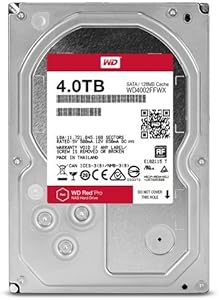
Western Digital WD4002FFWX Red Pro 4TB NAS Drive
7200 RPM, NASware 3.0, and enterprise-grade firmware — the WD Red Pro 4TB is built to stay online when consumer drives have long given up.
$209.88*
View on Amazon
✓ In Stock on Amazon.com
*Price sourced from Amazon.com. Last updated:Sep 04, 2026.Price and availability are subject to change — details.
Affiliate Disclosure: As an Amazon Associate, Studio Supplies earns from qualifying purchases made through links on this page, at no additional cost to you. This helps support our editorial team.
Notice a mistake? Let Us Know
Overview
Specifications
Capacity
4TB
Form Factor
3.5-inch
RPM
7200 RPM
Cache
64MB
Interface
SATA
Firmware
NASware 3.0
Max NAS Bays Supported
24
Workload Rating
24/7 continuous operation
Model
WD4002FFWX
Similar Products
Other products from the same family that visitors often consider:
 ✓ Available
Western Digital WD4002FFWX: Red Pro 4TB NAS Hard Drive
$414.45
View on Amazon → ✓ Available
Western Digital WD4001FFSX Red Pro 4TB NAS Hard Drive
$440.00
View on Amazon → ✓ Available
Western Digital WD40EFAX 4TB Red NAS Hard Drive
$269.39
View on Amazon → ✓ Available
Western Digital WD40EFRX Red NAS 4TB Hard Drive Renewed
$223.00
View on Amazon → Currently Unavailable
Western Digital WD4005FFBX-SPCAUN0 4TB Red Pro NAS HDD
Check on Amazon →Frequently Asked Questions
What separates the WD Red Pro from the standard WD Red, and does the difference matter for a small NAS?
The Red Pro spins at 7200 RPM versus the standard Red's 5400 RPM, delivers higher sustained throughput, and is built around a firmware stack — NASware 3.0 — tuned for multi-drive NAS environments with up to 24 bays. The practical difference: under simultaneous read/write workloads from multiple NAS users or services, the Red Pro maintains throughput more consistently. For a 2-bay home NAS with light use, the standard Red is sufficient; for SMB NAS arrays under real multi-user load, the Red Pro's 7200 RPM spindle and increased cache headroom are genuinely audible in benchmark and real-world transfer speed.
What does NASware 3.0 actually do, and why does it matter for a NAS deployment?
NASware 3.0 is Western Digital's firmware layer that addresses the specific failure modes NAS drives encounter that desktop drives don't. It includes vibration compensation for multi-drive enclosures where adjacent drive vibration degrades read/write accuracy, error recovery timing tuned to prevent RAID controllers from dropping a drive during a lengthy sector recovery, and power management profiles matched to always-on NAS operating environments. A desktop drive in a NAS can trigger false RAID dropouts during extended error recovery; the Red Pro's firmware is tuned to avoid this.
What RAID configurations is the WD Red Pro 4TB validated for?
Western Digital rates the Red Pro for RAID 0, 1, 5, 6, and 10, as well as JBOD configurations in NAS enclosures with up to 24 bays. The 64MB cache and 7200 RPM spindle provide the sequential throughput headroom that parity RAID levels (5 and 6) require during rebuild operations — which is the most I/O-intensive workload a NAS drive will face.
How does the 7200 RPM speed affect heat and power consumption compared to a 5400 RPM NAS drive?
Higher spindle speed increases both heat output and power draw. The Red Pro draws more watts at peak than a comparable 5400 RPM drive, which matters in densely populated NAS enclosures where aggregate drive heat can stress the enclosure's thermal management. Ensure your NAS enclosure has adequate airflow for 7200 RPM drives before populating all bays with Red Pros — most enterprise-class NAS units handle this without issue, but budget enclosures with limited cooling may run warmer.
Is the WD Red Pro 4TB compatible with all major NAS brands?
Western Digital tests the Red Pro against enclosures from Synology, QNAP, Netgear, and other major NAS manufacturers. The WD Compatibility Tool on Western Digital's website provides a validated compatibility list by enclosure model. For most current-generation SMB NAS hardware, the Red Pro is a supported configuration; older consumer NAS units may not expose the full benefit of the drive's firmware features.
Related Products
