



Western Digital
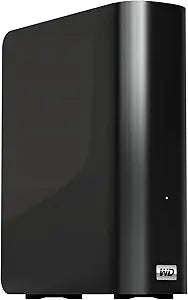
Western Digital WDBACW0015HBK-NESN My Book 1.5TB USB 3.0 External Hard Drive
★★★★★
USB 3.0USB 2.0
USB 3.0 speeds and hardware-encrypted backup make the WD My Book 1.5TB the no-fuss archival drive for anyone serious about protecting their data.
$199.97*
View on Amazon
✓ In Stock on Amazon.com
*Price sourced from Amazon.com. Last updated:Jun 04, 2026.Price and availability are subject to change.
Affiliate Disclosure: Studio Supplies may earn a commission from qualifying purchases made through links on this page, at no additional cost to you. This helps support our editorial team.
Notice a mistake? Let Us Know
Overview
Key Features
Up to 4 TB capacity
Dual USB 3.0 and USB 2.0 compatibility
Automatic, continuous backup or file backup option
Password protection and hardware encryption
2-year limited warranty
Specifications
Capacity
1.5TB
Interface
USB 3.0 (USB 2.0 compatible)
Encryption
Hardware AES (password-protected)
File System (Default)
NTFS
Mac Compatibility
Requires reformatting
Backup Software
WD SmartWare
Warranty
2-year limited
Drive Type
Mechanical HDD
Similar Products
Other products from the same family that visitors often consider:
 Currently Unavailable
Western Digital WDBAAH0015HCH-NESN My Book Elite 1.5TB External Drive
Check on Amazon → Currently Unavailable
Western Digital WDG1U5000N My Book 500GB USB 2.0 External Hard Drive
Check on Amazon → Currently Unavailable
Western Digital WDBACW0020HBK-NESN My Book 2TB USB 3.0 External Hard Drive
Check on Amazon → ✓ Available
Western Digital WDBAAF0015HBK-NESN 1.5TB My Book USB 2.0
$65.45
View on Amazon → Currently Unavailable
Western Digital WDBACW0015HBK My Book 1.5TB USB 3.0 HDD
Check on Amazon →Pros & Cons
👍 Pros
- USB 3.0 delivers sustained transfer rates of 100–130 MB/s, completing a 50GB backup in under 10 minutes versus 40+ on USB 2.0.
- On-chip AES hardware encryption adds password protection with zero CPU overhead, unlike software-based encryption solutions.
- Dual USB 3.0/2.0 compatibility ensures the drive works with legacy ports without an adapter.
- WD SmartWare supports both continuous and scheduled file backup modes, giving users flexibility in how aggressively data is protected.
- 1.5TB capacity fits comfortably in a desktop workflow as a dedicated backup or media archive volume.
👎 Cons
- Ships NTFS-formatted, requiring a full reformat before usable on macOS — a friction point for mixed-OS households.
- Mechanical HDD internals create an audible seek noise under heavy random I/O; not silent-operation hardware.
- WD SmartWare's continuous backup mode can cause intermittent drive thrash during active work sessions if not configured carefully.
- No USB-C connector — older USB Type-A cable limits compatibility with modern ultrabooks that have dropped legacy ports.
- 1.5TB is a constrained capacity tier in 2024; the cost-per-GB math favors stepping up to a 3–4TB model.
Frequently Asked Questions
What real-world transfer speeds can I expect from the USB 3.0 interface on this drive?
USB 3.0 tops out at 5 Gbps theoretical bandwidth, and mechanical HDDs like this one are the bottleneck — expect sustained reads of roughly 100–130 MB/s. That's still 10× faster than USB 2.0 for large file transfers, making a difference when moving multi-gigabyte video archives or full system backups.
Does the hardware encryption on this drive require any software to activate?
The hardware encryption is AES-based and tied to the password-protection feature in WD SmartWare. Without setting a password, the drive operates unencrypted. Once a password is set, the encryption is handled entirely on-chip — not by your CPU — so there's no performance penalty.
Is this drive compatible with macOS out of the box?
No. The drive ships formatted NTFS, which macOS can read but not write to natively. You'll need to reformat to exFAT (cross-platform) or HFS+/APFS (Mac-only) before use. Back up any data first — reformatting erases the drive.
Can I use this drive without installing the WD SmartWare software?
Yes. The drive mounts as a standard external volume on any USB 3.0-equipped machine without any software. WD SmartWare is optional and only needed if you want the automatic continuous backup scheduling features.
What does the 2-year limited warranty actually cover?
The warranty covers manufacturing defects and drive failure under normal use. It does not cover physical damage, water damage, or data recovery costs. WD's warranty replacement process is drive-only — they do not recover lost data, so the backup feature is your real insurance policy.
Related Products


