

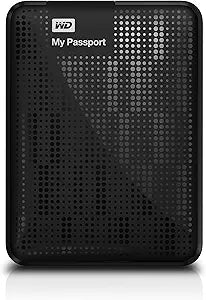


Western Digital
Western Digital WDBKXH5000ABK-NESN 500GB USB 3.0 Portable HDD
USB 3.0
Pocket-sized 500GB portable storage with USB 3.0 speeds and hardware encryption keeps your files fast, safe, and always within reach.
$108.89*
Check availability
*Price sourced from Amazon.com. Last updated:Oct 24, 2026.Price and availability are subject to change — details.
Affiliate Disclosure: As an Amazon Associate, Studio Supplies earns from qualifying purchases made through links on this page, at no additional cost to you. This helps support our editorial team.
Notice a mistake? Let Us Know
Overview
Key Features
Sleek compact design with plenty of storage
Ultra-fast data transfers with USB 3.0 interface
Data Transfer Rate on USB up to 5 Gbps
Automatic backup software
Password protection and hardware encryption
2-Year Limited Warranty
Sleek, compact design
Automatic backup software
Password protection and hardware encryption
Specifications
Capacity
500GB
Interface
USB 3.0 (USB 2.0 compatible)
Max Transfer Rate
Up to 5 Gbps (USB 3.0)
Security
Password protection with hardware AES encryption
Included Software
WD Backup, WD Security, WD Drive Utilities
Windows Compatibility
Windows XP, Vista, 7
Mac Compatibility
Requires reformatting for macOS
Warranty
2-Year Limited
Model
WDBKXH5000ABK-NESN
Frequently Asked Questions
What real-world transfer speeds can I expect from the USB 3.0 interface on this drive?
The interface supports up to 5 Gbps theoretical bandwidth, but the mechanical hard disk inside is the bottleneck — real-world sequential reads typically land in the 100–120 MB/s range, which is standard for 5400 RPM portable HDDs. USB 3.0 here means you won't be interface-limited; the disk itself sets the ceiling.
Does the hardware encryption on this drive work without installing software?
The hardware encryption is tied to WD's password protection system. You set the password through WD Security software, after which the drive's hardware AES encryption locks the data. The encryption is hardware-level, meaning the key lives on the drive controller — but activating and managing it requires the WD software, at least initially.
Is this drive compatible with macOS out of the box?
No. It ships formatted for Windows (NTFS) and requires reformatting for macOS use. Reformatting erases the drive, so do it before putting data on it. After reformatting to exFAT, it works across both macOS and Windows.
What does the included automatic backup software do, and is it required?
WD Backup software monitors designated folders and backs them up to the drive on a schedule you configure. It is not required — the drive works as plain storage without it — but it is useful if you want set-and-forget incremental backups without a third-party app.
Is 500GB large enough for a meaningful backup or primary portable storage use case in today's context?
For document archives, photo collections under ~100,000 RAW files, or system backups of a modest Windows installation, 500GB is workable. For 4K video, large media libraries, or full system images of modern machines, it will fill quickly. This is a legacy capacity point — worth noting if storage requirements have grown since this drive was purchased.
Related Products
