



Yamaha
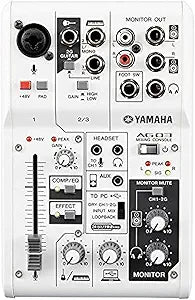
Yamaha AG03 3-Channel Mixer/USB Audio Interface
A studio-grade 3-channel mixer and 24-bit/192kHz USB interface in one compact unit built for streamers, podcasters, and solo recording musicians.
$199.99*
View on Amazon
✓ In Stock on Amazon.com
*Price sourced from Amazon.com. Last updated:Aug 28, 2026.Price and availability are subject to change — details.
Affiliate Disclosure: As an Amazon Associate, Studio Supplies earns from qualifying purchases made through links on this page, at no additional cost to you. This helps support our editorial team.
Notice a mistake? Let Us Know
Overview
Specifications
Channels
3
Audio Resolution
24-bit / 192kHz
Interface
USB
Phantom Power
+48V
Features
LOOPBACK, 1-TOUCH COMP/EQ, EFFECT, AMP SIM
Compatibility
iOS / Mac / PC
Included Software
Cubase AI (downloadable)
Model
AG03
Brand
Yamaha
Frequently Asked Questions
Does the AG03 supply phantom power for condenser microphones?
Yes — the AG03 provides +48V phantom power on the XLR input, which is required for most studio condenser microphones. Engage it via the dedicated switch; dynamic mics and ribbon mics should have it switched off.
What does the LOOPBACK function actually do in a streaming or podcast workflow?
LOOPBACK routes the computer's audio output — music, game audio, remote caller audio — back into the USB stream alongside your microphone signal. This means your audience hears both your voice and any computer audio mixed together, without requiring a second interface or software mixer.
Can the AG03 record at 24-bit/192kHz natively to a DAW?
The AG03 supports 24-bit/192kHz playback, but USB recording is limited to 24-bit/96kHz in most DAW configurations. For podcast and streaming applications, 24-bit/48kHz is the practical ceiling and is more than sufficient for voice and acoustic instrument recording.
Is the 1-TOUCH COMP/EQ processing applied to the USB recording signal or only to the monitor output?
The onboard compression and EQ processing is applied to the output signal — including the USB stream. This is useful for live streaming where you want a polished signal without post-processing, but it means you're committing those settings to the recording; there's no dry/wet blend for tracking with effects.
Does the AG03 work as a class-compliant device on iOS without additional drivers?
Yes — the AG03 is class-compliant over USB and works with iOS devices using an appropriate Lightning or USB-C to USB-A adapter (sold separately). No driver installation is required on Mac or iOS; Windows users need to install the Yamaha Steinberg USB driver for full functionality.
Related Products


