



Price history
Abaodam
Abaodam USB Computer Camera with Microphone and Adjustable Focus
A plug-and-play USB webcam with adjustable focus and a built-in mic for everyday video calls and home learning
$13.15*
View on Amazon
✓ In Stock on Amazon.com
*Price sourced from Amazon.com. Last updated:Jul 29, 2026.Price and availability are subject to change.
Affiliate Disclosure: Studio Supplies may earn a commission from qualifying purchases made through links on this page, at no additional cost to you. This helps support our editorial team.
Notice a mistake? Let Us Know
Overview
Key Features
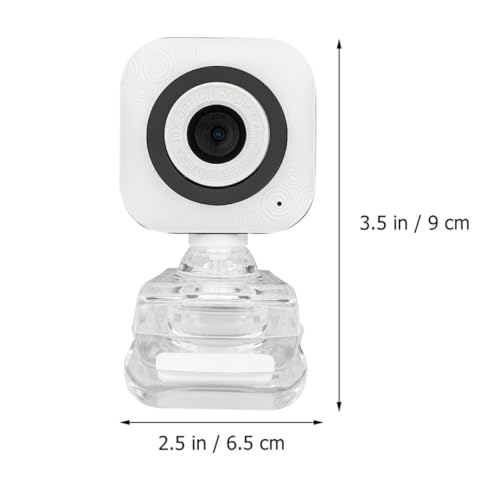
Monitor camera:you can adjust the focus easily,computer camera with microphone for desktop
Computer mic:it is easy to use,home camera
Computer camera:it is compatible with windows xp, win2003/ /win8/win10 and so on,computer camera and microphone
Desktop camera:suitable for online learning, video call, information connection, home etc,Home Computer Camera
Computer camera with microphone:clear camera bring the good images,microphone for PC desktop
Specifications
Brand
Abaodam
Sensor Type
CMOS
Resolution
640x480
Frame Rate
30 fps
Connection
USB 2.0
Microphone
Built-in
Focus
Adjustable (manual)
OS Compatibility
Windows XP, Win2003, Win8, Win10
Intended Use
Video calls, online learning, live broadcast, home use
Compatible Devices
Desktop and notebook computers
Frequently Asked Questions
What video resolution and frame rate does the Abaodam webcam actually deliver?
It records at 640x480 resolution and 30 fps. That is standard definition, suited to basic video calls and online learning rather than HD-quality broadcasting or detailed recording.
Do I need a separate microphone to use this camera for calls?
No. The Abaodam camera has a built-in microphone, so it captures both video and your voice through a single USB connection without any extra audio accessory.
Which operating systems is this webcam compatible with?
The listing specifies Windows compatibility, including XP, Win2003, Win8 and Win10. No macOS, Chrome OS or Linux support is stated, so it is best matched to Windows PCs.
How does the camera connect, and is installation complicated?
It uses a single USB 2.0 cable that carries both power and data, keeping setup close to plug-and-play with no separate power adapter required.
Can I adjust the focus on this camera?
Yes. It features an adjustable focus ring, letting you manually sharpen the image to suit your distance from the screen for clearer calls.
Is this webcam suitable for professional streaming or content creation?
It is geared toward casual use like video calls, online classes and home broadcasts. The 640x480 sensor and 30 fps make it better for everyday communication than professional production.
Related Products


