

Apple
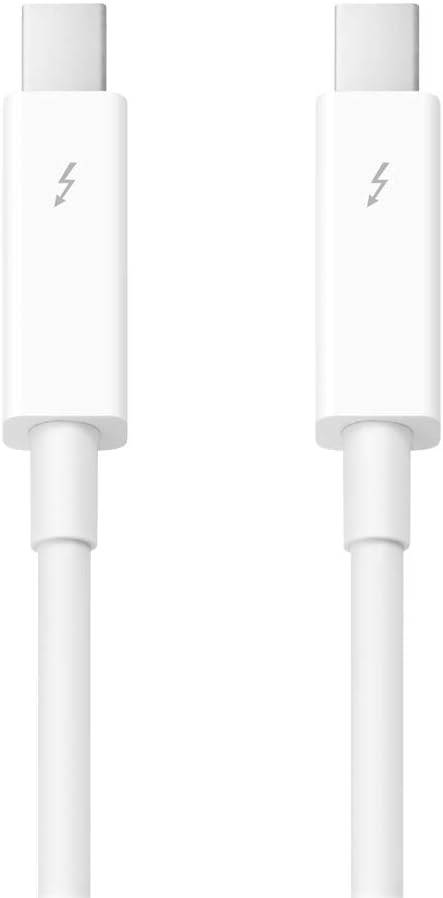
Apple Thunderbolt 2 Cable 0.5m Fast Data Transfer
Thunderbolt 2USB-C
Experience High-Speed Data Transfer with the Apple Thunderbolt 2 Cable The Apple Thunderbolt 2 Cable enables fast data transfers and seamless connectivity between Thunderbolt-enabled devices. Supporting dual channels of 10Gb/s each, with the ability to bond for a superfast 20Gb/s, this cable is p...
$39.00*
Check availability
*Price sourced from Amazon.com. Last updated:Aug 27, 2026.Price and availability are subject to change — details.
Affiliate Disclosure: As an Amazon Associate, Studio Supplies earns from qualifying purchases made through links on this page, at no additional cost to you. This helps support our editorial team.
Notice a mistake? Let Us Know
Overview
Experience High-Speed Data Transfer with the Apple Thunderbolt 2 Cable
The Apple Thunderbolt 2 Cable enables fast data transfers and seamless connectivity between Thunderbolt-enabled devices. Supporting dual channels of 10Gb/s each, with the ability to bond for a superfast 20Gb/s, this cable is perfect for connecting Macs in target disk mode, networking computers, and more. Note: Not compatible with USB-C ports.
Specifications:
- Technology: Thunderbolt, Thunderbolt 2
- Data Transfer Rate: Up to 20Gb/s
- Length: 0.5 m
- Compatibility: Thunderbolt-equipped Macs and devices
- Connectors: Thunderbolt
Key Features
Thunderbolt technology supports fast data transfers with two independent channels of 10Gb/s each.
Thunderbolt 2 technology can bond the two channels for a superfast 20Gb/s.
Use this cable to connect Thunderbolt-enabled devices to the Thunderbolt or Thunderbolt 2 port on your Mac.
The Apple Thunderbolt Cable lets you connect a Thunderbolt-equipped system to a Thunderbolt device.
Connect a Thunderbolt-equipped Mac in target disk mode to another Mac for fast data access or system migration, or network two Thunderbolt-equipped computers.
Not compatible with USB-C ports
Specifications
Cable Type
Thunderbolt 2
Length
0.5m
Data Transfer Speed (Single Channel)
10Gb/s
Data Transfer Speed (Bonded Channels)
20Gb/s
Connector Type
Thunderbolt
Compatibility
Thunderbolt-enabled devices, Thunderbolt or Thunderbolt 2 port on Mac
Incompatibility
USB-C ports
Frequently Asked Questions
What is the maximum data transfer speed of this Apple Thunderbolt 2 cable?
The Apple Thunderbolt 2 Cable can achieve superfast data transfers of up to 20Gb/s when its two independent 10Gb/s channels are bonded using Thunderbolt 2 technology.
Can this cable be used with USB-C ports?
No, this Apple Thunderbolt 2 Cable is explicitly stated to be not compatible with USB-C ports. It is designed for Thunderbolt and Thunderbolt 2 connections.
What devices can I connect using this cable?
You can use this cable to connect Thunderbolt-enabled devices to the Thunderbolt or Thunderbolt 2 port on your Mac. It also allows for connecting two Thunderbolt-equipped computers.
Can I use this cable for data migration between Macs?
Yes, you can connect a Thunderbolt-equipped Mac in target disk mode to another Mac using this cable for fast data access or system migration.
Does this cable support older Thunderbolt technology?
This cable is designed to connect Thunderbolt-enabled devices to both Thunderbolt and Thunderbolt 2 ports on your Mac, indicating backward compatibility within the Thunderbolt ecosystem.
Related Products


