



Apple
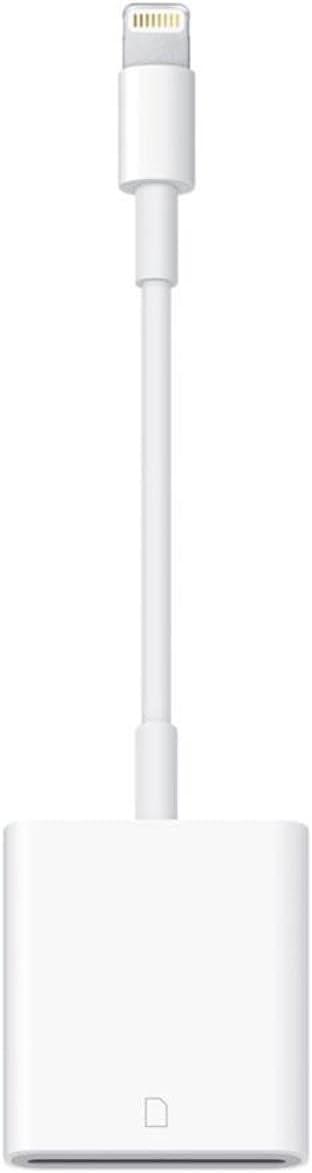
Apple Lightning to SD Card Camera Reader - Genuine
Seamlessly Transfer Photos and Videos to Your Apple DevicesThe Apple Lightning to SD Card Camera Reader provides a fast and convenient way to transfer photos and videos from your digital camera to your iPad or iPhone. Enjoy viewing and sharing your memories on the stunning Retina display.Key Feat...
$29.00*
View on Amazon
✓ In Stock on Amazon.com
*Price sourced from Amazon.com. Last updated:Aug 29, 2026.Price and availability are subject to change — details.
Affiliate Disclosure: As an Amazon Associate, Studio Supplies earns from qualifying purchases made through links on this page, at no additional cost to you. This helps support our editorial team.
Notice a mistake? Let Us Know
Overview
Seamlessly Transfer Photos and Videos to Your Apple Devices
The Apple Lightning to SD Card Camera Reader provides a fast and convenient way to transfer photos and videos from your digital camera to your iPad or iPhone. Enjoy viewing and sharing your memories on the stunning Retina display.
Key Features:
- Easy Transfer: Download photos and videos from your digital camera to your iPad or iPhone.
- Automatic Photo Organization: Photos app automatically organizes your photos into Moments, Collections, and Years.
- Format Support: Supports standard photo formats, including JPEG and RAW, along with SD and HD video formats, including H.264 and MPEG-4.
- Transfer Speeds: Supports data transfer at up to USB 3 speeds on compatible iPad Pro models and up to USB 2 speeds on other iPad and iPhone models.
- System Requirements: Compatible with iPhone, iPad, and iPod touch models with iOS 9 or later, and iPad models with iPadOS.
Key Features
With the Lightning to SD Card Camera Reader, it’s easy to download photos and videos from your digital camera to your iPad so you can view them on the gorgeous Retina display and share them with family and friends.
After you insert the SD card into the reader, your iPad or iPhone automatically opens the Photos app, which organizes your photos into Moments, Collections, and Years. And when you use iCloud Photos, all your full-resolution photos and videos are stored safely in iCloud and automatically added to the Photos app on all your devices. With Shared Albums, you can share your photos and videos with just the people you choose.
The Lightning to SD Card Camera Reader supports standard photo formats, including JPEG and RAW, along with SD and HD video formats, including H.264 and MPEG-4. It supports data transfer at up to USB 3 speeds on the 12.9-inch iPad Pro (1st and 2nd generation) and 10.5-inch iPad Pro, and up to USB 2 speeds on the 9.7-inch iPad Pro and all other iPad and iPhone models
System Requirements: iPhone, iPad, and iPod touch models with iOS 9 or later, and iPad models with iPadOS.
Specifications
Connector Type
Lightning
Card Compatibility
SD Card
Photo Formats Supported
JPEG, RAW
Video Formats Supported
H.264, MPEG-4
Maximum Transfer Speed (12.9-inch iPad Pro 1st & 2nd Gen, 10.5-inch iPad Pro)
USB 3
Maximum Transfer Speed (9.7-inch iPad Pro, all other iPad & iPhone models)
USB 2
System Requirements
iPhone, iPad, iPod touch with iOS 9 or later; iPad with iPadOS
Frequently Asked Questions
Which Apple devices are compatible with the Lightning to SD Card Camera Reader?
This reader is compatible with iPhone, iPad, and iPod touch models running iOS 9 or later, and iPad models with iPadOS.
What types of photo and video formats does this reader support?
The reader supports standard photo formats such as JPEG and RAW, as well as SD and HD video formats including H.264 and MPEG-4.
What data transfer speeds can I expect with this camera reader?
You can expect up to USB 3 speeds on the 12.9-inch iPad Pro (1st and 2nd generation) and 10.5-inch iPad Pro, and up to USB 2 speeds on the 9.7-inch iPad Pro and all other iPad and iPhone models.
Does the reader automatically open my photos after inserting an SD card?
Yes, once you insert an SD card, your iPad or iPhone will automatically open the Photos app, which helps organize your photos into Moments, Collections, and Years.
Can this device be used with iCloud Photos?
Yes, when you use iCloud Photos, all your full-resolution photos and videos transferred via this reader are stored safely in iCloud and automatically added to the Photos app on all your devices.
Related Products

