



Apple
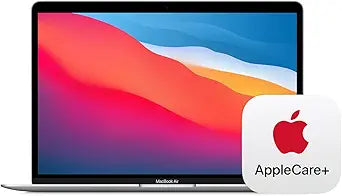
Apple M1 2020 MacBook Air, 8GB RAM, 256GB SSD with AppleCare+
★★★★★
Apple M18GB RAM256GB SSD
The Apple M1 MacBook Air delivers desktop-class performance and 18-hour battery life in a fanless 2.8-pound chassis — redefining what a thin-and-light laptop can actually do.
$998.00*$1,178.00Save 15%
Check availability
*Price sourced from Amazon.com. Last updated:Jun 27, 2026.Price and availability are subject to change.
Affiliate Disclosure: Studio Supplies may earn a commission from qualifying purchases made through links on this page, at no additional cost to you. This helps support our editorial team.
Notice a mistake? Let Us Know
Overview
Key Features
All-Day Battery Life – Go longer than ever with up to 18 hours of battery life.
Powerful Performance – Take on everything from professional-quality editing to action-packed gaming with ease. The Apple M1 chip with an 8-core CPU delivers up to 3.5x faster performance than the previous generation while using way less power.
Superfast Memory – 8GB of unified memory makes your entire system speedy and responsive. That way it can support tasks like memory-hogging multitab browsing and opening a huge graphic file quickly and easily.
AppleCare+ for Mac extends your coverage to three years from your AppleCare+ purchase date and adds up to two incidents of accidental damage coverage.
Each incident of accidental damage coverage is subject to a service fee of $99 for screen damage or external enclosure damage, or $299 for other damage, plus applicable tax
Global repair coverage
Specifications
Model Year
2020
Processor
Apple M1 chip with 8-core CPU
RAM
8GB
Storage
256GB SSD
Battery Life
Up to 18 hours
AppleCare+ Coverage Duration
3 years from purchase date
AppleCare+ Accidental Damage Incidents
Up to two
AppleCare+ Service Fee (Screen/External Enclosure)
$99
AppleCare+ Service Fee (Other Damage)
$299
AppleCare+ Coverage
Global repair coverage
Pros & Cons
👍 Pros
- The M1 chip's 8-core CPU delivers up to 3.5x faster performance than the Intel-based predecessor while maintaining up to 18 hours of real-world battery life — a combination no comparable Intel thin-and-light matched at launch.
- The fanless thermal design means zero fan noise in any workload — a meaningful quality-of-life advantage for writing, meetings, or library work where fan spin-up is distracting.
- Unified memory architecture allows the 8GB RAM pool to serve CPU and GPU simultaneously, enabling video editing and creative workflows that would bottleneck a conventional 8GB system.
- 256GB SSD with sequential reads around 2,900 MB/s means application launches and file operations feel instantaneous — storage is never the bottleneck in daily productivity tasks.
- AppleCare+ adds two incidents of accidental damage coverage, providing meaningful financial protection for a premium-priced portable device used daily.
👎 Cons
- The 8GB unified memory ceiling becomes a constraint for professional-tier workflows — sustained Lightroom catalog work with large RAW files, heavy Final Cut Pro timelines, or parallel virtual machines will hit the memory limit and push to swap.
- The fanless design throttles sustained CPU performance under long, heavy compute workloads — users running extended compile jobs or video encodes will see performance drop relative to the M1 MacBook Pro.
- 256GB of base storage fills quickly for users managing local media libraries — photographers with RAW files or videographers keeping local project archives will outgrow it within months.
- The M1 chip supports only one external display natively — dual external monitor configurations require a DisplayLink adapter, adding software complexity and potential compatibility friction.
- The Retina display, while sharp and color accurate, lacks ProMotion (high refresh rate) available on MacBook Pro models — for users sensitive to display fluidity at 60Hz, the Air's panel is a step behind.
Frequently Asked Questions
What makes the M1's unified memory architecture different from conventional RAM, and why does it matter?
Conventional laptops separate the CPU, GPU, and memory onto different chips connected by a bus — data moves between them, creating latency. The M1's unified memory integrates all three on a single die, so the CPU, GPU, and Neural Engine all access the same 8GB pool with full bandwidth and near-zero latency. In practice, this means the M1's GPU uses the same memory as the CPU without a copy step, enabling graphics performance that far exceeds what 8GB would deliver on a conventional architecture.
Does the M1 MacBook Air throttle under sustained CPU load since it has no fan?
Yes — under prolonged, intensive tasks like long video renders or parallel compilations, the M1 Air will throttle to stay within thermal limits since it has no active cooling. For bursts, it performs at full M1 speed; for sustained 100% CPU workloads extending beyond 10–15 minutes, the fanless MacBook Pro with M1 maintains higher sustained performance. For the vast majority of workflows — web development, office productivity, moderate video editing — the throttling ceiling is never reached.
Is 256GB of SSD storage adequate, and how fast is the M1 Air's SSD?
The M1 MacBook Air's 256GB SSD delivers sequential read speeds around 2,900 MB/s and write speeds around 1,300 MB/s in typical benchmarks — fast enough that SSD speed is never the bottleneck in daily use. Whether 256GB is adequate depends entirely on your storage habits: for users who rely on cloud storage and stream media, 256GB works comfortably; for those who store large media libraries locally, 512GB is worth the upgrade cost.
What does the included AppleCare+ coverage actually provide for this MacBook Air?
AppleCare+ extends hardware coverage to three years from the AppleCare+ purchase date and adds accidental damage protection for up to two incidents. Screen or external enclosure damage carries a $99 service fee per incident; other accidental damage is covered at $299 per incident. For a thin-and-light laptop used daily, the accidental damage coverage is the meaningful addition — Apple's standard warranty covers manufacturing defects, but drops versus hard surfaces are not covered without AppleCare+.
Is the M1 MacBook Air compatible with external displays, and are there any limitations?
The M1 MacBook Air supports one external display at up to 6K resolution via Thunderbolt 3/USB-C. This is a hard architectural limitation of the M1 chip — the MacBook Air cannot natively drive two external displays simultaneously. Users who require dual external monitor setups will need DisplayLink adapters to work around this limitation, which adds software overhead. For single-monitor desk setups, performance is full and native.
Related Products


