

Apple
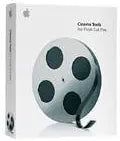
Apple M8728Z/A Cinema Tools for Final Cut Pro (Old Version)
Rediscover Professional Film EditingExperience film editing with Apple's Cinema Tools for Final Cut Pro. Though an older version, these tools offer precise control over film projects, helping editors achieve professional-grade results in post-production.
Check availability
Affiliate Disclosure: As an Amazon Associate, Studio Supplies earns from qualifying purchases made through links on this page, at no additional cost to you. This helps support our editorial team.
Notice a mistake? Let Us Know
Overview
Rediscover Professional Film Editing
Experience film editing with Apple's Cinema Tools for Final Cut Pro. Though an older version, these tools offer precise control over film projects, helping editors achieve professional-grade results in post-production.
Specifications
Software Type
Cinema Tools
Compatibility
Final Cut Pro (Old Version)
Brand
Apple
Frequently Asked Questions
What is Apple M8728Z/A Cinema Tools designed for?
Apple M8728Z/A Cinema Tools is designed for use with Final Cut Pro (Old Version), offering specialized tools for cinema production within a video editing workflow.
Is this version of Cinema Tools compatible with the latest Final Cut Pro?
No, this is an "Old Version" of Cinema Tools, meaning it is intended for use with older versions of Final Cut Pro and likely not compatible with current software releases.
What operating system is required to run Apple M8728Z/A Cinema Tools?
Specific operating system requirements are not detailed, but as an "Old Version" Apple product, it would likely require an older macOS version or specific hardware to run.
Can this software be used for modern film production?
While it offers cinema tools, its status as an "Old Version" suggests it may lack features found in modern production software and might not be compatible with current workflows.
Is technical support available for this older version of Cinema Tools?
Given that this is an "Old Version" of the software, technical support from Apple may be limited or no longer available.
Related Products


