

Apple
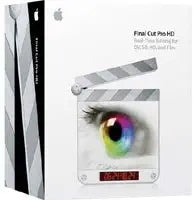
Apple M9038Z/B Final Cut Pro HD (Old Version)
★★★★★
Create Stunning Videos with Apple Final Cut Pro HD Apple Final Cut Pro HD is a professional video editing tool for standard and high-definition formats. With its intuitive interface and powerful features, you can easily create and finish high-quality videos. Specifications: Video Editing: SD ...
View price on Amazon
Affiliate Disclosure: Studio Supplies may earn a commission from qualifying purchases made through links on this page, at no additional cost to you. This helps support our editorial team.
Notice a mistake? Let Us Know
Overview
Create Stunning Videos with Apple Final Cut Pro HD
Apple Final Cut Pro HD is a professional video editing tool for standard and high-definition formats. With its intuitive interface and powerful features, you can easily create and finish high-quality videos.
Specifications:
- Video Editing: SD and HD Formats
- DVCPRO HD Editing: Broadcast-Quality HD 720p and 1080i
- RT Extreme: Real-Time Multi-Stream Effects and Transitions
- Digital Cinema Desktop: Easy HD Previewing
Key Features
Video editing tool for editing and finishing in SD and HD formats
Native DVCPRO HD editing of broadcast-quality HD 720p and at 1080i
RT Extreme with HD real-time multi-stream effects and transitions
Digital Cinema Desktop for easy HD previewing
Creative, professional, and extensible; easy-to-use
Specifications
Brand
Apple
Model
M9038Z/B Final Cut Pro HD (Old Version)
Function
Video editing tool
Supported Formats
SD, HD (DVCPRO HD 720p and 1080i)
Features
RT Extreme, Digital Cinema Desktop
Pros & Cons
👍 Pros
- Final Cut Pro HD is a dedicated video editing tool designed for both Standard Definition (SD) and High Definition (HD) formats, offering broad utility.
- It enables native DVCPRO HD editing for broadcast-quality HD content in both 720p and 1080i, catering to professional production needs.
- The software includes RT Extreme, providing real-time multi-stream effects and transitions, which streamlines the editing workflow.
- Digital Cinema Desktop is integrated for easy HD previewing, allowing editors to monitor their work accurately.
- Described as creative, professional, and extensible, Final Cut Pro HD offers a powerful and user-friendly editing environment.
👎 Cons
- As an "Old Version" of Final Cut Pro HD, it may lack compatibility with newer operating systems and modern hardware.
- The software may not support the latest video codecs or advanced editing features found in more recent video editing applications.
- Users migrating from contemporary editing suites might find the interface and workflow of this older version less intuitive.
- Being an older version, updates and technical support from Apple may be limited or no longer available, impacting long-term usability.
- Its focus on DVCPRO HD editing might be less relevant for projects utilizing other current high-definition formats.
Frequently Asked Questions
What video formats does Apple Final Cut Pro HD support?
Apple Final Cut Pro HD is designed to support editing and finishing in both Standard Definition (SD) and High Definition (HD) formats, specifically including native DVCPRO HD at 720p and 1080i.
Does this software offer real-time editing features?
Yes, it includes RT Extreme, which provides real-time multi-stream effects and transitions to enhance the editing process.
Can I preview HD content easily with this version of Final Cut Pro?
Yes, Final Cut Pro HD features Digital Cinema Desktop, which is specifically designed for easy HD previewing, aiding in accurate monitoring of your edits.
Is this the latest version of Final Cut Pro?
No, the product title clearly indicates this is "Final Cut Pro HD (Old Version)," meaning it is not the most current iteration of Apple's video editing software.
Is Final Cut Pro HD suitable for professional use?
Yes, it is described as a creative, professional, and extensible video editing tool, designed to meet the demands of professional workflows in SD and HD.
Related Products


