



Apple
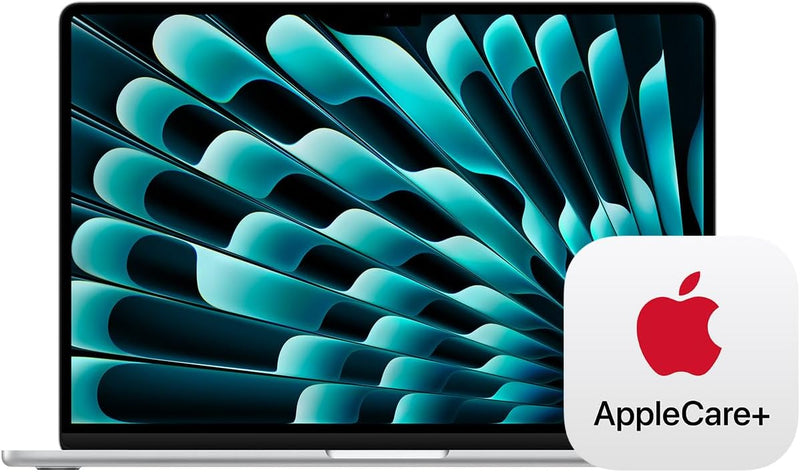
Apple MacBook Air 15-inch M3 24GB 512GB SSD
★★★★★
Apple's M3 chip with 24GB unified memory and 512GB SSD turns this fanless 15-inch Air into a credible primary workstation for creative professionals who refuse to compromise on portability.
$1,698.00*$1,928.00Save 11%
Check availability
*Price sourced from Amazon.com. Last updated:Jun 27, 2026.Price and availability are subject to change.
Affiliate Disclosure: Studio Supplies may earn a commission from qualifying purchases made through links on this page, at no additional cost to you. This helps support our editorial team.
Notice a mistake? Let Us Know
Overview
Key Features
LEAN. MEAN. M3 MACHINE — With a powerful 8-core CPU and up to 10-core GPU, the blazing-fast MacBook Air with M3 chip is a superportable laptop that sails through work and play.
BUILT FOR APPLE INTELLIGENCE—Apple Intelligence is the personal intelligence system that helps you write, express yourself, and get things done effortlessly. With groundbreaking privacy protections, it gives you peace of mind that no one else can access your data—not even Apple.*
PORTABLE DESIGN — Lightweight and under half an inch thin, so you can take MacBook Air anywhere you go.
UP TO 18 HOURS OF BATTERY LIFE — Amazing, all-day battery life so you can leave the power adapter at home.
WHY APPLECARE+ - Get protection, service and support direct from Apple. AppleCare+ covers unlimited repairs for accidental damage, like a cracked display, and includes coverage for the hardware and battery. Get convenient service at Apple Stores and Apple Authorized Service Providers around the world or schedule a pickup at your home or office with Onsite Service. Help is easy with 24/7 priority tech support from Apple experts.
PEACE OF MIND - Each incident is subject to a service fee of $99 for screen damage or external enclosure damage, or $299 for other accidental damage.
AUTOMATIC ACTIVATION - AppleCare+ is a digital purchase that is automatically activated when your device is delivered by Amazon so it’s already protected when it arrives at your door. There is no physical shipment for AppleCare+.
PROOF OF COVERAGE EMAIL - You will receive an email from Amazon Marketplace with the AppleCare Proof of Coverage at time of device shipment. This email will contain your AppleCare+ agreement number, attached device serial number, coverage end date and link to the AppleCare+ terms and conditions. For gifts, please forward this email to the owner of the device.
Specifications
Chip
Apple M3
CPU
8-core
GPU
Up to 10-core
Unified Memory
24GB
Storage
512GB SSD
Display
15.3-inch Liquid Retina, 1 billion colors
Battery Life
Up to 18 hours
Connectivity
Two Thunderbolt 4, MagSafe 3, headphone jack
Wireless
Wi-Fi 6E, Bluetooth 5.3
Camera
1080p FaceTime HD
Audio
Six-speaker system with Spatial Audio
Color
Silver
Cooling
Fanless
AppleCare+
3-year coverage included
Pros & Cons
👍 Pros
- 24GB Unified Memory on Apple's die-attached high-bandwidth bus handles demanding creative multitasking workloads — Lightroom, Capture One, Final Cut — without swap pressure that 16GB configurations encounter.
- 512GB SSD provides roughly twice the practical working space of the base 256GB tier, meaningfully reducing how quickly external storage becomes mandatory.
- M3 8-core CPU delivers burst performance that surpasses previous MacBook Pro generations in a completely fanless chassis with no audible thermal management.
- Wi-Fi 6E radio accesses the 6 GHz band for reduced channel congestion and more consistent throughput in dense wireless environments.
- Bundled AppleCare+ (3-year) coverage includes unlimited accidental damage incidents, addressing the primary durability risk of a premium portable device.
👎 Cons
- Fanless design will thermal-throttle the M3 chip under sustained peak loads exceeding 15–20 minutes — the MacBook Pro's active cooling maintains higher sustained clock rates for all-day compute-heavy tasks.
- Only two Thunderbolt 4 ports and MagSafe — no USB-A, HDMI, or SD card slot; a hub or dock is mandatory for users with legacy peripherals or direct card offloading workflows.
- 512GB SSD is not user-upgradeable; photographers and videographers with large active libraries will outgrow onboard storage and require permanent external storage planning.
- Clamshell dual-display mode requires running with the lid closed, eliminating the built-in 15.3-inch screen as a third display surface.
- Silver colorway, while clean, is one of the higher-contrast finishes for fingerprints on the aluminum enclosure surfaces around the keyboard and trackpad.
Frequently Asked Questions
What does 24GB of Unified Memory enable on the M3 MacBook Air that 16GB cannot reliably deliver?
24GB keeps substantially larger active workloads resident in memory before the system pages to the SSD. On the M3, paging to NAND is fast but still adds latency compared to staying in memory. The practical difference appears in scenarios like running Lightroom with a large catalog while simultaneously working in another creative app, or a developer running multiple Docker containers alongside a browser and IDE. At 16GB, those workflows begin generating swap pressure; at 24GB, they typically stay fully in-memory.
Does the fanless design of the M3 Air 15-inch limit sustained performance in production workloads?
Yes, with context. The M3's power efficiency enables the fanless chassis to handle the vast majority of workloads — including photo editing, web development, and document-heavy multitasking — without noticeable throttling. Extended sustained peak workloads like 60+ minute video encodes or prolonged ML model training will eventually cause the chip to pull back clock speeds to manage thermals. For those use cases, the MacBook Pro with active cooling is the engineering-correct choice.
How many external displays does this machine support, and at what resolution?
One external display up to 6K with the lid open. Two external displays up to 6K each in clamshell mode (lid closed). Both Thunderbolt 4 ports support full-bandwidth display output, making a dual 4K or 5K monitor desktop setup viable in clamshell.
What is AppleCare+ and is it meaningfully different from the standard 1-year warranty?
AppleCare+ extends hardware coverage to three years and adds unlimited incidents of accidental damage protection — including cracked displays and liquid damage — at a service fee per incident ($99 for screen/enclosure, $299 for other damage). The standard warranty covers manufacturing defects only and lasts one year. For a primary machine in a mobile workflow, the accidental damage coverage is the substantive upgrade; the extended hardware warranty is secondary.
Is the 512GB SSD user-upgradeable?
No. Apple Silicon MacBooks use storage soldered directly to the logic board — capacity cannot be expanded post-purchase. 512GB is a meaningful improvement over the 256GB base tier, but photographers and video editors should assess their actual storage needs before purchase, as external drives will likely be required for active project libraries.
Related Products


