



Apple
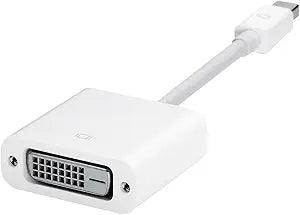
Apple MB570Z/B Mini DisplayPort to DVI Adapter
★★★★★
DisplayPort
Connects any Mini DisplayPort-equipped Mac to a DVI monitor with zero signal conversion overhead and no drivers required.
$24.95*
View on Amazon
✓ In Stock on Amazon.com
*Price sourced from Amazon.com. Last updated:Jul 14, 2026.Price and availability are subject to change.
Affiliate Disclosure: Studio Supplies may earn a commission from qualifying purchases made through links on this page, at no additional cost to you. This helps support our editorial team.
Notice a mistake? Let Us Know
Overview
Key Features
Use the Mini DisplayPort to DVI Adapter to connect an advanced digital monitor, such as the 20- or 23-inch Apple Cinema Display, that includes a DVI connector.
Compatible only with Mac computers with Mini DisplayPort.
Every Mac with a Mini DisplayPort allows you toconnect an external display or projector using anadapter
Specifications
Connector Type (Input)
Mini DisplayPort
Connector Type (Output)
DVI
Compatibility
Mac computers with Mini DisplayPort
Supported Displays
20- or 23-inch Apple Cinema Display with DVI connector
Pros & Cons
👍 Pros
- Passive adapter design means zero latency, no active electronics to fail, and no driver installation required on macOS.
- Carries DisplayPort signal through Thunderbolt ports as well as dedicated Mini DisplayPort outputs, broadening compatibility on older Mac lineups.
- Compact connector profile adds negligible length to the cable run and doesn't stress the Mini DisplayPort port under normal desktop use.
- Genuine Apple hardware ensures connector tolerances and signal integrity match the Mini DisplayPort specification exactly.
👎 Cons
- Single-link DVI only — hard ceiling of 1920×1200 at 60Hz means this adapter cannot drive 30-inch or higher-resolution DVI displays that require dual-link bandwidth.
- Strictly Mac-compatible; Mini DisplayPort is not universal, and this adapter will not function on Windows laptops or other devices with Mini DisplayPort outputs that don't use Apple's implementation.
- No analog VGA output — the DVI connector is DVI-D (digital only), so it will not work with older monitors that only support DVI-A or VGA.
- Incompatible with all current Mac models using USB-C or Thunderbolt 4, making this a legacy accessory with a shrinking compatible device base.
Frequently Asked Questions
Will this adapter work with my Thunderbolt port, or only dedicated Mini DisplayPort outputs?
It works with both. Thunderbolt ports are electrically and physically identical to Mini DisplayPort for video output purposes — the adapter will carry the DisplayPort signal through either port type. The adapter cannot carry Thunderbolt data; it is a video-only passive adapter.
What is the maximum resolution this adapter supports?
The Mini DisplayPort to DVI connection supports single-link DVI, which has a maximum bandwidth of approximately 3.96 Gbps — enough for 1920×1200 at 60Hz. If you are connecting a display that requires dual-link DVI (such as a 30-inch display at 2560×1600), this adapter will not work; Apple makes a separate dual-link DVI adapter for those cases.
Is this adapter compatible with HDMI or DisplayPort monitors, or only DVI?
This adapter outputs DVI-D (digital) signal exclusively. It will not connect to HDMI or full-size DisplayPort monitors without an additional adapter in the chain, which is an unsupported configuration. For HDMI or DisplayPort monitors, a different adapter is required.
Does this adapter require any drivers or software installation on macOS?
No. The MB570Z/B is a passive adapter — it carries the DisplayPort signal and converts the connector form factor without active signal processing. macOS recognizes the connected DVI display automatically through standard display detection. No installation steps are required.
Is this adapter compatible with current Apple silicon Macs?
No. Current Apple silicon Macs (M1 and later) use USB-C and Thunderbolt 4 ports, not Mini DisplayPort. This adapter is specifically designed for older Mac models that include a dedicated Mini DisplayPort output, such as MacBook Pros and Mac Pros from approximately 2008–2015.
Related Products


