

Apple
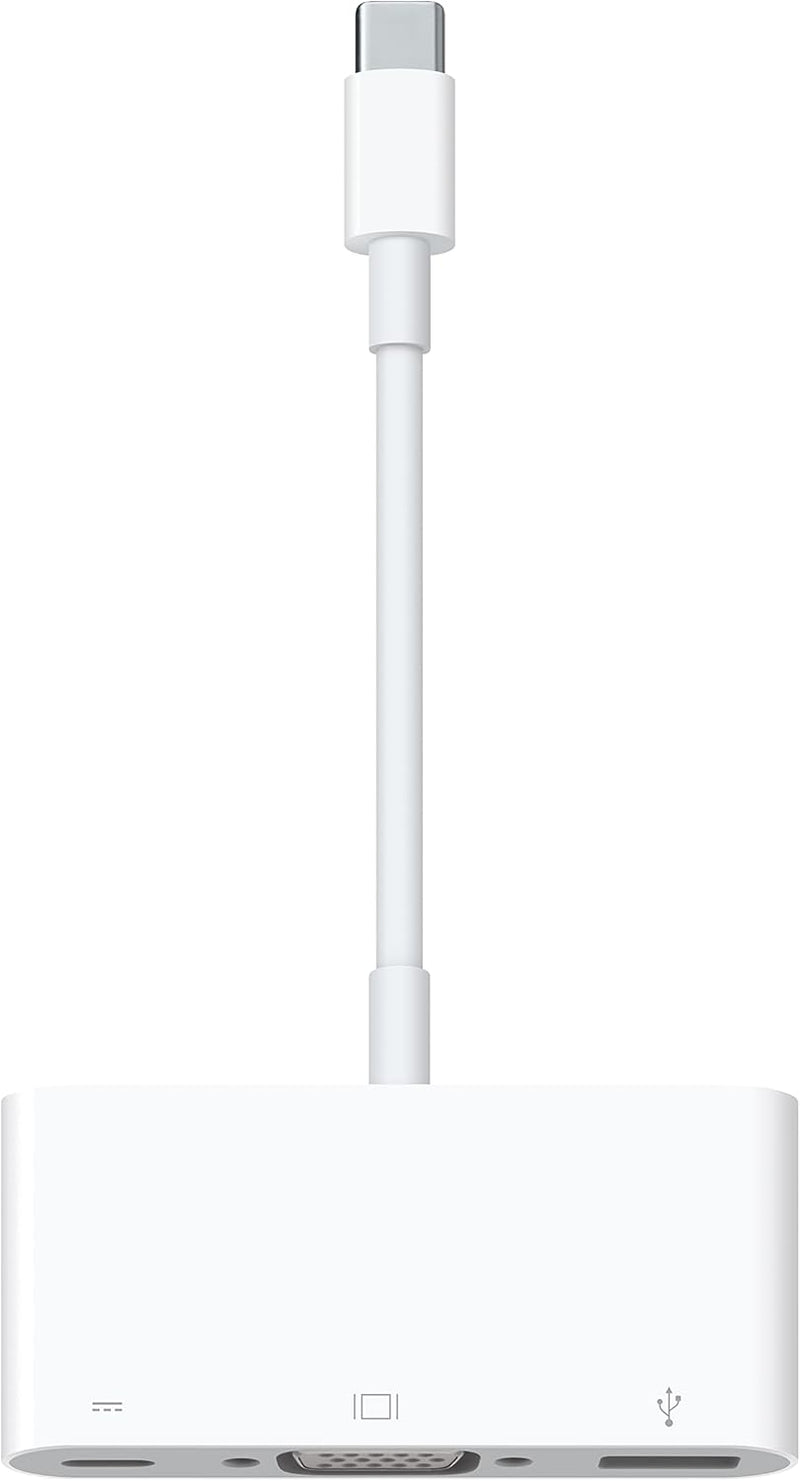
Apple MJ1L2AM/A USB-C VGA Multiport Adapter - Mac iPad Pro
★★★★★
1080pUSB-CThunderbolt 3
Expand Your Connectivity with the Apple USB-C VGA Multiport Adapter The Apple USB-C VGA Multiport Adapter allows you to connect your USB-C or Thunderbolt 3 (USB-C) enabled Mac and iPad Pro to a VGA display. You can also connect a standard USB device and a USB-C charging cable. Mirror your display...
$27.82*
View on Amazon
✓ In Stock on Amazon.com
*Price sourced from Amazon.com. Last updated:Jul 14, 2026.Price and availability are subject to change.
Affiliate Disclosure: Studio Supplies may earn a commission from qualifying purchases made through links on this page, at no additional cost to you. This helps support our editorial team.
Notice a mistake? Let Us Know
Overview
Expand Your Connectivity with the Apple USB-C VGA Multiport Adapter
The Apple USB-C VGA Multiport Adapter allows you to connect your USB-C or Thunderbolt 3 (USB-C) enabled Mac and iPad Pro to a VGA display. You can also connect a standard USB device and a USB-C charging cable. Mirror your display up to 1080p HD and keep your device charged while you work.
Specifications:
- Connector Type: VGA, USB Type C
- Ports: USB-C, VGA, Standard USB
- Video Support: Up to 1080p HD mirroring
- Charging: USB-C port for charging Mac or iPad Pro
- Color: White
- Brand: Apple
- Model: MJ1L2AM/A
- Dimensions: 6.1 x 3.23 x 0.67 inches
- Weight: 2.46 ounces
Key Features
The USB-C VGA Multiport Adapter lets you connect your USB-C or Thunderbolt 3 (USB-C)–enabled Mac and iPad Pro to a VGA display, while also connecting a standard USB device and a USB-C charging cable.
The USB-C VGA Multiport Adapter allows you to mirror your Mac or iPad Pro display to your VGA-enabled TV or display in up to 1080p HD.
It also outputs video content like movies and captured video. Simply connect the adapter to a USB-C or Thunderbolt 3 (USB-C) port on your Mac or iPad and then to your TV or projector via a VGA cable (sold separately).
Use the standard USB port to connect devices such as your flash drive or camera or a USB cable for syncing and charging your iPhone, iPad, or iPod. You can also connect a charging cable to the USB-C port to charge your Mac or iPad Pro.
Requires a VGA cable (sold separately) for connection to your TV or projector.
Specifications
Device Compatibility
USB-C or Thunderbolt 3 (USB-C) enabled Mac and iPad Pro
Video Output Resolution
Up to 1080p HD
Ports
USB-C, VGA, Standard USB
VGA Cable
Sold Separately
Charging Capability
Supports USB-C charging for Mac or iPad Pro
USB Port Functionality
Connects flash drives, cameras, syncs/charges iPhone, iPad, iPod
Pros & Cons
👍 Pros
- Connect your Mac or iPad Pro to a VGA display while maintaining connectivity for a standard USB device and a USB-C charging cable.
- Mirror your Mac or iPad Pro display to a VGA-enabled TV or display in high definition up to 1080p.
- Output various video content, including movies and captured video, from your compatible Mac or iPad.
- Utilize the standard USB port for connecting devices like flash drives, cameras, or for syncing and charging iOS devices.
- Charge your Mac or iPad Pro by connecting a charging cable to the adapter's USB-C port.
👎 Cons
- A separate VGA cable is required to connect the adapter to a TV or projector, which is not included with the product.
- The adapter specifically caters to USB-C or Thunderbolt 3 (USB-C) enabled Macs and iPad Pros, limiting compatibility with other devices.
- Video output is restricted to up to 1080p HD, which may not meet the needs of users requiring higher resolution displays.
- The adapter's functionality is dependent on having a USB-C or Thunderbolt 3 port, which newer devices may not all possess.
- It requires users to carry an additional adapter for connecting to legacy VGA displays, adding to device clutter.
Frequently Asked Questions
What devices are compatible with the Apple USB-C VGA Multiport Adapter?
This adapter is compatible with USB-C or Thunderbolt 3 (USB-C) enabled Mac and iPad Pro models, allowing for connection to a VGA display.
Can this adapter output video in resolutions higher than 1080p HD?
The USB-C VGA Multiport Adapter allows you to mirror your Mac or iPad Pro display to a VGA-enabled TV or display in up to 1080p HD.
Is a VGA cable included with the purchase of this adapter?
No, a VGA cable is required for connection to your TV or projector and is sold separately; it is not included with the adapter.
Can I charge my Mac or iPad Pro while using this adapter for video output?
Yes, the adapter includes a USB-C port that allows you to connect a charging cable to power your Mac or iPad Pro.
What can the standard USB port on the adapter be used for?
The standard USB port can be used to connect various devices such as a flash drive or camera, or to connect a USB cable for syncing and charging your iPhone, iPad, or iPod.
Related Products


