



Apple
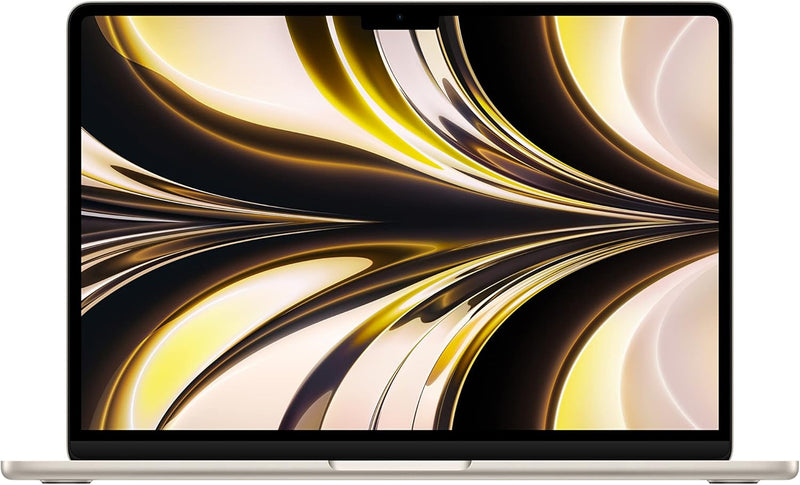
Apple MLY23LL/A 2022 MacBook Air M2 Starlight
★★★★★
1080pApple M2
The M2 chip's 8-core CPU and unified memory architecture deliver pro-level performance in a 2.7-pound fanless chassis that runs all day.
$899.51*$1,199.00Save 24%
Check availability
*Price sourced from Amazon.com. Last updated:Jun 27, 2026.Price and availability are subject to change.
Affiliate Disclosure: Studio Supplies may earn a commission from qualifying purchases made through links on this page, at no additional cost to you. This helps support our editorial team.
Notice a mistake? Let Us Know
Overview
Key Features
STRIKINGLY THIN DESIGN — The redesigned MacBook Air is more portable than ever and weighs just 2.7 pounds. It’s the incredibly capable laptop that lets you work, play or create just about anything — anywhere.
SUPERCHARGED BY M2 — Get more done faster with a next-generation 8-core CPU, up to 10-core GPU and up to 24GB of unified memory.
BUILT FOR APPLE INTELLIGENCE—Apple Intelligence is the personal intelligence system that helps you write, express yourself, and get things done effortlessly. With groundbreaking privacy protections, it gives you peace of mind that no one else can access your data—not even Apple.*
UP TO 18 HOURS OF BATTERY LIFE — Go all day and into the night, thanks to the power-efficient performance of the Apple M2 chip.
BIG, BEAUTIFUL DISPLAY — The 13.6-inch Liquid Retina display features over 500 nits of brightness, P3 wide color and support for 1 billion colors for vibrant images and incredible detail.
ADVANCED CAMERA AND AUDIO — Look sharp and sound great with a 1080p FaceTime HD camera, three-mic array and four-speaker sound system with Spatial Audio.
VERSATILE CONNECTIVITY — MacBook Air features a MagSafe charging port, two Thunderbolt ports and a headphone jack.
EASY TO USE — Your Mac feels familiar from the moment you turn it on, and works seamlessly with all your Apple devices.
BUILT TO LAST — The all-aluminum unibody enclosure is exceptionally durable. And free software updates keep things running smooth and secure for years to come.
SIMPLY COMPATIBLE — All your go-to apps run lightning-fast — including Microsoft 365, Zoom, and many of your favorite iPhone and iPad apps.
Specifications
Chip
Apple M2
CPU
8-core
GPU
Up to 10-core
Memory
8GB unified memory
Storage
512GB SSD
Display
13.6-inch Liquid Retina
Display Brightness
500 nits
Display Color
P3 wide color, 1 billion colors
Camera
1080p FaceTime HD
Audio
Four-speaker system with Spatial Audio
Microphone
Three-mic array
Ports
MagSafe 3, 2x Thunderbolt 4 (USB-C), 3.5mm headphone jack
Battery Life
Up to 18 hours
Operating System
macOS
Color
Starlight
Weight
2.7 lbs
Dimensions
11.97 x 8.46 x 0.44 inches
Pros & Cons
👍 Pros
- The M2 chip's 8-core CPU and up to 10-core GPU deliver performance that competes with mid-tier workstations while running completely fanless and silent.
- At 2.7 pounds and 0.44 inches thin, the redesigned all-aluminum chassis is genuinely carry-anywhere portable without structural compromise.
- Up to 18 hours of real-world battery life means a full workday plus evening use on a single charge — without the anxiety of hunting for outlets.
- The 13.6-inch Liquid Retina display at 500+ nits with P3 wide color and 1 billion color support renders photo and video work with exceptional accuracy.
- MagSafe charging returns in this generation, meaning the USB-C Thunderbolt ports are free for peripherals during charging.
👎 Cons
- Fanless design means sustained heavy compute workloads (prolonged 4K/8K export, continuous compilation) will eventually throttle performance compared to actively cooled alternatives.
- Maximum external display support is one screen with the lid open — users needing a dual-monitor desktop setup will need the MacBook Pro or a dock with DisplayLink.
- 8GB base RAM, while efficient on M2, is a real ceiling for memory-intensive professional workflows — configure to 16GB or 24GB if your work demands it.
- Only two Thunderbolt ports limits connectivity without a hub or dock for users with multiple peripherals.
Frequently Asked Questions
What does "unified memory" actually mean versus standard RAM — does 8GB feel limiting?
Unified memory means the CPU, GPU, and Neural Engine share the same high-bandwidth memory pool rather than maintaining separate banks with data copying between them. In practice, 8GB on M2 performs comparably to 16GB on conventional architectures for most tasks. For video editing up to 4K, coding, and general productivity, 8GB is adequate — but for sustained 4K/6K video work or running multiple large apps simultaneously, upgrading to 16GB at configuration is worth it.
Does the M2 MacBook Air throttle under sustained load since it has no fan?
Yes, eventually. The fanless design means the M2 Air relies entirely on passive heat dissipation. For tasks like short video renders, compiling, or heavy multitasking bursts, performance is excellent. Under continuous sustained workloads — hours of continuous 4K export, for example — it will throttle more than the MacBook Pro with active cooling. For most users this is never encountered in real workflows.
What external display support does this model offer via its Thunderbolt ports?
The M2 Air supports one external display at up to 6K resolution via either Thunderbolt port (while the lid is closed) or the built-in display plus one external display. It does not natively support two simultaneous external displays with the lid open — a limitation compared to the MacBook Pro.
Is the 512GB SSD significantly faster than what was in Intel-era MacBook Airs?
Substantially. M2 SSD performance reaches approximately 3,000 MB/s read and 2,200 MB/s write in this configuration — several times the throughput of the Intel-era SSDs. This makes app launches, large file transfers, and scratch disk operations noticeably faster in everyday use.
Does this run iPhone and iPad apps natively?
Yes. Apple Silicon Macs run iOS and iPadOS apps without emulation through the App Store. Most popular apps have been ported or run cleanly, making the Air a capable platform for mobile developers and users who want their iOS app library available on the desktop.
Related Products


