



Apple
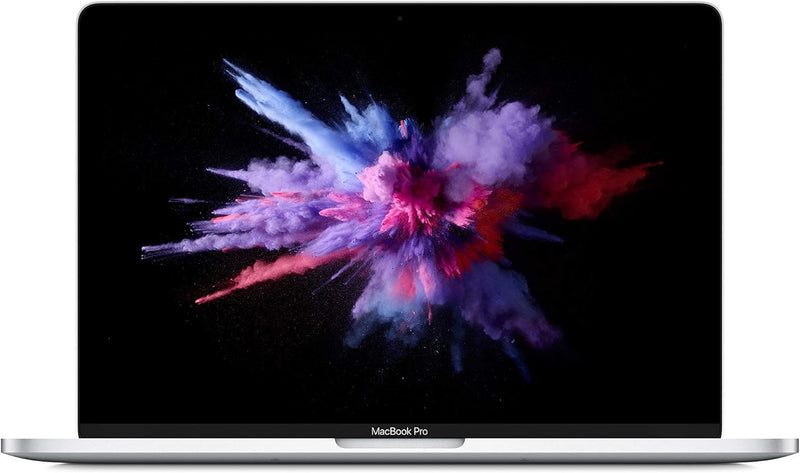
Apple MUHN2LL/A 2019 MacBook Pro 13" Renewed
2560 x 1600
Retina display, Touch Bar, and PCIe SSD in a renewed 13-inch MacBook Pro — capable everyday performance at a lower entry cost than a new unit.
$371.28*
View on Amazon
✓ In Stock on Amazon.com
*Price sourced from Amazon.com. Last updated:Oct 07, 2026.Price and availability are subject to change — details.
Affiliate Disclosure: As an Amazon Associate, Studio Supplies earns from qualifying purchases made through links on this page, at no additional cost to you. This helps support our editorial team.
Notice a mistake? Let Us Know
Overview
Key Features
1.4 GHz Intel Core i5 Quad-Core (8th Gen)
8GB LPDDR3 RAM | 128GB PCIe SSD
13.3" 2560 x 1600 Retina Display
Integrated Intel Iris Plus Graphics 645
Touch Bar | Touch ID Sensor
Specifications
Model
MUHN2LL/A
Year
2019
Screen Size
13.3 inches
Display Resolution
2560 x 1600
Display Type
Retina Display
Processor
1.4 GHz Intel Core i5 Quad-Core (8th Gen)
RAM
8GB LPDDR3
Storage
128GB PCIe SSD
Graphics
Integrated Intel Iris Plus Graphics 645
Features
Touch Bar, Touch ID Sensor
Frequently Asked Questions
Can the RAM or SSD be upgraded after purchase?
No. Both the 8GB LPDDR3 RAM and 128GB PCIe SSD are soldered directly to the logic board and cannot be upgraded after manufacture. The configuration you purchase is the one you use for the life of the machine.
Is 128GB of storage realistically sufficient for professional use?
Only with active storage management. macOS system installation consumes 20-30GB before any user data. Developer environments, photo libraries, and media projects fill the remainder quickly. Plan for either external storage or iCloud Drive with Optimize Storage enabled to make 128GB workable long-term — buyers who underestimate this ceiling consistently cite it as the primary frustration of this configuration.
How many external displays can this MacBook Pro drive?
One external display in addition to the built-in Retina panel. Both Thunderbolt 3 / USB-C ports share the same display output pathway on the 13-inch configuration — only one external monitor can be connected simultaneously.
What is the performance difference between the 1.4 GHz i5 model and a fanless MacBook Air from the same era?
The 2019 MacBook Pro 13" with 1.4 GHz i5 has an active cooling fan, allowing it to sustain boost clock speeds under extended CPU load without throttling. The contemporary MacBook Air was fanless and throttled sooner under sustained workloads. The Pro also includes the Touch Bar and Touch ID sensor, which the Air lacked at that generation.
What should I check on a renewed MacBook Pro before accepting it?
Battery health percentage is the most critical variable — a renewed unit's battery cycle count varies, and Apple considers anything below 80% capacity as degraded. Verify battery health in System Information (About This Mac > System Report > Power) immediately upon receipt.
Related Products


