

Apple
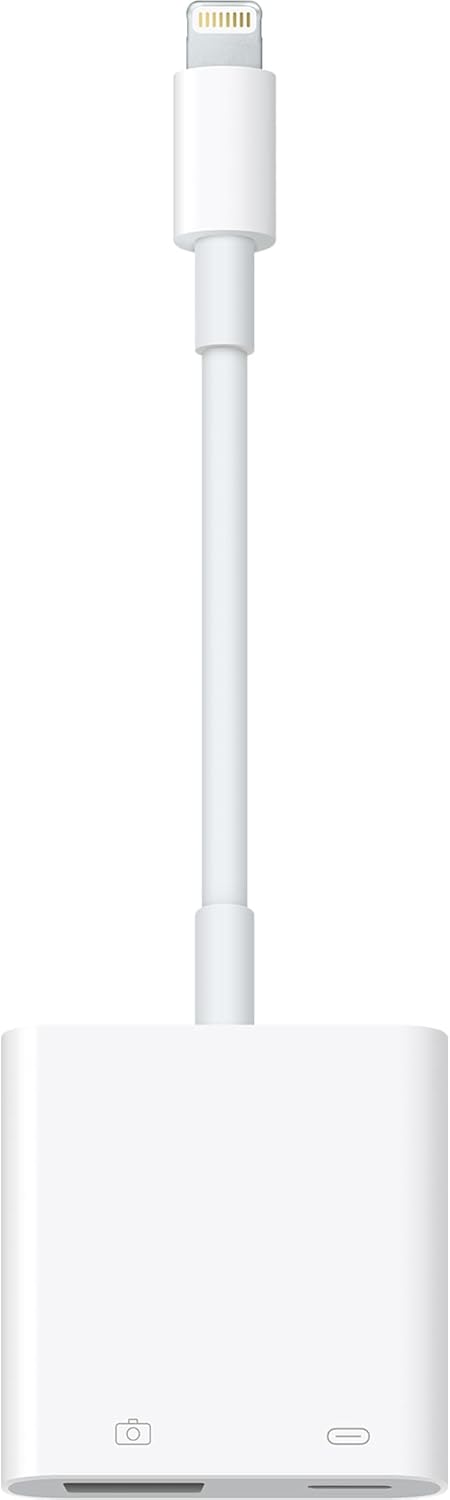
Apple MX5J3AM/A Lightning to USB 3 Camera Adapter
Seamlessly Transfer Photos and Videos to Your iPad ProThe Apple Lightning to USB 3 Camera Adapter makes it easy to transfer photos and videos from your digital camera to your iPad Pro. Enjoy faster data transfer speeds and enhanced versatility for your creative workflow. Specifications: Connecto...
$39.00*
View on Amazon
✓ In Stock on Amazon.com
*Price sourced from Amazon.com. Last updated:Aug 30, 2026.Price and availability are subject to change — details.
Affiliate Disclosure: As an Amazon Associate, Studio Supplies earns from qualifying purchases made through links on this page, at no additional cost to you. This helps support our editorial team.
Notice a mistake? Let Us Know
Overview
Seamlessly Transfer Photos and Videos to Your iPad Pro
The Apple Lightning to USB 3 Camera Adapter makes it easy to transfer photos and videos from your digital camera to your iPad Pro. Enjoy faster data transfer speeds and enhanced versatility for your creative workflow.
Specifications:
- Connector 1: Lightning
- Connector 2: USB 3
- Compatibility: iPad Pro (12.9-inch, 10.5-inch, 9.7-inch), and other Lightning-compatible devices
- Data Transfer: USB 3 speeds (on supported iPad Pro models)
- Supported Formats: JPEG, RAW, H.264, MPEG-4
Key Features
With the Lightning to USB 3 Camera Adapter, it’s easy to transfer photos and videos from your high-resolution digital camera to your iPad Pro.
After you connect the Lightning to USB 3 Camera Adapter, your iPad Pro automatically opens the Photos app, which lets you choose photos and videos to import, then organizes them into albums.
Add even greater capability and versatility to your iPad Pro by powering the Lightning to USB 3 Camera Adapter with a USB Power Adapter. Then you can connect USB peripherals like hubs, Ethernet adapters, audio/MIDI interfaces, and card readers for CompactFlash, SD, microSD, and more.
The Lightning to USB 3 Camera Adapter supports standard photo formats, including JPEG and RAW, along with SD and HD video formats, including H.264 and MPEG-4.
The 12.9-inch iPad Pro (1st and 2nd generation) and 10.5-inch iPad Pro transfers data at USB 3 speeds, while the 9.7-inch iPad Pro uses USB 2.
Specifications
Product Type
Camera Adapter
Connector Type
Lightning to USB 3
Compatibility
iPad Pro
Supported Photo Formats
JPEG, RAW
Supported Video Formats
SD, HD (H.264, MPEG-4)
Data Transfer Speed (12.9" & 10.5" iPad Pro)
USB 3 speeds
Data Transfer Speed (9.7" iPad Pro)
USB 2 speeds
Peripheral Connectivity
Supports USB peripherals (with USB Power Adapter)
Frequently Asked Questions
What is the primary function of the Lightning to USB 3 Camera Adapter?
The primary function is to easily transfer photos and videos from your high-resolution digital camera to your iPad Pro.
Does this adapter require a power source to function?
To add greater capability and connect USB peripherals like hubs or card readers, you need to power the adapter with a USB Power Adapter, which is sold separately.
What happens when I connect my camera to the iPad Pro using this adapter?
After you connect the adapter, your iPad Pro automatically opens the Photos app, allowing you to choose and import photos and videos, then organize them into albums.
What kind of photo and video formats does this adapter support?
It supports standard photo formats, including JPEG and RAW, along with SD and HD video formats, including H.264 and MPEG-4.
Are data transfer speeds the same for all iPad Pro models?
No, the 12.9-inch iPad Pro (1st and 2nd generation) and 10.5-inch iPad Pro transfer data at USB 3 speeds, while the 9.7-inch iPad Pro uses USB 2 speeds.
Can I connect other USB devices besides cameras to my iPad Pro with this adapter?
Yes, when powered with a USB Power Adapter, you can connect USB peripherals such as hubs, Ethernet adapters, audio/MIDI interfaces, and various card readers.
Related Products

