
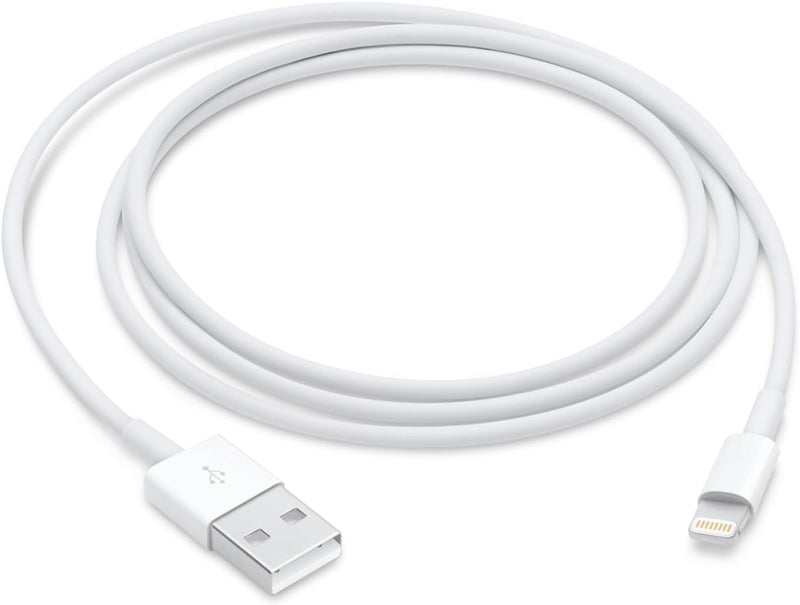


Apple Lightning to USB Cable (MXLY2AM/A, 1 Meter) — Editorial Review & Compatibility Guide
The Apple Lightning to USB Cable (MXLY2AM/A 1m, plus the longer 2m MFKE2AM/A variant) is Apple's genuine first-party USB-A-to-Lightning cable — for charging + syncing iPhone (5 through 14), iPad (4th-9th gen, mini 1-5, Air 2-3, Pro 1st-2nd gen with Lightning), AirPods (1st/2nd gen with Lightning case), AirPods Pro 1st gen, Magic Mouse 2, Magic Keyboard (Lightning gen), Magic Trackpad 2. Per Apple's official Lightning to USB Cable product page, the cable uses Apple's MFi-certified Lightning connector + USB-A connector, supports USB 2.0 data transfer speeds (~480 Mbps theoretical), and charges at up to 12W on iPad / 5W on iPhone via standard USB-A wall adapters.
What the Apple Lightning to USB Cable Specifically Wins
- Apple-genuine MFi certification — guaranteed compatibility + no "cable not certified" warnings on iPhone / iPad. Third-party cables increasingly trigger MFi authentication challenges; Apple-genuine eliminates the risk
- Replacement / spare for the cable that ships with iPhone / iPad — same exact cable Apple includes in iPhone / iPad boxes (older Lightning-era boxes)
- Durable Lightning connector — Lightning's symmetric design + sturdy housing typically lasts longer than legacy 30-pin or micro-USB connectors
- 1m + 2m length options — 1m for desktop / nightstand use; 2m (MFKE2AM/A) for bed-to-wall or longer routes
- USB-A connector — works with any USB-A port: legacy iPhone in-box wall adapter, USB-A car charger, USB-A laptop port, USB-A wall outlet, USB-A power strip
- Apple warranty preservation — using genuine Apple cables avoids any third-party cable-related warranty disputes
- Apple Store + authorized reseller wide availability — replaces lost / damaged cable from any Apple Store, Best Buy, Target, Costco, B&H, Adorama
- 1-year Apple limited warranty on cable defects
Where the Lightning to USB Cable Specifically Fits
- iPhone 5-14 owners needing replacement charging / sync cable
- iPad Lightning generation (4-9, mini 1-5, Air 2-3, Pro 1-2) charging
- AirPods 1st/2nd gen Lightning case charging
- AirPods Pro 1st gen case charging (the Lightning case variant)
- Magic Mouse 2 charging (Lightning port on bottom)
- Magic Keyboard with Lightning charging
- Magic Trackpad 2 Lightning charging
- Travel / spare charging cable — duplicates the in-box cable for second location
- Car charger USB-A use — pair with car USB-A port + Lightning device
- Hotel / Airbnb travel charging — universal USB-A wall adapters everywhere
- Office desktop second cable — keep one at home + one at office
- Older USB-A laptop charging — pre-USB-C MacBook charging via the USB-A port
Honest Limits Buyers Should Know
- iPhone 15+ uses USB-C — Lightning cable does NOT fit. Apple transitioned iPhone 15 to USB-C in 2023; the Lightning cable is end-of-life for current iPhone owners. iPhone 15+ users need USB-C cable instead
- USB 2.0 data speed only (~480 Mbps). Slow for video file transfer + iCloud photo upload via USB. For fast sync, use Wi-Fi sync, AirDrop, or USB-C Lightning iPad with USB-C cable
- No USB-PD fast charging on iPhone via Lightning. Standard 5W or 12W charging via USB-A. For 18W+ fast charging on Lightning iPhone (XS+, 11+), use USB-C-to-Lightning cable + USB-C-PD wall adapter
- Cable wear at the L-bend near the Lightning plug. Apple's white plastic strain relief is notorious for fraying after 1-3 years of daily use. Inspect periodically; replace before exposed wire shorts
- Apple-genuine premium vs third-party MFi-certified. Apple cables ~$19-29 (1m). MFi-certified third-party (Anker, Belkin, Aukey) ~$8-15. Functionally identical performance; premium pays for Apple direct support + warranty
- Counterfeit risk on third-party marketplaces. Buy from Amazon Direct, Apple Store, Best Buy, Target, B&H, Adorama. Counterfeit Apple cables in Amazon Marketplace / eBay frequently fail MFi authentication after iOS updates
- USB-A only — modern USB-C laptops / wall adapters need adapter or different cable. Modern MacBooks (M-series) have USB-C ports only; charging an older Lightning device requires USB-A-to-USB-C adapter or USB-C-to-Lightning cable instead
- No braided / reinforced cable jacket on standard Apple cable. Apple's plastic jacket wears faster than braided alternatives (Anker PowerLine+, Belkin Boost Charge Pro)
- Lightning is end-of-life on Apple's roadmap. Future Apple devices all transitioning to USB-C. Long-term investment in Lightning is limited
- No reversible USB-A end (still standard USB-A). Plug orientation matters on USB-A side (vs USB-C which is reversible)
Where Buyers Should Look Elsewhere
- iPhone 15+ / current iPad Pro / Air USB-C → Apple USB-C Charge Cable, Apple USB-C to USB-C Cable
- USB-C-to-Lightning for USB-C-PD fast charging → Apple USB-C to Lightning Cable (MXLP2AM/A 1m, MXKL2AM/A 2m)
- Premium braided / reinforced cable → Anker PowerLine+, Belkin BoostCharge Pro, Cygnett Lightspeed
- MFi-certified budget → Anker / Aukey / Belkin MFi cables (~$10-15 vs Apple $19-29)
- Long cable (3m / 10ft) → Anker PowerLine III Flow 10ft, Belkin BoostCharge Pro 10ft
- Magnetic / breakaway cable → MagSafe or third-party magnetic charging cables (varies by device support)
- Multi-cable USB-A-to-Lightning + USB-A-to-USB-C combo → Anker / Belkin multi-tip charging cables
- Pure budget (compromise on certification) → no-name non-MFi cables (high counterfeit risk; iPhone often rejects after updates — NOT recommended)
Sources & Citations
- Apple, "Lightning to USB Cable (1 m) product page," apple.com (accessed 2026-05-19)
- Apple Support, "Charge your iPhone and iPad with USB," support.apple.com (accessed 2026-05-19)
- MacRumors, "Apple Lightning cable buyer's guide," macrumors.com (accessed 2026-05-19)
- The Wirecutter (NYT), "Best Lightning cables for iPhone and iPad," nytimes.com/wirecutter (accessed 2026-05-19)
Last verified: 2026-05-19


