

Avid
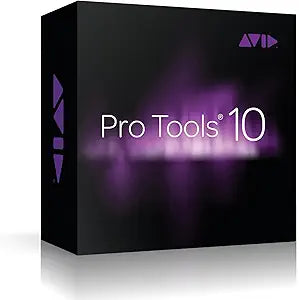
Avid 9920-65013-00 Pro Tools 10 Upgrade
Elevate Your Audio Production to the Next LevelUpgrade to Avid Pro Tools 10 from Pro Tools 9 and unlock enhanced capabilities for audio recording and music creation. This electronic delivery provides you with the quality, speed, and flexibility needed to compose, record, edit, and mix music and s...
Check availability
Affiliate Disclosure: As an Amazon Associate, Studio Supplies earns from qualifying purchases made through links on this page, at no additional cost to you. This helps support our editorial team.
Notice a mistake? Let Us Know
Overview
Elevate Your Audio Production to the Next Level
Upgrade to Avid Pro Tools 10 from Pro Tools 9 and unlock enhanced capabilities for audio recording and music creation. This electronic delivery provides you with the quality, speed, and flexibility needed to compose, record, edit, and mix music and sound for picture with unparalleled ease.
- Mixing Capability: Mix multiple audio file formats and bit depths within the same session without file duplication.
- Audio Resolution: Supports 32-bit floating-point file formats for higher resolution sound.
- Performance: Enhanced recording and playback performance on laptops with external storage.
- Editing Tools: Speed up editing and mixing with Smart Tools and Clip Gain.
- Automatic Delay Compensation: Up to 16k of Automatic Delay Compensation (ADC).
- Included Plug-ins: Comes with over 75 virtual instruments, effects, sound processing, and utility plug-ins.
- Avid Channel Strip: Includes the renowned channel strip from the Avid System 5 console.
Key Features
With Pro Tools 10, you can mix multiple audio file formats and bit depths within the same session including interleavedwithout any file duplication to cause project bloat.
Gain better recording and playback performance when working on a laptop with an external drive or a network-attached storage device. Speed up editing and mixing with Clip Gain. Work more easily with AudioSuite-rendered clips. Get 4x more* Automatic Delay Compensation and 2x more busses to handle bigger mixes with more plug-ins. And get snappier performance when working on sessions with lots of fades.
With the included Avid Channel Strip plug-in, you get the renowned channel strip of the Avid (formerly Euphonix) System 5, one of the most sought-after consoles used to create some of the greatest mixes ever produced. Work with exact replications of the consoles EQ and compression algorithms to add life to your mix.
Specifications
Product Type
Software Upgrade
Software
Pro Tools 10
Feature
Mix multiple audio file formats/bit depths
Feature
Improved recording/playback performance
Feature
Speed up editing/mixing with Clip Gain
Feature
4x more Automatic Delay Compensation
Feature
2x more busses
Included Plug-in
Avid Channel Strip (System 5 console EQ and compression algorithms)
Compatibility
Requires previous version of Pro Tools
Frequently Asked Questions
What is Avid Pro Tools 10 Upgrade primarily designed for?
The Avid Pro Tools 10 Upgrade is designed to enhance audio mixing and editing workflows, allowing users to handle larger sessions and improve performance in professional audio production environments.
Can this software mix different audio file formats?
Yes, with Pro Tools 10, you can mix multiple audio file formats and bit depths within the same session, including interleaved formats, without creating duplicate files.
How does this upgrade improve recording and playback performance?
It provides better recording and playback performance, especially when utilizing a laptop with an external drive or a network-attached storage device.
What is the significance of the included Avid Channel Strip plug-in?
The Avid Channel Strip plug-in is included, providing exact replications of the EQ and compression algorithms from the Avid System 5 console, a highly regarded professional mixing console.
Does this upgrade offer better capabilities for handling complex mixes?
Yes, it provides 4x more Automatic Delay Compensation and 2x more busses, allowing users to manage bigger mixes with a greater number of plug-ins.
Is this a full version of Pro Tools or an upgrade?
This product is an upgrade to Pro Tools 10, meaning it requires a previously owned, qualifying version of Pro Tools to be installed.
How does Clip Gain functionality benefit the user?
Clip Gain helps to speed up editing and mixing processes by allowing quick and precise adjustments to audio levels directly on individual clips.
Related Products


