

BenQ
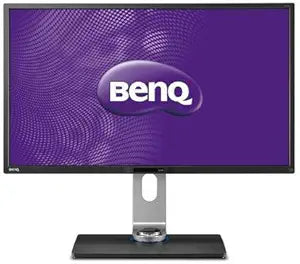
BenQ BL3200PT 32-Inch QHD Designer Monitor Photo Editing
QHD2560x1440100x10032 inch
Experience Visual Brilliance on the BenQ BL3200PT The BenQ BL3200PT 32-inch QHD Designer Monitor delivers stunning clarity and color accuracy, ideal for graphic design, photo editing, and CAD/CAM applications. Its high resolution and specialized modes bring your inspirations to life. Scre...
Check availability
Affiliate Disclosure: As an Amazon Associate, Studio Supplies earns from qualifying purchases made through links on this page, at no additional cost to you. This helps support our editorial team.
Notice a mistake? Let Us Know
Overview
Experience Visual Brilliance on the BenQ BL3200PT
The BenQ BL3200PT 32-inch QHD Designer Monitor delivers stunning clarity and color accuracy, ideal for graphic design, photo editing, and CAD/CAM applications. Its high resolution and specialized modes bring your inspirations to life.
- Screen Size: 32-inch
- Resolution: QHD 2560x1440
- Color Gamut: 100% sRGB
- Special Features: CAD/CAM mode, Animation mode
- Color: Black/Glossy Black
Key Features
32 inch 2560x1440 QHD resolution
100% sRGB and REC 709 color space with 10bits color depth
CAD/CAM mode and Animation mode enable the detailed and precise design
OSD controller for easily switching mode. OS Compatibility- Windows 7,Windows 8,Windows 8.1Windows 10
Display Pilot software for customized monitor setting
Mounting type: VESA wall mounting 100x100 mm
Specifications
Display Size
32-inch
Resolution
2560x1440 QHD
Color Space Coverage
100% sRGB, REC 709
Color Depth
10-bits
Special Modes
CAD/CAM mode, Animation mode
Control Interface
OSD controller
Software
Display Pilot software
OS Compatibility
Windows 7, Windows 8, Windows 8.1, Windows 10
Mounting Type
VESA wall mounting 100x100 mm
Frequently Asked Questions
What is the resolution of the BenQ BL3200PT monitor?
The BenQ BL3200PT features a 32-inch display with a 2560x1440 QHD resolution, providing sharp and detailed visuals.
Is this monitor suitable for color-critical work like photo editing?
Yes, it boasts 100% sRGB and REC 709 color space with 10-bit color depth, making it excellent for professional photo and video editing.
Does the BenQ BL3200PT have any special modes for design work?
Yes, it includes CAD/CAM mode and Animation mode specifically designed to enhance detailed and precise design tasks.
How do I switch between different display modes on this monitor?
The monitor comes with an OSD controller, allowing for easy and convenient switching between its various modes.
Is this monitor compatible with Windows operating systems?
Yes, it is compatible with Windows 7, Windows 8, Windows 8.1, and Windows 10 operating systems.
Can the BenQ BL3200PT monitor be wall-mounted?
Yes, it supports VESA wall mounting with a 100x100 mm pattern for flexible installation options.
What software is available to customize monitor settings?
The monitor includes Display Pilot software, which allows users to customize and fine-tune various settings.
Related Products


