



BenQ
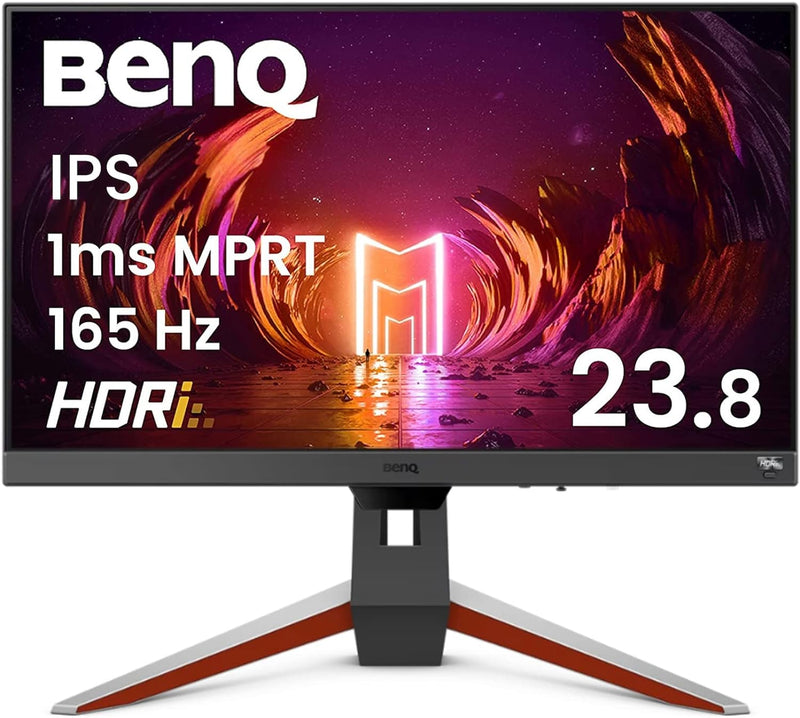
BenQ EX240 MOBIUZ 165Hz 1ms IPS Gaming Monitor
1080PFHD24 Inch
A 165Hz IPS panel with 1ms response time and FreeSync Premium keeps your gameplay fluid and tear-free on a 24-inch display built for competitive and immersive gaming.
$169.99*
Check availability
*Price sourced from Amazon.com. Last updated:Sep 04, 2026.Price and availability are subject to change — details.
Affiliate Disclosure: As an Amazon Associate, Studio Supplies earns from qualifying purchases made through links on this page, at no additional cost to you. This helps support our editorial team.
Notice a mistake? Let Us Know
Overview
Key Features
Level Up the Game: 24 Inch 1080P FHD IPS 165Hz Gaming Computer Monitor features Freesync Premium and color optimizer settings.
Height Adjustable Stand: Easily customize your workspace to fit what best works for you! Adjust the height of the monitor for optimal comfort.
Adaptive Brightness Technology: Our Brightness Intelligence (B.I.) technology optimizes display performance for work and play to protect your vision while providing a stunning image at the same time.
Built-In Speakers: Free up desk space with a built-in sound system that delivers premium audio.
Specifications
Screen Size
24 inches
Resolution
FHD 1920x1080
Panel Type
IPS
Refresh Rate
165Hz
Response Time
1ms (MPRT)
HDR
HDRi (BenQ proprietary)
Adaptive Sync
FreeSync Premium
Connectivity
DisplayPort, HDMI
Speakers
Built-in
Stand
Height-adjustable
Adaptive Brightness
Brightness Intelligence (B.I.)
Frequently Asked Questions
What does FreeSync Premium add over standard FreeSync on the EX240?
FreeSync Premium requires a minimum 120Hz refresh rate at the native resolution and mandates Low Framerate Compensation (LFC) support. LFC allows the monitor to multiply the GPU's output frame rate when it drops below the VRR range minimum, preventing screen stuttering at lower frame rates. On the EX240, this means smoother gameplay not just at high frame rates but also during performance dips below 60 fps in demanding titles.
Is the 1ms response time on the EX240 a GtG (gray-to-gray) or MPRT specification?
BenQ specifies 1ms for the MOBIUZ EX240, which for IPS panels typically refers to MPRT (Moving Picture Response Time) — a motion-clarity rating achieved through backlight strobing. GtG response time on IPS panels is generally 4–5ms. MPRT and VRR (FreeSync) typically cannot be enabled simultaneously; you choose between maximum motion clarity and adaptive sync based on your use case.
What is BenQ's HDRi technology and how does it differ from standard HDR10?
HDRi is BenQ's proprietary tone-mapping layer that combines HDR content processing with Brightness Intelligence (B.I.) — an ambient light sensor that adjusts display brightness and contrast in real time based on the room environment. Standard HDR10 is a content standard (1000 nits peak, wide color gamut). HDRi doesn't increase peak luminance to true HDR levels; it's a software enhancement that makes HDR content look better within the panel's physical limits.
What connectivity does the EX240 offer and is DisplayPort included?
The EX240 includes DisplayPort and HDMI inputs. DisplayPort is recommended for gaming to achieve the full 165Hz at 1080p, as HDMI 2.0 supports 144Hz at 1080p but may have limitations depending on GPU and cable quality. Verify the HDMI version on your GPU against the monitor spec before assuming 165Hz is achievable via HDMI.
How effective is the height-adjustable stand for ergonomic desk setups?
The EX240 features a height-adjustable stand — an ergonomic advantage over tilt-only stands common at this price point. Adjusting monitor height to align the screen with eye level reduces neck strain during long sessions. VESA mount compatibility is not confirmed in the spec sheet; verify before purchasing a third-party arm if stand replacement is planned.
Related Products


